MDS 05-4846A01, Rev. D SD Series Technical Manual 57
Performance
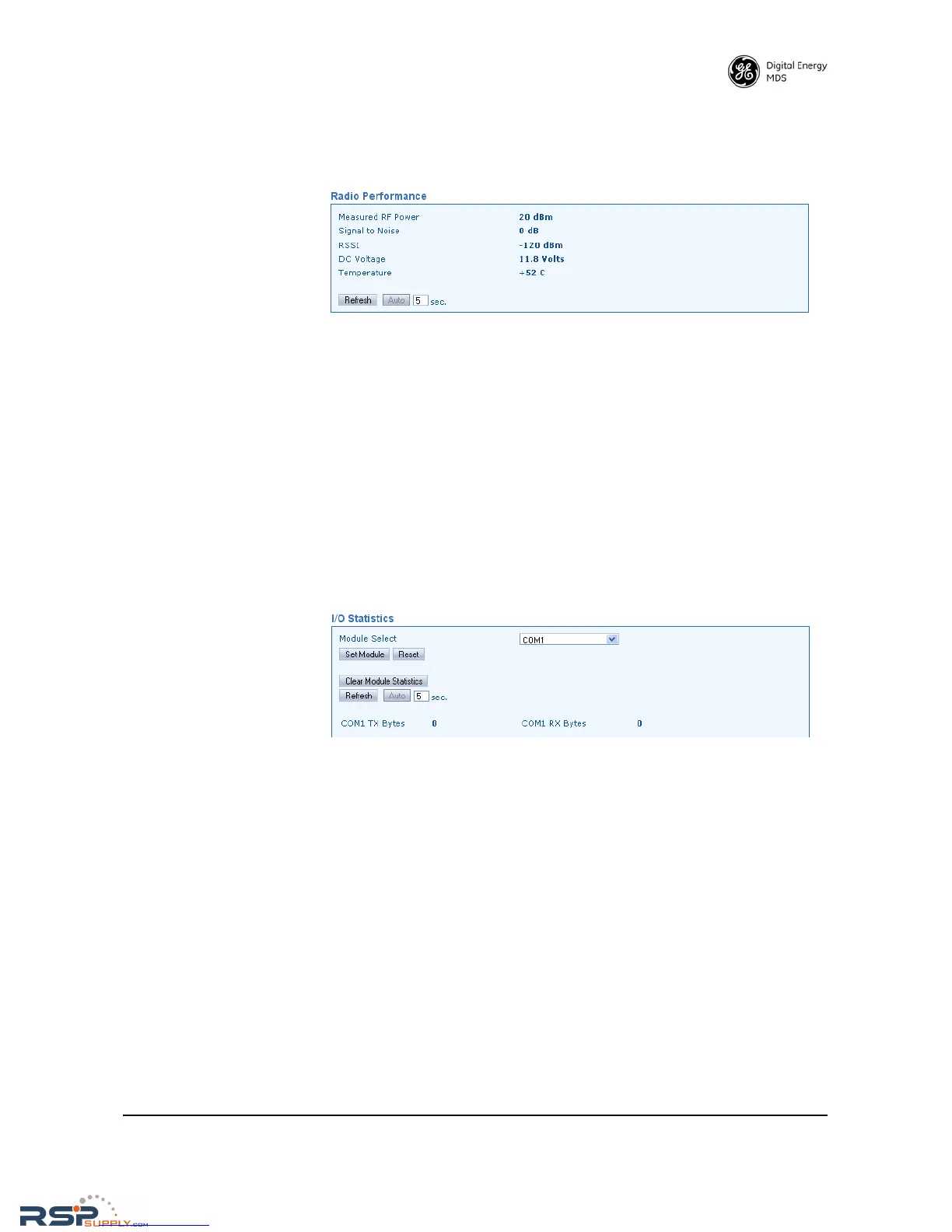
Radio Performance This screen contains several measurement parameters that can be used
to check the operating conditions of the radio.
• Measured RF Power—Read-only indication of the measured RF
output power (in dBm).
•
Signal to Noise—Read-only indication of the signal-to-noise ratio
of received signal.
•
RSSI—Read-only indication of the received signal strength (in
dBm).
• DC Voltage—Read-only indication of the DC supply voltage
applied to the transceiver.
• Temperature—Read-only indication of the chassis temperature
(degrees C).
I/O Statistics This screen allows viewing transmitted and received bytes on any of the
transceiver interface modules.
• Module Select—The drop-down box to the right of this area allows
selection of any of the transceiver interface modules:
All, Media
Access Controller, Port(s), COM1, COM2, IP Payload Port 1, 2, 3, Remote
Reprogram
. Once a module is selected, click Set Module to view a
summary of TX and RX bytes, along with the number of packets
missed, retries, and number of blocks (as applicable, depending
on the interface selected). The display continually refreshes to
show the latest information, and may be cleared at any time by
selecting
Clear Module Statistics.
• Refresh—Clicking this button updates the displayed statistics on
demand.
•
Auto—Initiates automatic updating of statistics. A time (in sec-
onds) may be entered in the box provided, to specify how often
the display is updated.



 To Next Page