MDS 05-4846A01, Rev. D SD Series Technical Manual 45
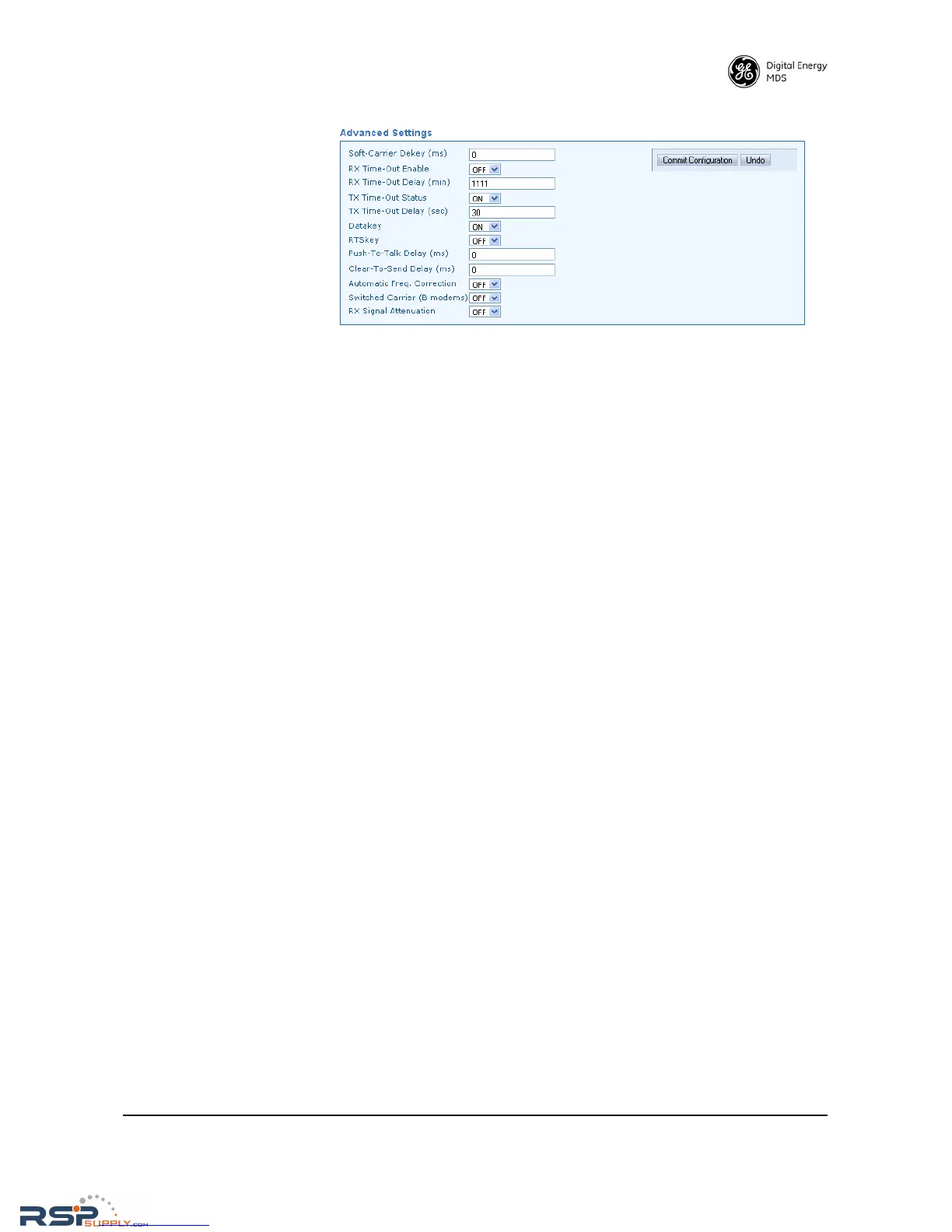
Advanced Settings
• Soft-Carrier Dekey (ms)—Specifies how long (in ms) to wait after
the removal of the keying signal before actually dropping the
transmitter’s carrier. The default setting is 0, but it may be set to
any value up to 255 ms. In most cases, no change is required from
the default setting. A possible exception is when the transceiver
is inter-working with certain early-generation MDS radio equip-
ment.
• RX Time-Out Enable—Enables or disables the RX time-out func-
tion. RX time-out protects against a receiver which fails to
receive data for a period exceeding the time-out delay setting (see
below). When the time is exceeded, an alarm is issued. The alarm
may be used to signal switchover to an alternate unit in redundant
systems. The RX time-out is cleared when the radio receives a
new Carrier Detect signal. The default selection is OFF (no RX
time limit).
• RX Time-Out Delay (min)—Sets the time delay, after which an alarm
is issued when no signals have been received. The default setting
here is 1111 minutes.
• TX Time-Out Status—Enables or disables the TX time-out function.
Time-Out protects against a transmitter which remains keyed for
a period exceeding the time-out delay setting (see below). When
this time is exceeded, the transmitter is taken offline, preventing



 To Next Page