MDS 05-4846A01, Rev. D SD Series Technical Manual 75
8.0 TECHNICAL REFERENCE
8.1 Performing Network-Wide Remote Diagnostics
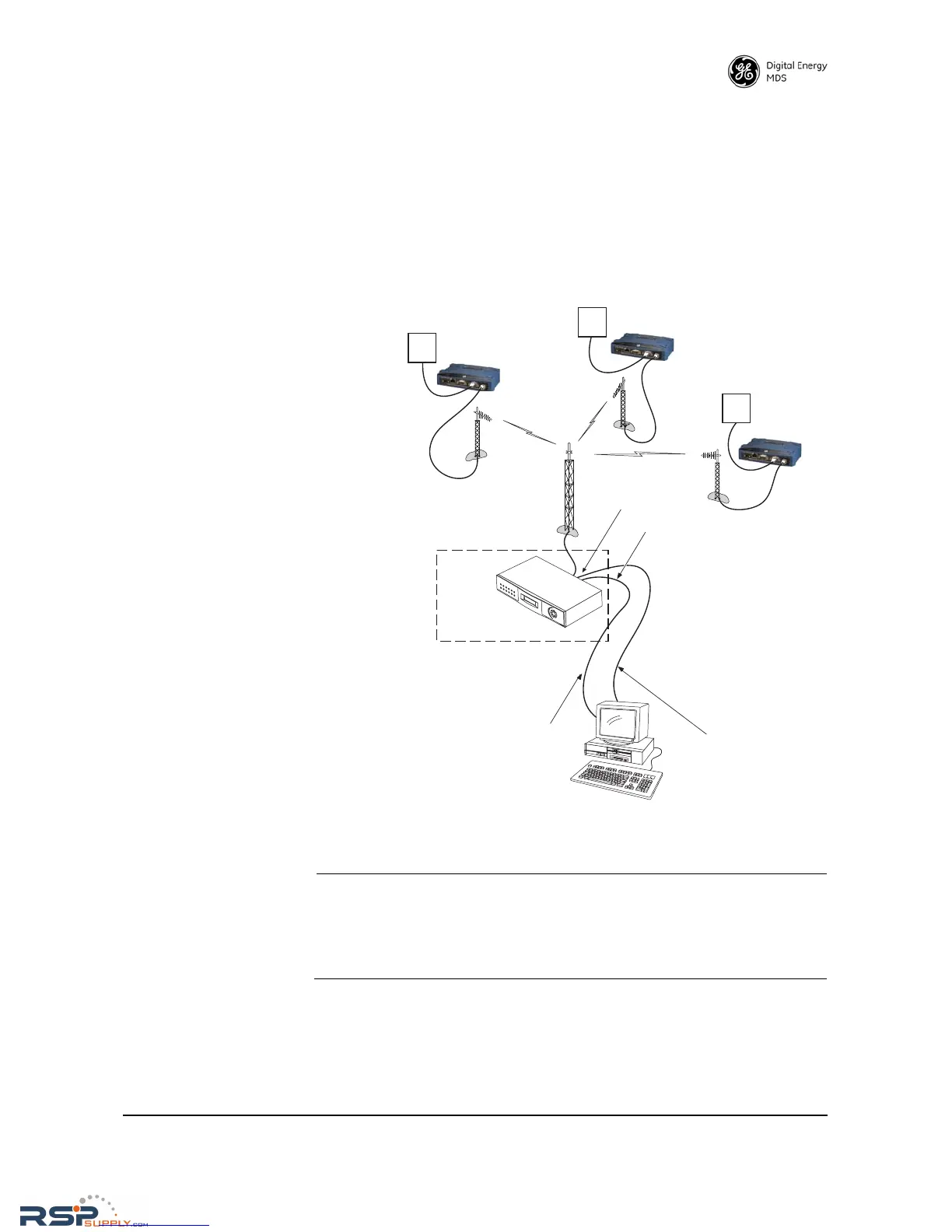
Diagnostics data from a remote radio can be obtained by connecting a
laptop or personal computer running GE MDS diagnostic software, such
as MDS PulseNET or MDS InSite to any radio in the network. Figure 28
shows a sample arrangement for performing network-wide remote diag-
nostics.
Figure 28. Network-Wide Remote Diagnostics Setup
NOTE: This section of the manual assumes that the radio’s Ethernet
port is being used for diagnostic configuration. This is the
preferred/recommended method to use. Alternatively, the
COM1 port may be used. See the SD Serial/Telnet Manage-
ment Supplement, Part No. 05-6193A01 more information.
RSPSupply - 1-888-532-2706 - www.RSPSupply.com
http://www.RSPSupply.com/p-8461-MDS-UP-SD9-MS2ES-Upgrade-Key-SD9-MS-to-SD9-ES.aspx



 To Next Page