MDS 05-4846A01, Rev. D SD Series Technical Manual 51
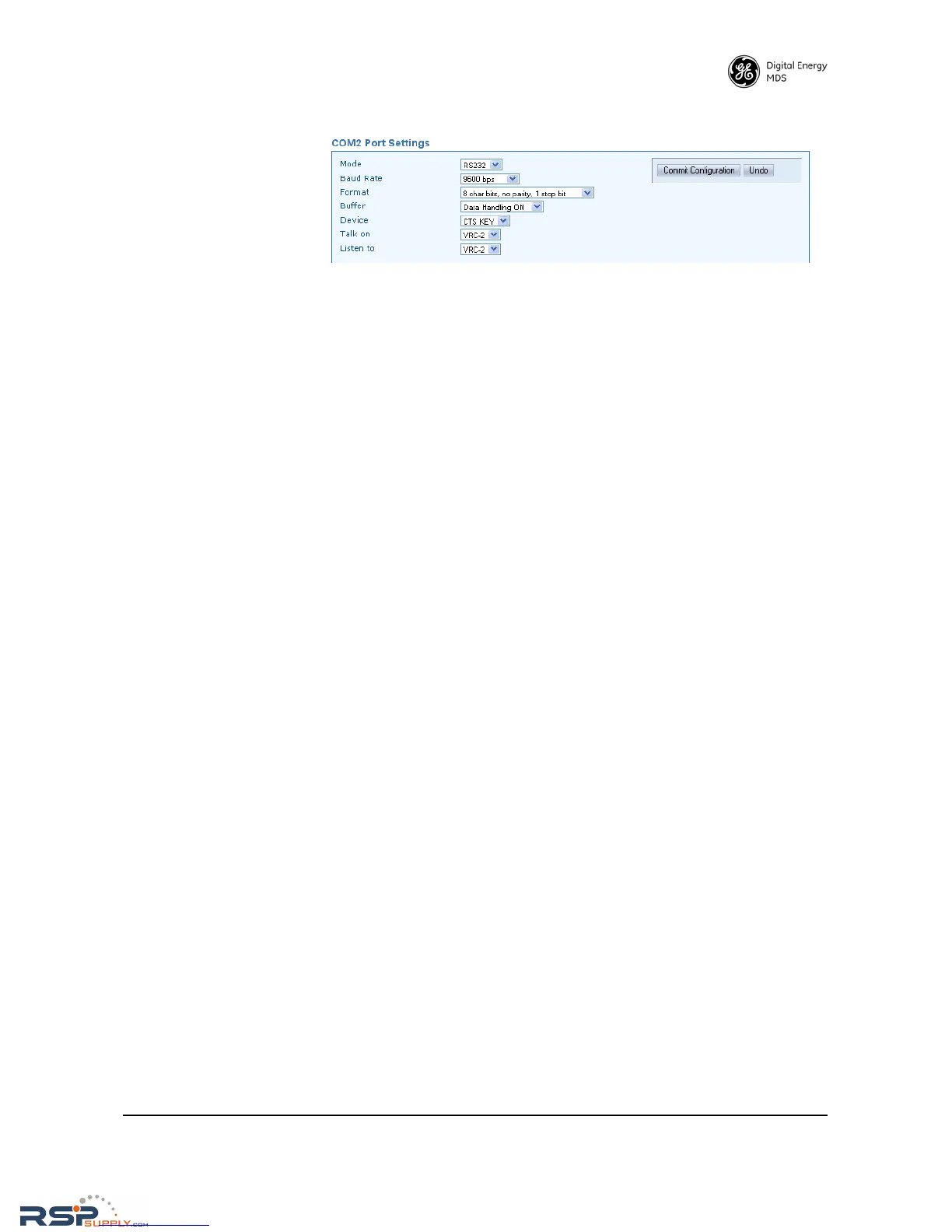
• Mode—The COM2 port can operate in either RS-232 or RS-485
mode. The default is RS-232.
•
Baud Rate—The default data rate for COM2 is 9600 bps, but it may
be set to any of the following speeds: 300, 1200, 2400, 4800,
9600, 19200, 38400, 57600, 115200.
•
Data Format—The default data format for the transceiver is 8 char-
acter bits, no parity, and 1 stop bit (8N1). A number of settings are
possible as listed below:
8 character bits, no parity, 1 stop bit (Default)
8 character bits, no parity, 2 stop bits
8 character bits, odd parity, 1 stop bit
8 character bits, odd parity, 2 stop bits
8 character bits, even parity, 1 stop bit
8 character bits, even parity, 2 stop bits
7 character bits, no parity, 1 stop bit
7 character bits, no parity, 2 stop bits
7 character bits, odd parity, 1 stop bit
7 character bits, odd parity, 2 stop bits
7 character bits, even parity, 1 stop bit
7 character bits, even parity, 2 stop bits
• Buffer—The transceiver’s buffer provides a way of handling data
“over-runs,” where more data is passing through the COM2 port
than can be immediately handled by the unit. When the buffer is
on, any such data is stored up and processed in the appropriate
order. Available selections are Data Handling ON or Data Handling
OFF
.
• Device—This setting controls the device behavior of x710 legacy
radios. It does not apply to packet or Ethernet radios, and may be
disregarded for these models.
•
Talk on/Listen to—Any combination of the three Virtual Radio
Channels may be entered in these menu fields. For more informa-
tion on how these settings are used, refer to the SD Serial/Telnet
Management Supplement, Part No. 05-6193A01 more informa-
tion.
IP Configuration The IP Configuration Menu contains various settings for the IP data
stream. Each item is listed below along with instructions for making
changes. Note that the bottom of the screen displays the current settings
that have been applied to the radio in a read-only fashion.



 To Next Page