50 SD Series Technical Manual MDS 05-4846A01, Rev. D
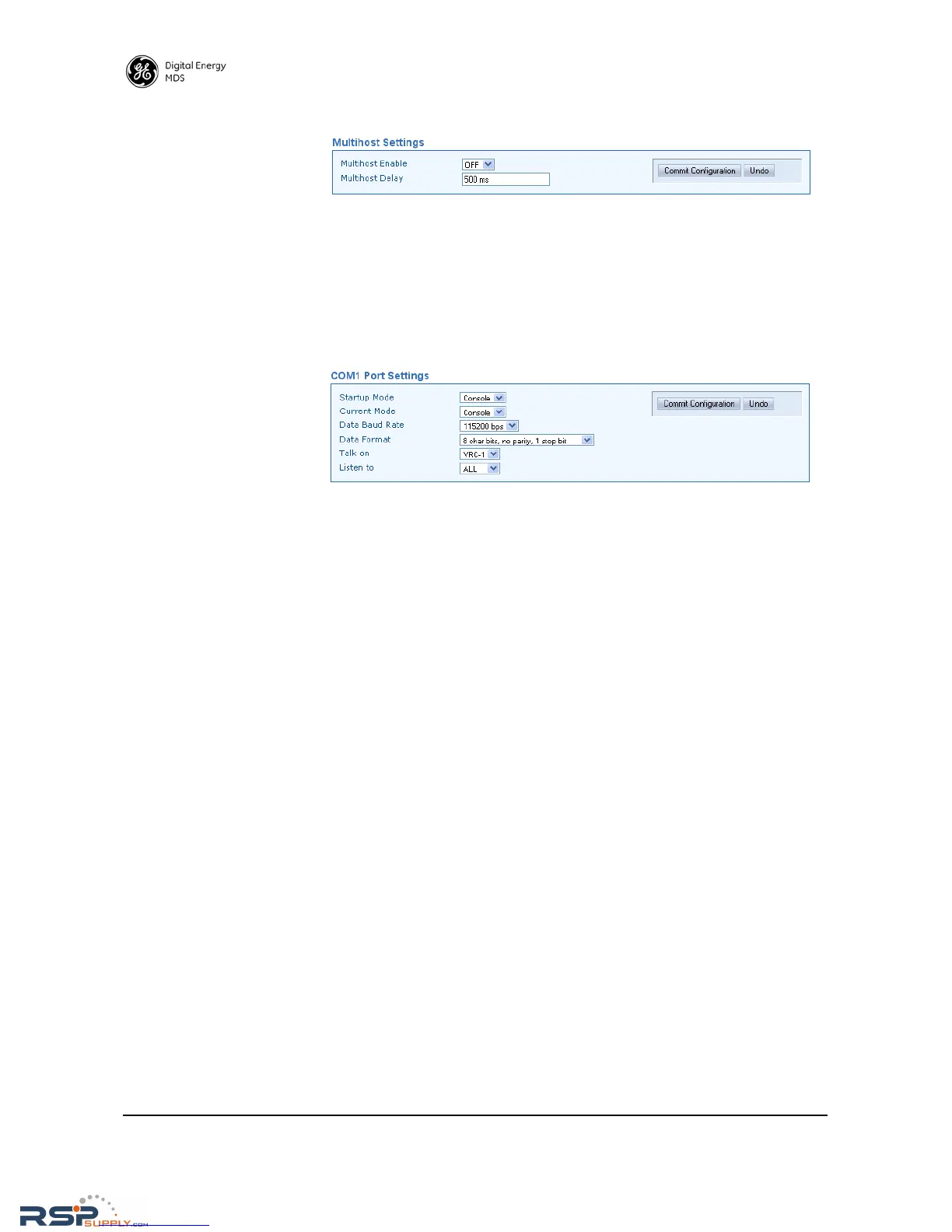
• Multihost Enable—Enables or disables multihost capability.
• Multihost Delay—Sets the desired delay time (in ms) for switching
between hosts during multihost operation.
Communications Ports
COM1 Port Settings
• Startup Mode—The default mode for COM1 is Console when the
transceiver is first powered up, but the startup mode may also be
set to Data if the port is to be used for passing payload data.
• Current Mode—The mode setting for the COM1 port may be
changed on demand (Console or Data) using this selection.
• Data Baud Rate—The default data rate for COM1 is 115200 bps, but
it may be set to any of the following speeds: 300, 1200, 2400,
4800, 9600, 19200, 38400, 57600, 115200.
• Data Format—The default data format for the transceiver is 8 char-
acter bits, no parity, and 1 stop bit (8N1). A number of settings are
possible as listed below:
8 character bits, no parity, 1 stop bit (Default)
8 character bits, no parity, 2 stop bits
8 character bits, odd parity, 1 stop bit
8 character bits, odd parity, 2 stop bits
8 character bits, even parity, 1 stop bit
8 character bits, even parity, 2 stop bits
7 character bits, no parity, 1 stop bit
7 character bits, no parity, 2 stop bits
7 character bits, odd parity, 1 stop bit
7 character bits, odd parity, 2 stop bits
7 character bits, even parity, 1 stop bit
7 character bits, even parity, 2 stop bits
• Talk on/Listen to—Any combination of the three Virtual Radio
Channels may be entered in these menu fields. For more informa-
tion on how these settings are used, refer to the SD Serial/Telnet
Management Supplement, Part No. 05-6193A01 more informa-
tion.
COM2 Port Settings COM2 is the standard port used for connection of serial payload data.
The COM2 Port Settings screen contains a number of settings that may be
configured to suit the needs of your system.



 To Next Page