page | 107
Basic Operation
Web Interface
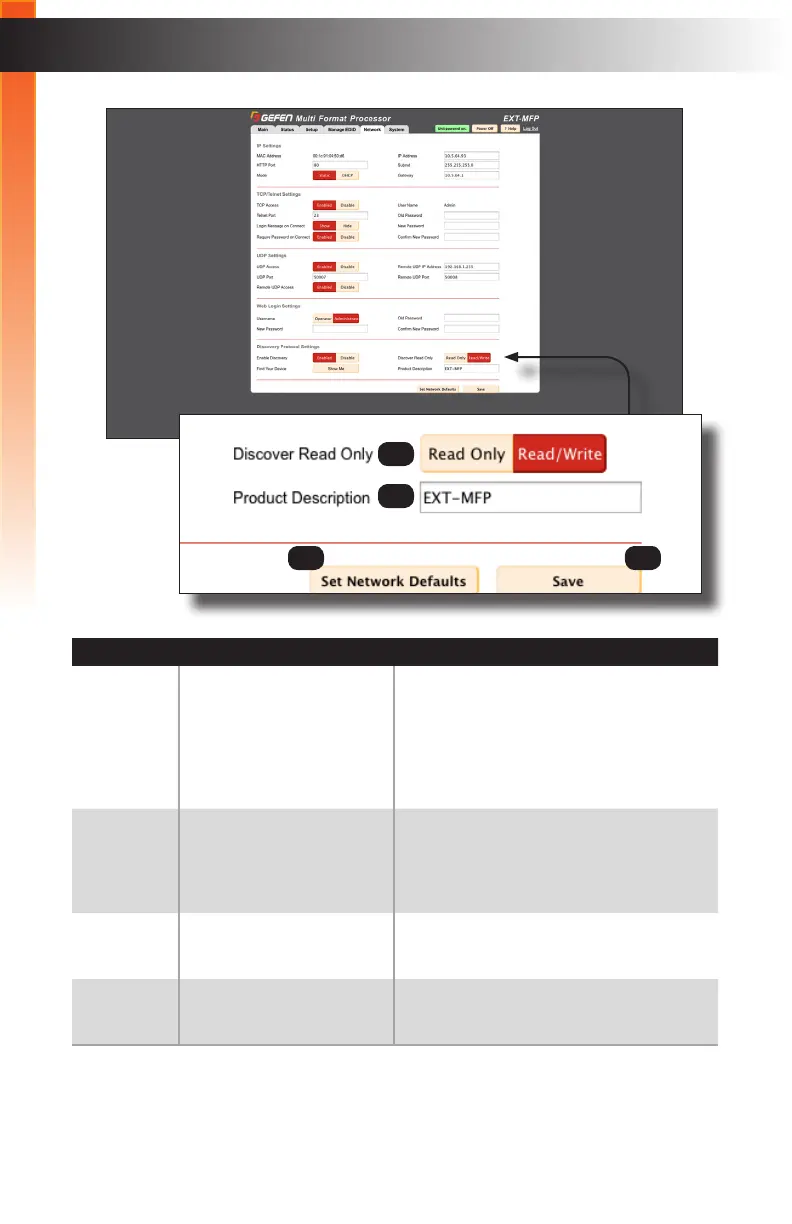
ID Name Description
7 Discover Read Only When set to Read Only, the IP settings
for the Multi-Format Processor will be
displayed by Syner-G but they cannot be
changed. In order to display and change
IP settings, this option must be set to
Read/Write.
8 Product Description EXT-MFP is the default product description
of the Multi-Format Processor. This name
will be used to identify the Multi-Format
Processor within the Syner-G software.
9 Set Network Defaults Click this button to reset the Multi-Format
Processor to factory-default settings.
10 Save Click this button to save all changes within
the Network tab.
7
9 10
8



 To Next Page