page | 8
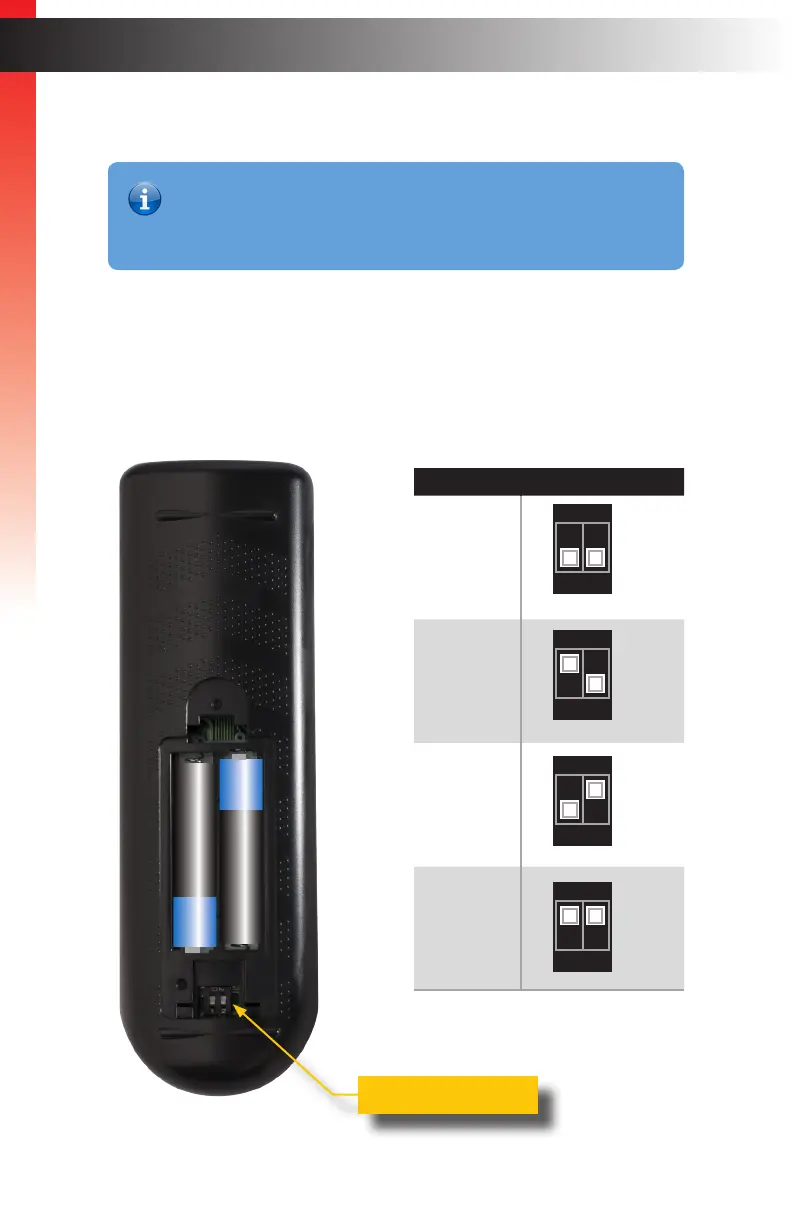
Setting the IR Channel
1. Remove the battery cover on the bottom of the IR remote control unit.
2. Locate the DIP switches, below the battery compartment.
3. Use the table, below, to set the IR remote control to the desired IR channel.
4. Replace the battery cover.
Getting Started
Getting Started
_
+
_
+
Information
In order for the IR remote control to function properly, both the IR remote
control and the Multi-Format Processor must be set to the same IR
channel.
IR channel DIP switch setting
1
2
3
4
1 2
ON
1 2
ON
1 2
ON
1 2
ON
DIP switches
Introduction



 To Next Page