page | 14
Basic OperationBasic Operation
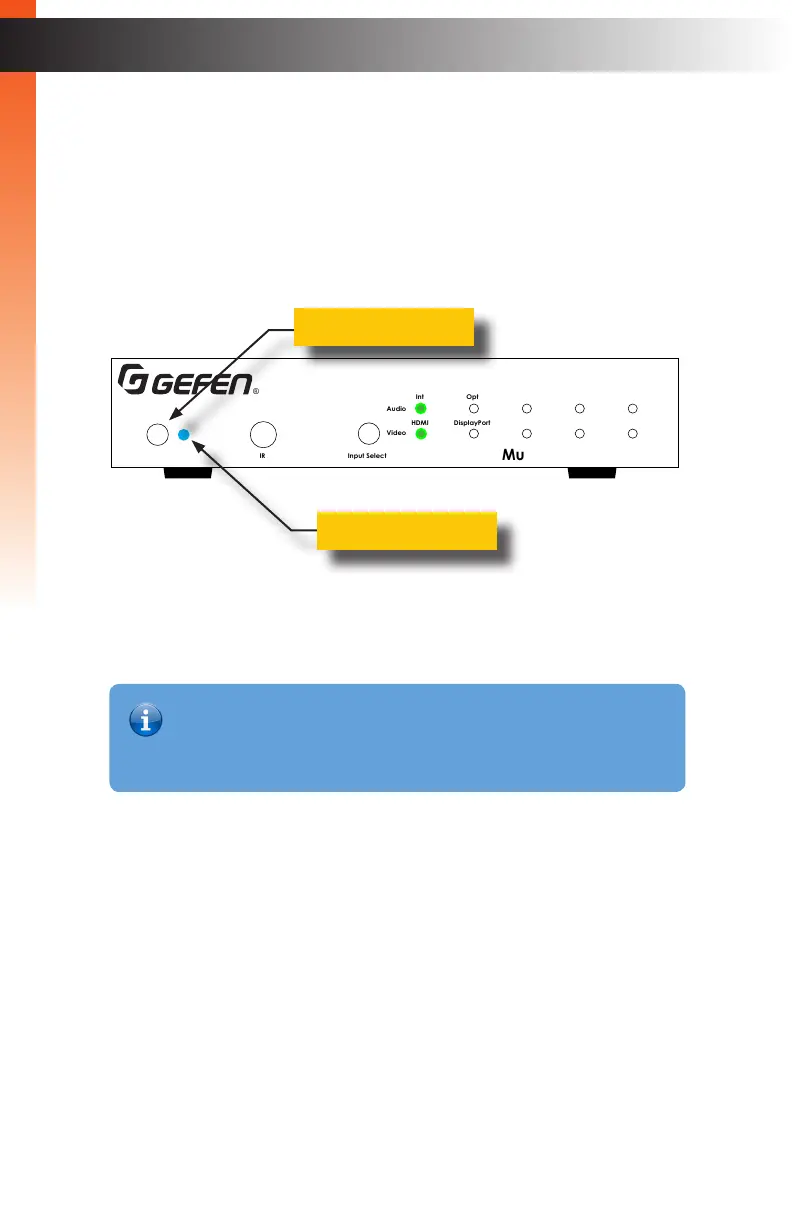
Powering the Multi-Format Processor
1. Make sure the included 12V DC power supply is connected from the Multi-Format
Processor to an available electrical outlet.
2. Press and release the Power button on the front panel.
3. The power indicator will glow solid blue.
4. To power-off the Multi Format Processor, press and release the Power button.
5. The power indicator will turn red.
Front-Panel Controls
Basic OperationBasic Operation
Multi-Format Processor
IR
Audio
Int Opt Coax L/R 1 L/R 2
HDMI DisplayPort DVI VGA Composite
Video
Input Select
Power
®
USB Optical
IR Ext
EXT-MFP
HDMI Out DVI Out HDMI In (1) DisplayPort In (2)
Coax
IP Control
12V DCVGA In (4)DVI In (3)
Composite
In (5)
RS-232
Input Control
Audio In
Audio Out
C 1 2 3 4 5
L/R 1 L/R 2L R
Power button
Power indicator
Information
The Multi-Format Processor can also be turned on and off with the IR Remote
Control, the Web GUI, or by an external controller using either RS-232 or IP
Telnet control.



 To Next Page