page | 81
Basic Operation
Web Interface
The Web interface is divided into six main pages: Main, Status, Setup, Manage EDID,
Network, and System. Each main page is represented by a tab at the top-most portion of
the screen. The Setup and Manage EDID pages have their own set of sub-tabs. Click on
the desired tab / sub-tab to open the desired page.
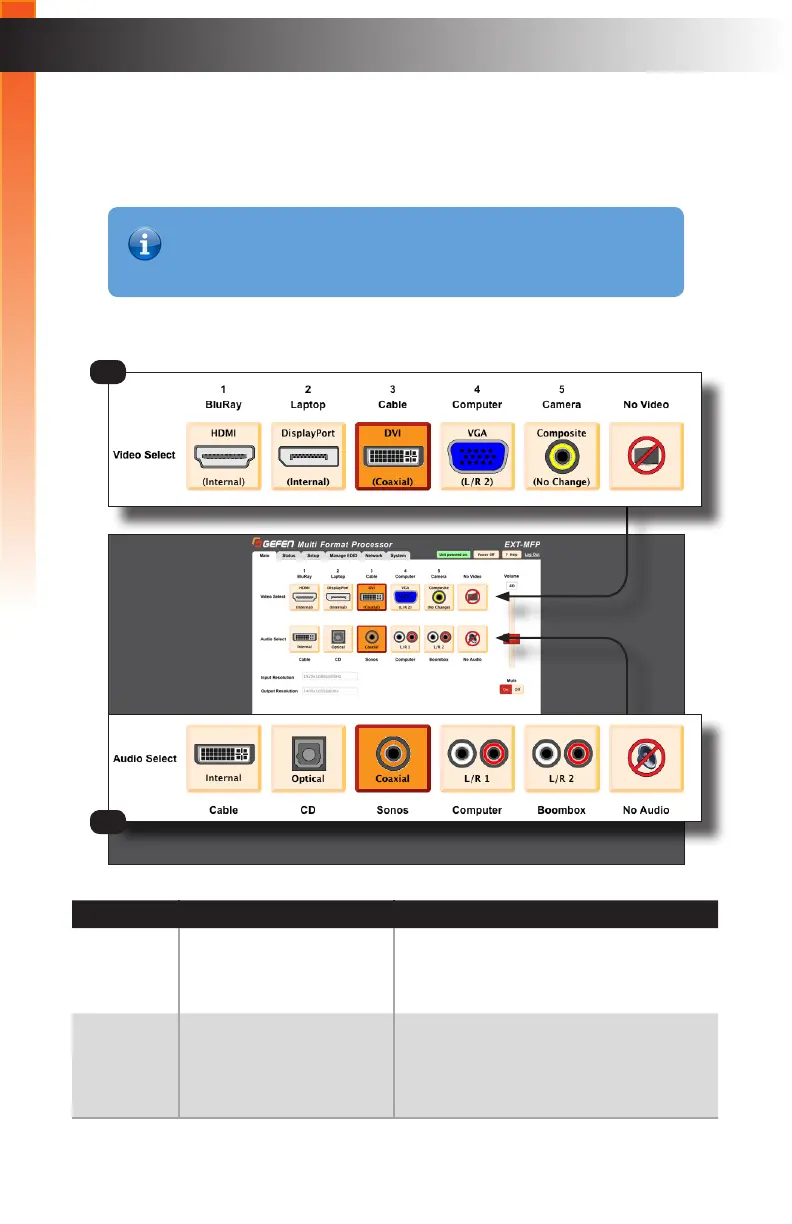
Main
ID Name Description
1 Video Select Click these buttons to switch to the
desired video input. Options: HDMI,
DisplayPort, DVI, VGA, Composite,
No Video
2 Audio Select Click these buttons to switch to the
desired audio input. Options: Internal,
Optical, Coaxial, L/R 1, L/R 2, No
Audio
Information
In order to view all six tabs, the user must be logged-in as “Administrator”.
If logged-in as “Operator”, then only the Main tab will be visible.
1
2



 To Next Page