page | 82
Basic Operation
Web Interface
ID Name Description
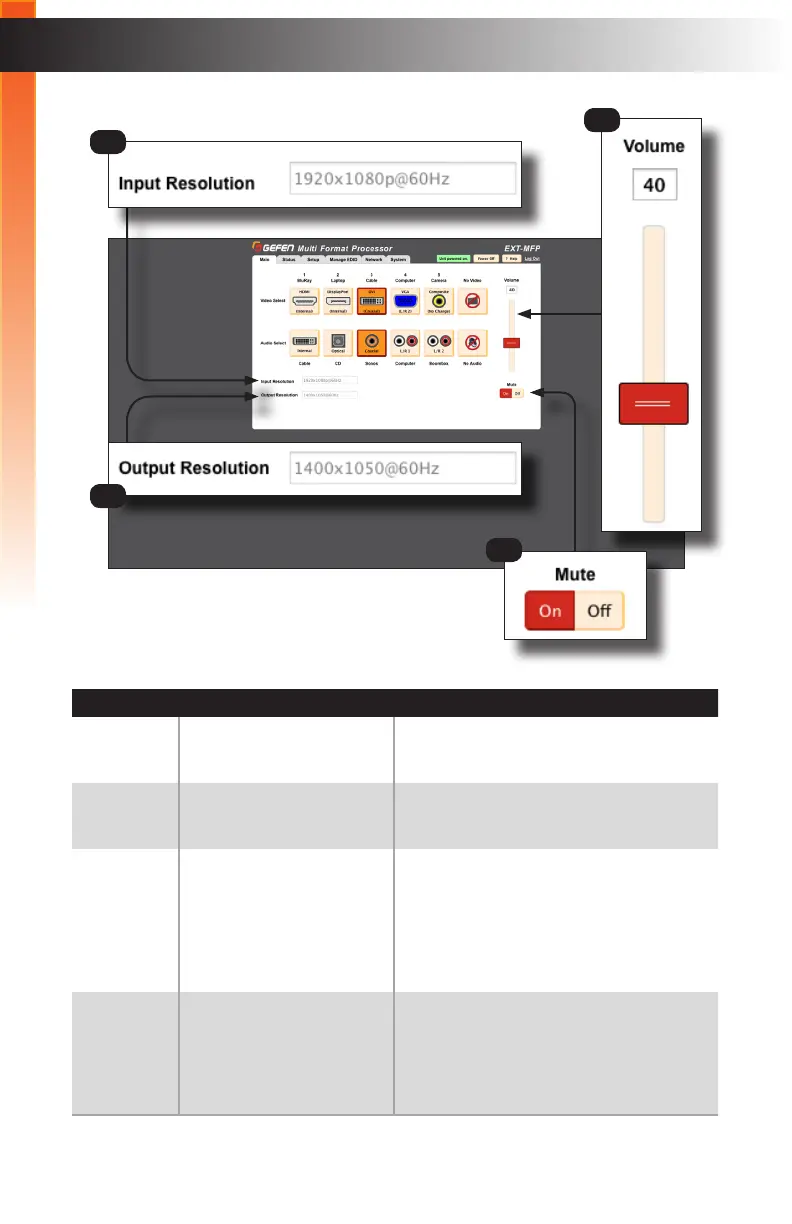
3 Input Resolution Displays the input resolution of the source.
4 Output Resolution Displays the output resolution from the
Multi-Format Processor.
5 Volume
(Analog audio output only)
Click and drag the slider control to adjust
the volume to the desired output level.
The volume level can also be set by
entering the desired level in the Volume
box. The current volume level is listed in
the box above the slider bar.
6 Mute Click the On button to mute the audio
output. Click the Off button to restore the
audio level to the previous state. The
button that is highlighted in red will indicate
the current muting state.
3
4
5
6
Basic Operation



 To Next Page