page | 65
Basic OperationBasic Operation
Menu System
Audio Linking
The linking feature of the Multi-Format Process allows each video input to be assigned
a separate audio source. If the No Audio setting is used, then the audio will be muted on
the selected video input. If the No Change setting is used, then this will prevent the audio
source from changing when switching video inputs. See Setup ► Audio (page 90),
within the built-in Web interface, for more information.
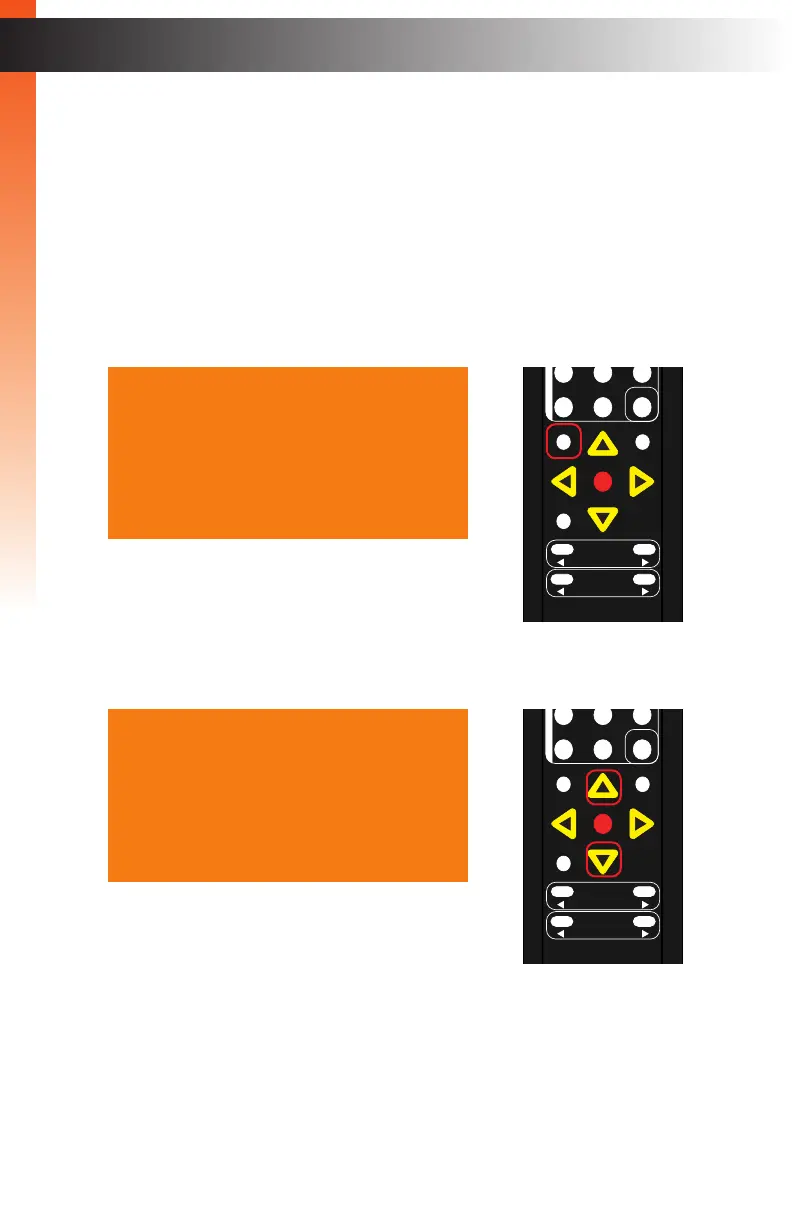
1. Press the Menu button. The Output Setup option will automatically be highlighted.
2. Press the ▲ or ▼ buttons to highlight the Audio option.
Output Setup
Picture
Adjust
Audio
Network
System
Exit
Output Setup
Picture
Adjust
Audio
Network
System
Exit
OK
Resolution
Menu
Exit
L/R 1
Int
VGA
HDMI
Off On
DP DVI
Comp Mask
Optical Coaxial
L/R 2 Mute
Info
Vol -
Vol +
Aspect Ratio
Audio
OK
Resolution
Menu
Exit
L/R 1
Int
VGA
HDMI
Off On
DP DVI
Comp Mask
Optical Coaxial
L/R 2 Mute
Info
Vol -
Vol +
Aspect Ratio
Audio



 To Next Page