page | 78
Using the Gefen Syner-G Discovery Tool
1. Make sure that the Enable Discovery feature is set to enabled. See Network ►
Discovery Protocol Settings (page 106) for more information on this feature.
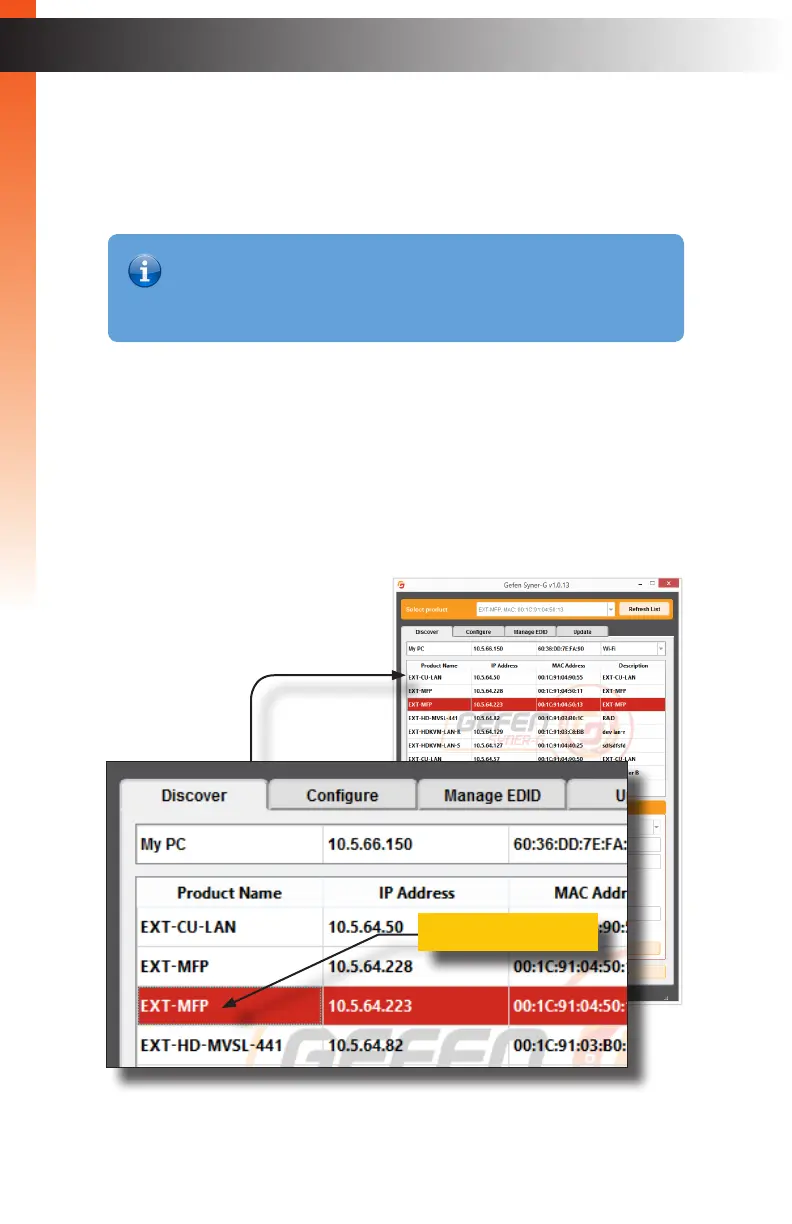
2. Open the software suite and click the Discover tab or open the App and press
Find Devices On Network.
3. The Product Name of the Multi-Format Processor will be displayed as EXT-MFP.
4. Click on the EXT-MFP.
5. The Device IP Settings will appear at the bottom of the screen (shown on the next
page).
Basic OperationBasic Operation
Syner-G Discovery Tool
Basic OperationBasic Operation
Product Name
Information
If the Multi-Format Processor is in standby mode and set to “Low Power”,
then the Multi-Format Processor will not be detected by Syner-G. See the
System (page 108) Web page section for more information.



 To Next Page