page | 106
Basic Operation
Web Interface
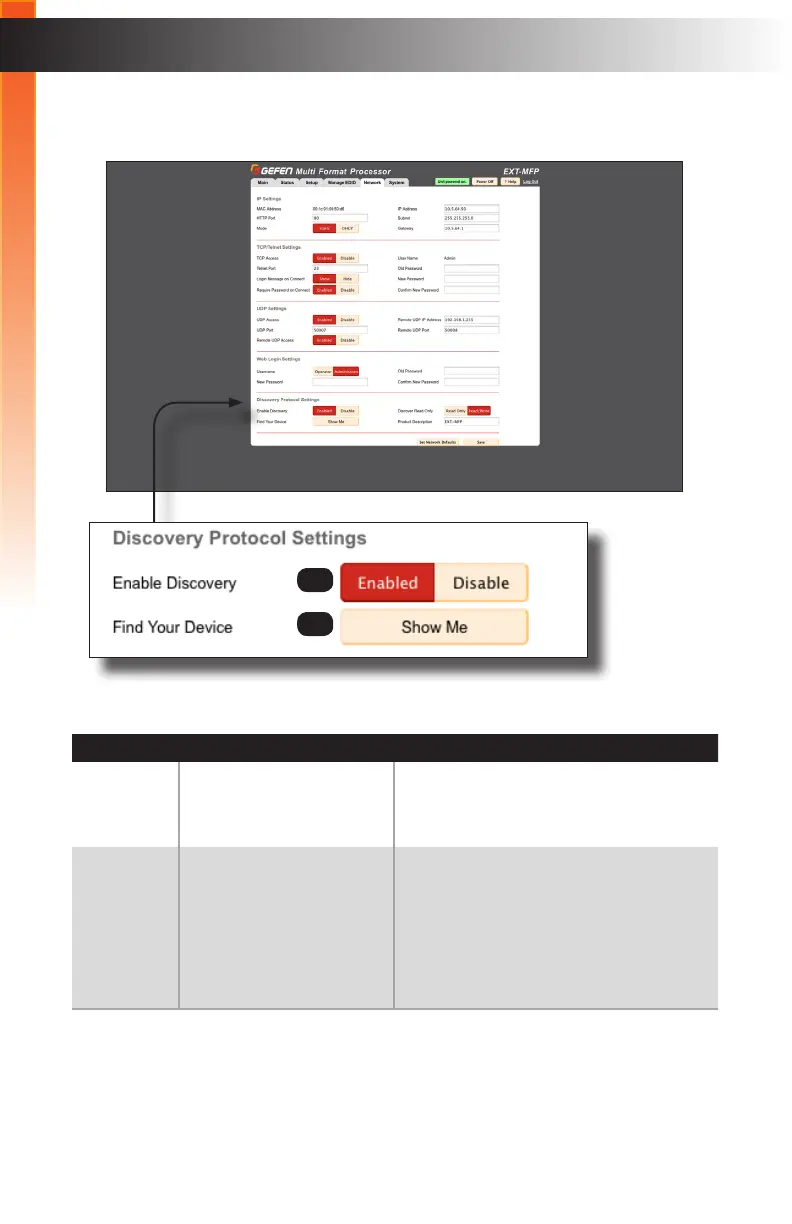
Network ► Discovery Protocol Settings
ID Name Description
5 Enable Discovery When set to Enabled, the Multi-Format
Processor can be detected using the Gefen
Syner-G Software Suite or Syner-G App.
6 Find Your Device Click the Show Me button to locate the
Multi-Format Processor on the network.
When this button is clicked, the button
text will change to “Hide Me” and all LED
indicators on the front panel will ash.
Click the “Hide Me” button to stop the LED
indicators from ashing.
(continued on next page)
5
6
Basic Operation



 To Next Page