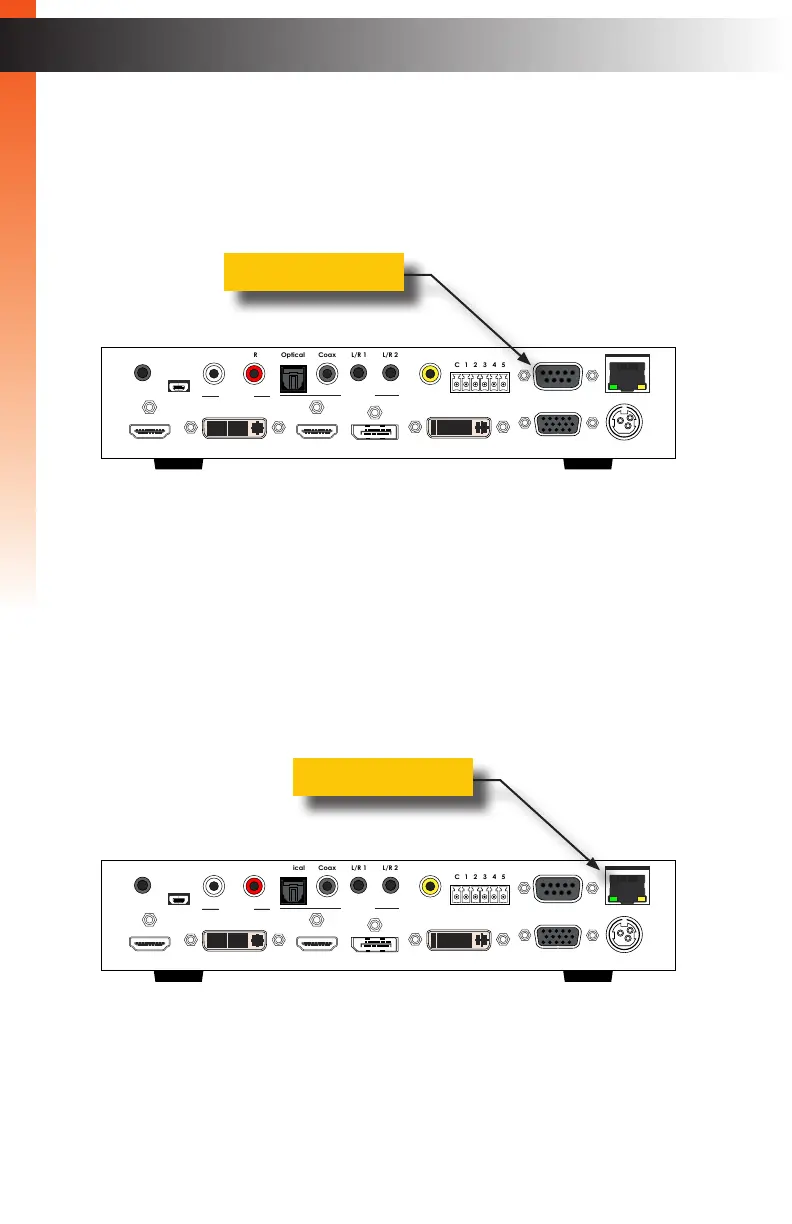
RS-232 Control
You can control the Multi-Format Processor with any control device that can send simple
ASCII commands over RS-232. Connect a serial cable with a DB-9M connector to the
RS-232 port on the rear panel. See page RS-232 Interface (page 114) for more
information.
IP Control
You can also control the Multi-Format Processor with any control device or system that can
send Telnet commands to the IP address of the Multi-Format Processor. Connect a LAN
Patch Cord with an RJ-45 connector to the IP Control Port on the rear panel.
See IP Conguration (page 115) for more information.
Multi-Format Processor
IR
Audio
Int Opt Coax L/R 1 L/R 2
HDMI DisplayPort DVI VGA Composite
Video
Input Select
Power
®
USB Optical
IR Ext
EXT-MFP
HDMI Out DVI Out HDMI In (1) DisplayPort In (2)
Coax
IP Control
12V DCVGA In (4)DVI In (3)
Composite
In (5)
RS-232
Input Control
Audio In
Audio Out
C 1 2 3 4 5
L/R 1 L/R 2L R
Multi-Format Processor
IR
Audio
Int Opt Coax L/R 1 L/R 2
HDMI DisplayPort DVI VGA Composite
Video
Input Select
Power
®
USB Optical
IR Ext
EXT-MFP
HDMI Out DVI Out HDMI In (1) DisplayPort In (2)
Coax
IP Control
12V DCVGA In (4)DVI In (3)
Composite
In (5)
RS-232
Input Control
Audio In
Audio Out
C 1 2 3 4 5
L/R 1 L/R 2L R
Basic OperationBasic Operation
Control Methods
page | 76
RS-232 port
IP Control port
Basic OperationBasic Operation



 To Next Page