page | 111
Basic Operation
Web Interface
ID Name Description
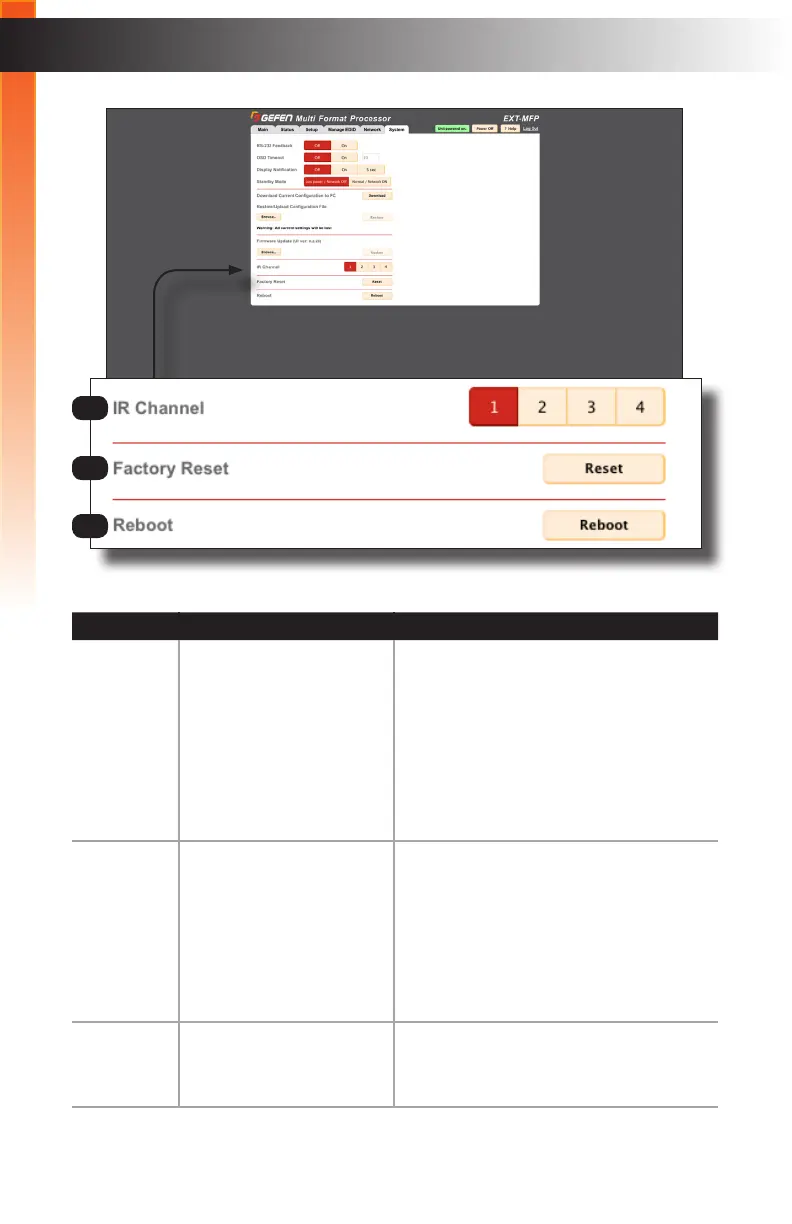
8 IR Channel Click the desired button (1 - 4) to change
the IR channel used by the included IR
remote control unit. The IR channel should
only be changed if the current channel is
conicting with another IR remote control
that is using the same channel. See
page Setting the IR Channel (page 8)
for instructions on how to change the IR
channel of the IR remote control unit.
9 Factory Reset Reset the Multi-Format Processor to
factory-default settings. If the unit has
been congured, be sure to download the
conguration le before resetting it. If your
conguration gets corrupted, it can often be
xed by downloading the conguration le,
resetting the unit to factory-default settings,
then re-uploading the conguration le.
10 Reboot Click the Reboot button to reboot the
Multi-Format Processor. This is the same
as power-cycling the unit.
8
9
10



 To Next Page