page | 220
Advanced Operation
Commands
#set_showme
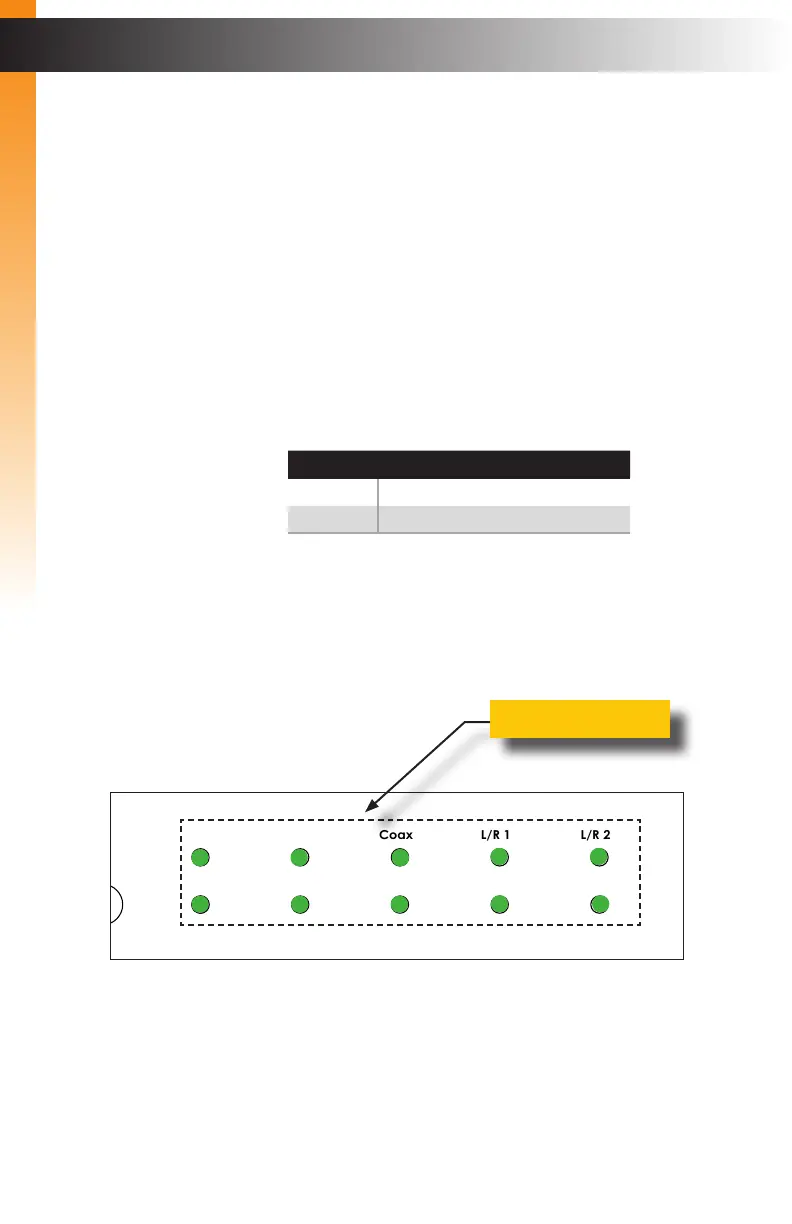
Enables or disables the “Show Me” feature. When the “Show Me” feature is enabled, all
the audio and video Input lights on the front panel will ash. This quickly identies a unit
and is useful when multiple units are being used. The default setting is Off.
Syntax
#set_showme param1
Parameters
param1 Integer [0 ... 1]
param1 Description
0
Turn “Show Me” Off
1
Turn “Show Me” On
Examples
#set_showme 1
SHOWME IS ON
#set_showme 0
SHOWME IS OFF
Related Commands
#get_discovery
Audio
Int Opt Coax L/R 1 L/R 2
HDMI DisplayPort DVI VGA Composite
Video
Input Select
Power
®
USB Optical
IR Ext
EXT-MFP
HDMI Out DVI Out HDMI In (1) DisplayPort In (2)
Coax
IP Control
12V DCVGA In (4)DVI In (3)
Composite
In (5)
RS-232
Input Control
Audio In
Audio Out
C 1 2 3 4 5
L/R 1 L/R 2L R
Flashing indicators
Advanced Operation



 To Next Page