page | 19
Basic OperationBasic Operation
Menu System
4. The current output resolution will be highlighted in red.
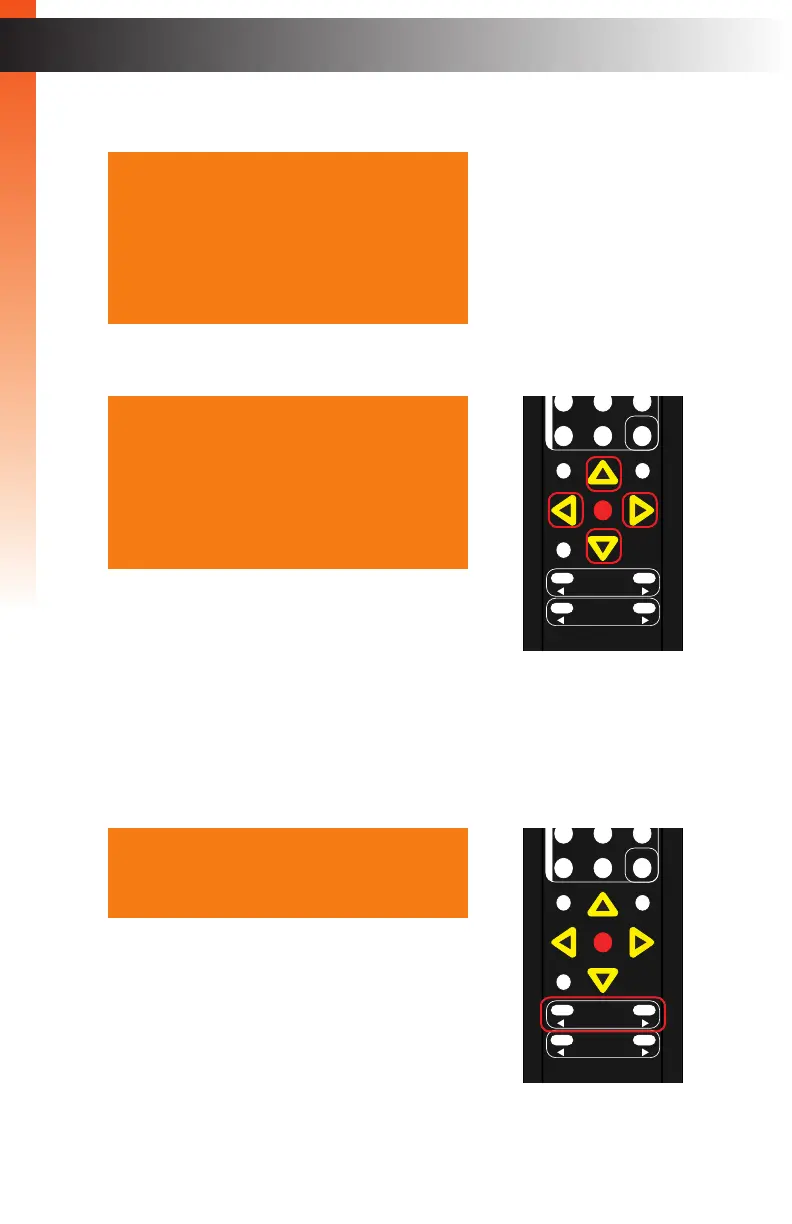
5. Press the ▲, ▼, ◄, or ► buttons to select the desired output resolution.
For a complete listing of available output resolutions,
see the #set_output_res command.
6. Press the OK button to accept the selected output resolution.
7. The display will ash when the output resolution is changed.
8. Once the resolution has changed, the following display notication will be displayed
momentarily (the resolution information will vary depending on your selection).
The timeout value for the display notication can
be changed under the Display Notify (page 72)
section of the menu system.
Note that the output resolution can also be changed
by pressing the ◄ or ► Resolution buttons.
Resolution HD( 1080p60 )
Colorspace
Mode
Background Blue
Exit
Resolution HD( 720p60 )
Colorspace
Mode
Background Blue
Exit
IN : HDMI
1280 x 720 / 60
OUT: 720p60
OK
Resolution
Menu
Exit
L/R 1
Int
VGA
HDMI
Off On
DP DVI
Comp Mask
Optical Coaxial
L/R 2 Mute
Info
Vol -
Vol +
Aspect Ratio
Audio
OK
Resolution
Menu
Exit
L/R 1
Int
VGA
HDMI
Off On
DP DVI
Comp Mask
Optical Coaxial
L/R 2 Mute
Info
Vol -
Vol +
Aspect Ratio
Audio



 To Next Page