page | 62
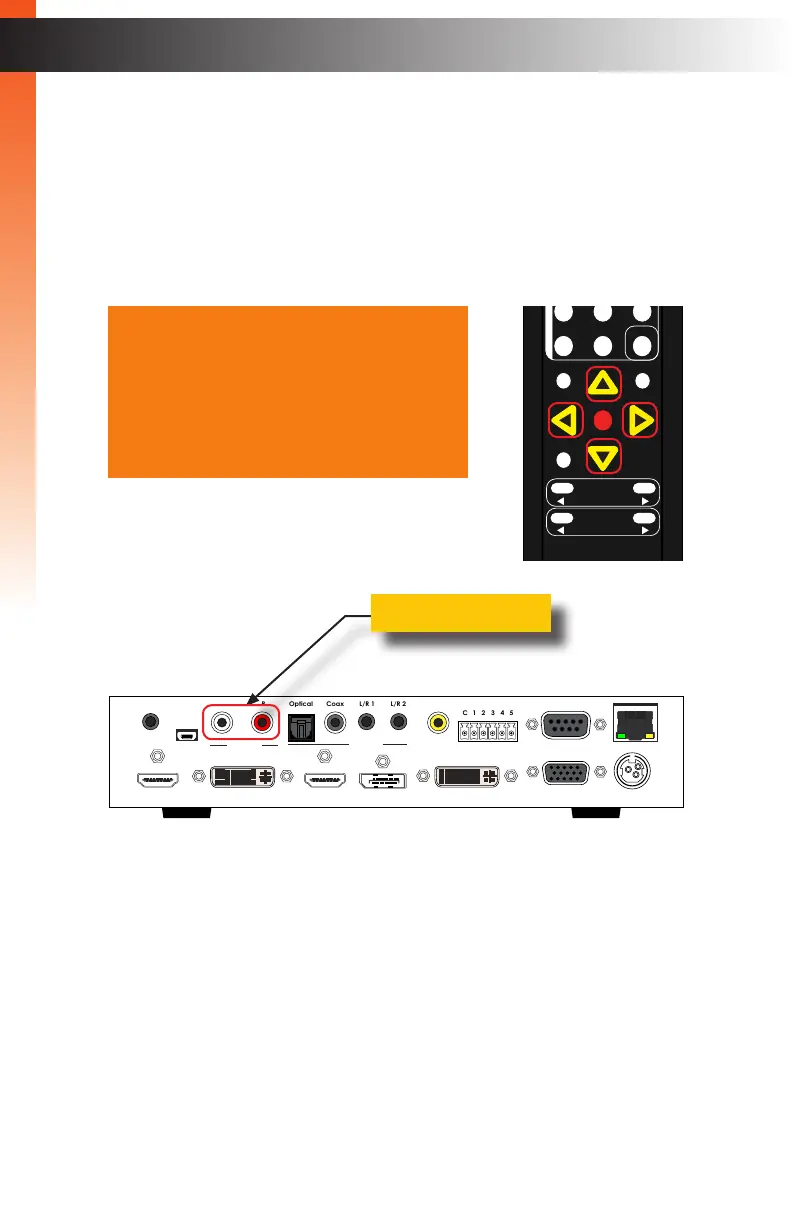
3. Press the OK button, again, to select the Analog Out option.
4. Press the ▲, ▼, ◄, or ► buttons to switch between On or Off.
► On
Enables audio on the Analog Out ports.
► Off
Disables audio on the Analog Out ports.
5. Press the OK button to accept the desired setting.
6. To return to the previous menu, press the ▲ or ▼ buttons to highlight the Back
option, then press the OK button. You can also press the Menu button to return
to the top-level menu.
Basic Operation
Menu System
Analog Out On
Analog Mode Fixed
HDMI Link Internal
DP Link Internal
DVI Link Optical
VGA Link L/R 1
Comp Link L/R 2
Back
Multi-Format Processor
IR
Audio
Int Opt Coax L/R 1 L/R 2
HDMI DisplayPort DVI VGA Composite
Video
Input Select
Power
®
USB Optical
IR Ext
EXT-MFP
HDMI Out DVI Out HDMI In (1) DisplayPort In (2)
Coax
IP Control
12V DCVGA In (4)DVI In (3)
Composite
In (5)
RS-232
Input Control
Audio In
Audio Out
C 1 2 3 4 5
L/R 1 L/R 2L R
Analog Out
OK
Resolution
Menu
Exit
L/R 1
Int
VGA
HDMI
Off On
DP DVI
Comp Mask
Optical Coaxial
L/R 2 Mute
Info
Vol -
Vol +
Aspect Ratio
Audio
Basic OperationBasic Operation



 To Next Page