page | 69
Basic Operation
Menu System
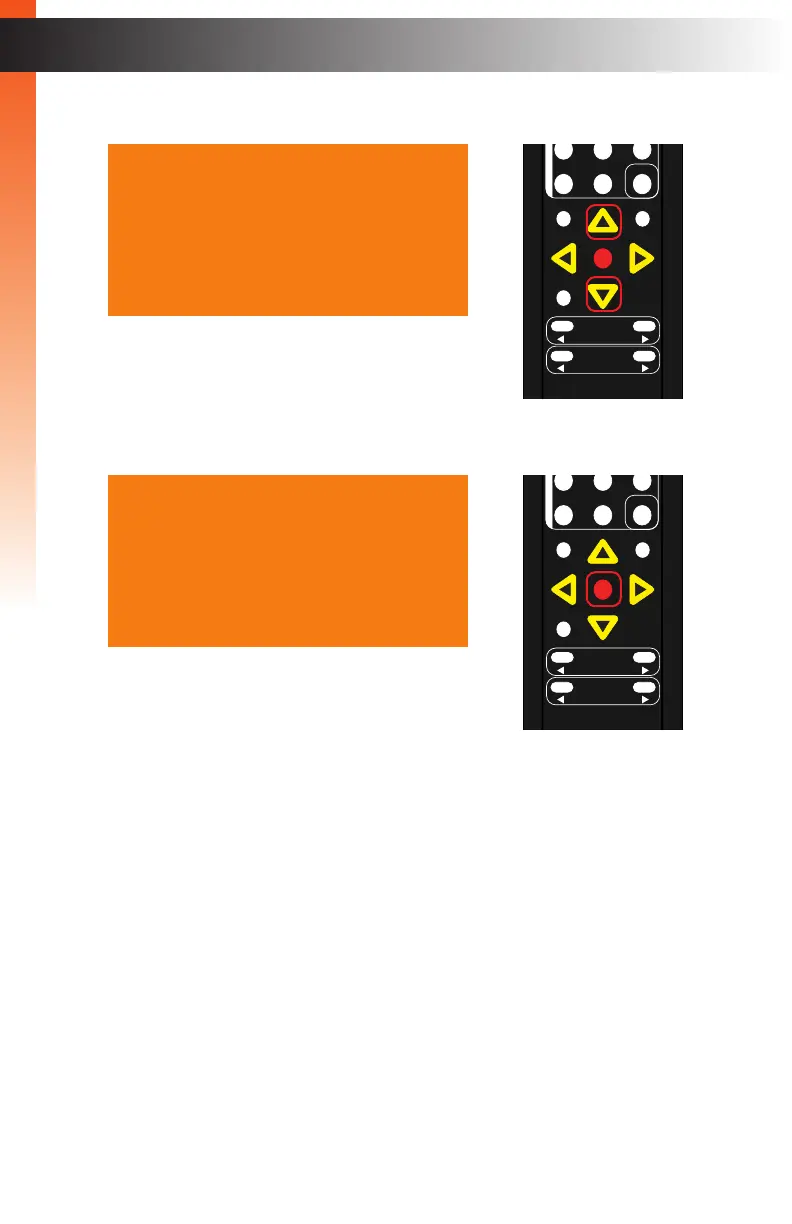
4. Press the ▲ or ▼ buttons to highlight the desired option.
5. Press the OK button to select the highlighted option.
► To modify Telnet, UDP, and Discovery options:
a. Press the OK button to select the option.
b. Press the ▲, ▼, ◄, or ► buttons to switch between Enable / Disable
or On / Off, depending upon the options that are available.
c. Press the OK button to save the change.
► To modify HTTP Port, Telnet Port, or UDP Port options:
a. Press the OK button to select the option.
b. Press the ◄ or ► buttons to select the digit.
c. Press the ▲ or ▼ buttons to select the numeric value (0 - 9).
d. Press the OK button to save the change.
OK
Resolution
Menu
Exit
L/R 1
Int
VGA
HDMI
Off On
DP DVI
Comp Mask
Optical Coaxial
L/R 2 Mute
Info
Vol -
Vol +
Aspect Ratio
Audio
OK
Resolution
Menu
Exit
L/R 1
Int
VGA
HDMI
Off On
DP DVI
Comp Mask
Optical Coaxial
L/R 2 Mute
Info
Vol -
Vol +
Aspect Ratio
Audio
IP Mode
HTTP Port 00080
Telnet Enable
Telnet Port 00023
UDP Disable
UDP Port 50007
Remote UDP
Discovery On
Back
IP Mode
HTTP Port 00080
Telnet Enable
Telnet Port 00023
UDP Disable
UDP Port 50007
Remote UDP
Discovery On
Back



 To Next Page