Rev. 00 02/21
42
Touch panel / operating panel OptiCenter OC09
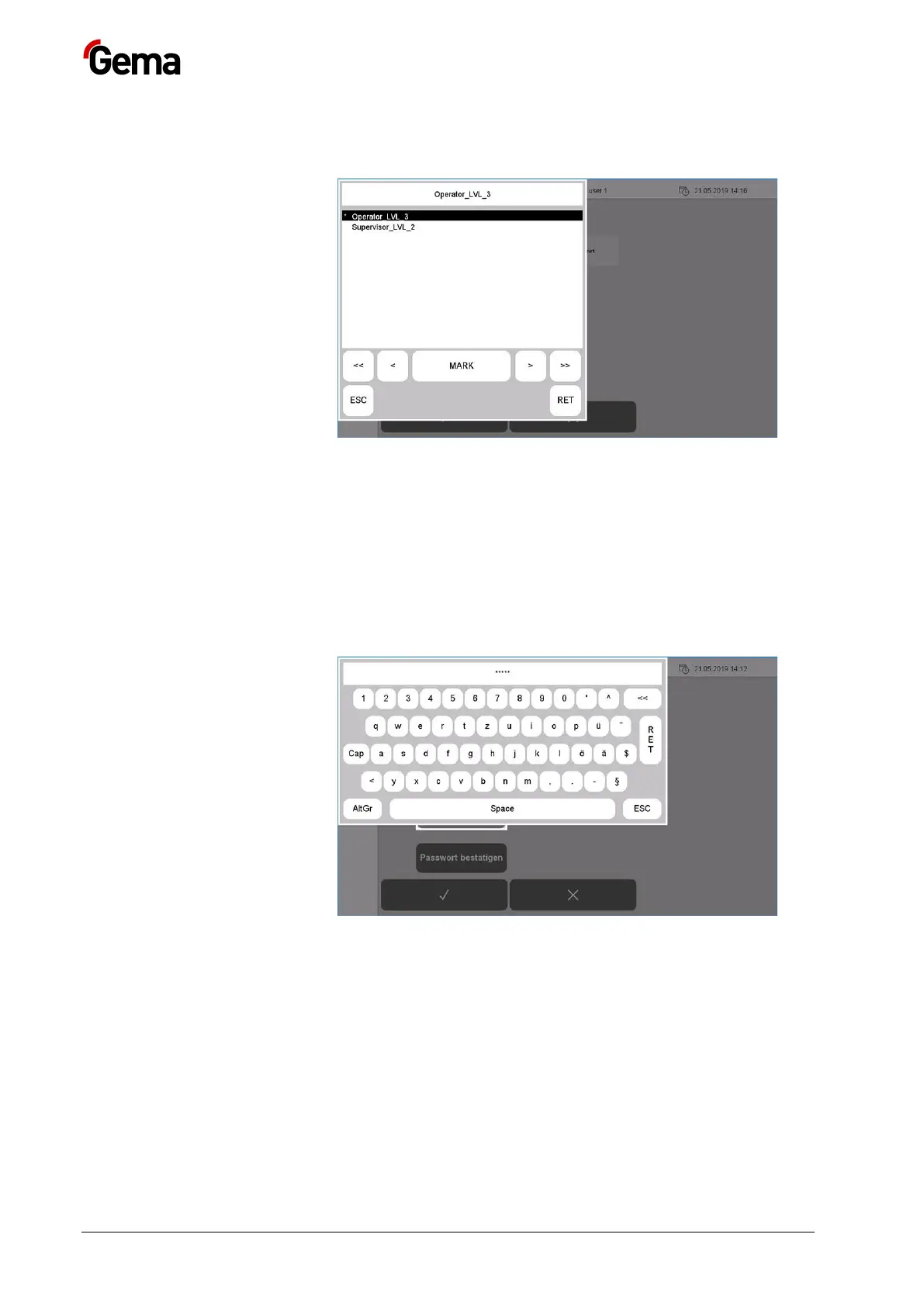
7. Press the “Groups” key
– A corresponding dialog opens.
Fig.
:
8. Assign the desired user group to the new user from the list of
available user groups:
– Select the desired group using the arrow keys (<<, <, >, >>).
– Press the MARK key: the selected group is marked with *
– Press the RET key to confirm
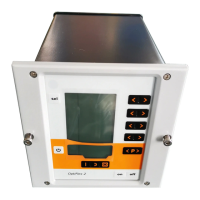
9. Press the “New password” key
– A keyboard opens to enter a password for the new user.
Fig.
:
10. Enter password
11. Press the RET key to confirm
12. Press the “Confirm password” key
– A keyboard opens and the password for the new user must be
entered again.


 To Next Page