129
OpsMgr server. Alternatively, you could select the Accept SNMP packets from any
host option.
Restart the SNMP Service.
IMPORTANT: SNMP community strings are case sensitive!
Activate the SNMP Trap Service (on Windows Server 2003)
In the Services Panel, select the SNMP Trap Service
In the SNMP Trap Service properties dialog select « Startup type : Automatic », then
click the « Start » button to start this service now.
Figure 140: SNMP Trap Service
Configuration of OpsMgr as SNMP trap receiver
The cs121 device must be configured to accept SNMP requests from the OpsMgr Server. You
must also configure the cs121 device to use the same SNMP community string you configured
in the Accepted community names in the SNMP Service properties on your OpsMgr Server.
Please take a look at the cs121 manual for the details of this configuration step...
Configuration of one or more alert-generating SNMP-trap-based Monitors
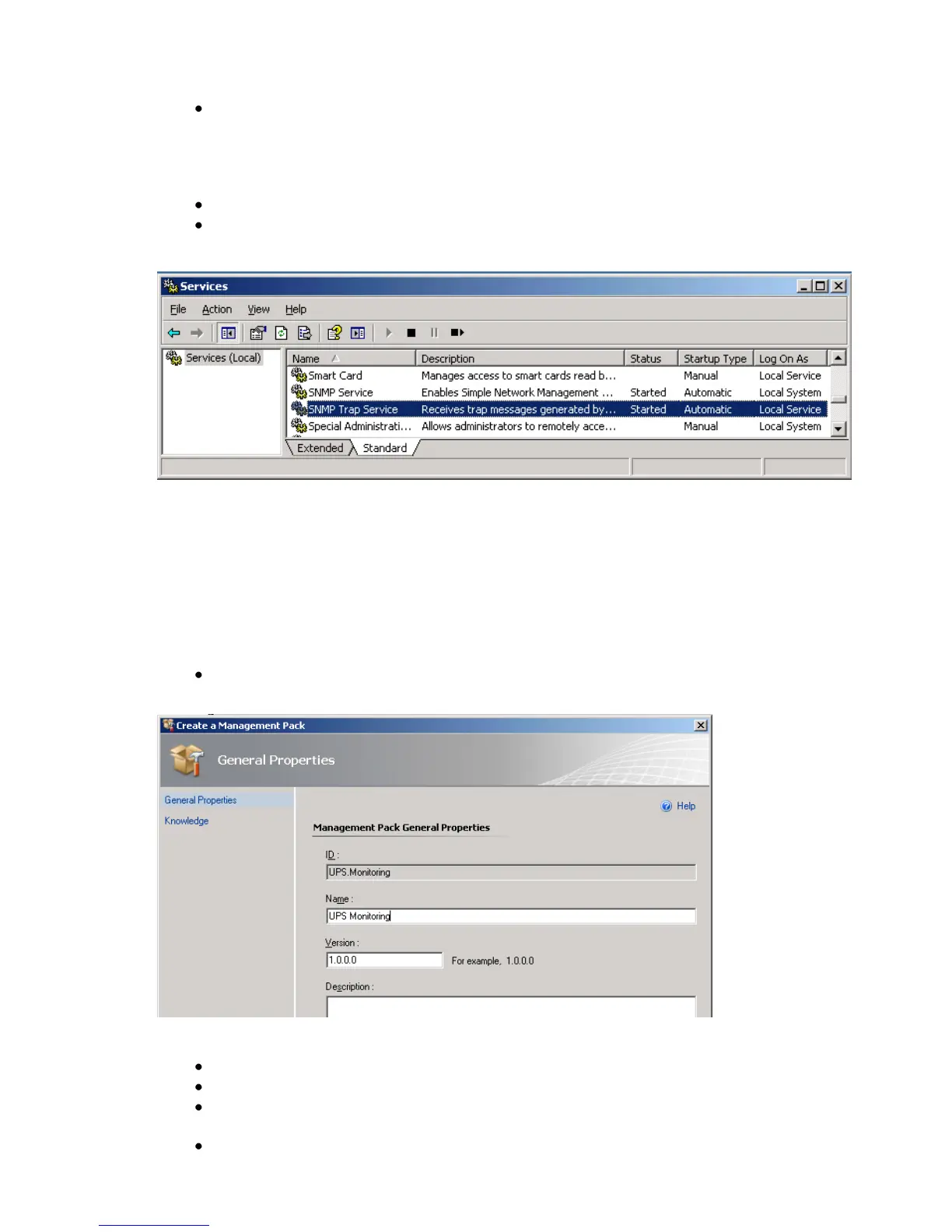
In the Administration space, create a unsealed management pack to store your
SNMP-based monitoring rules.
Figure 141: General Properties
In the Operations console (Authoring space), start the Create a Monitor Wizard.
On the Select a Monitor Type page, do the following:
Expand SNMP Trap Based Detection Simple Trap Detection Event Monitor
– Single Event and Single Event.
Select your unsealed management pack from the list. Click Next.



 To Next Page