134
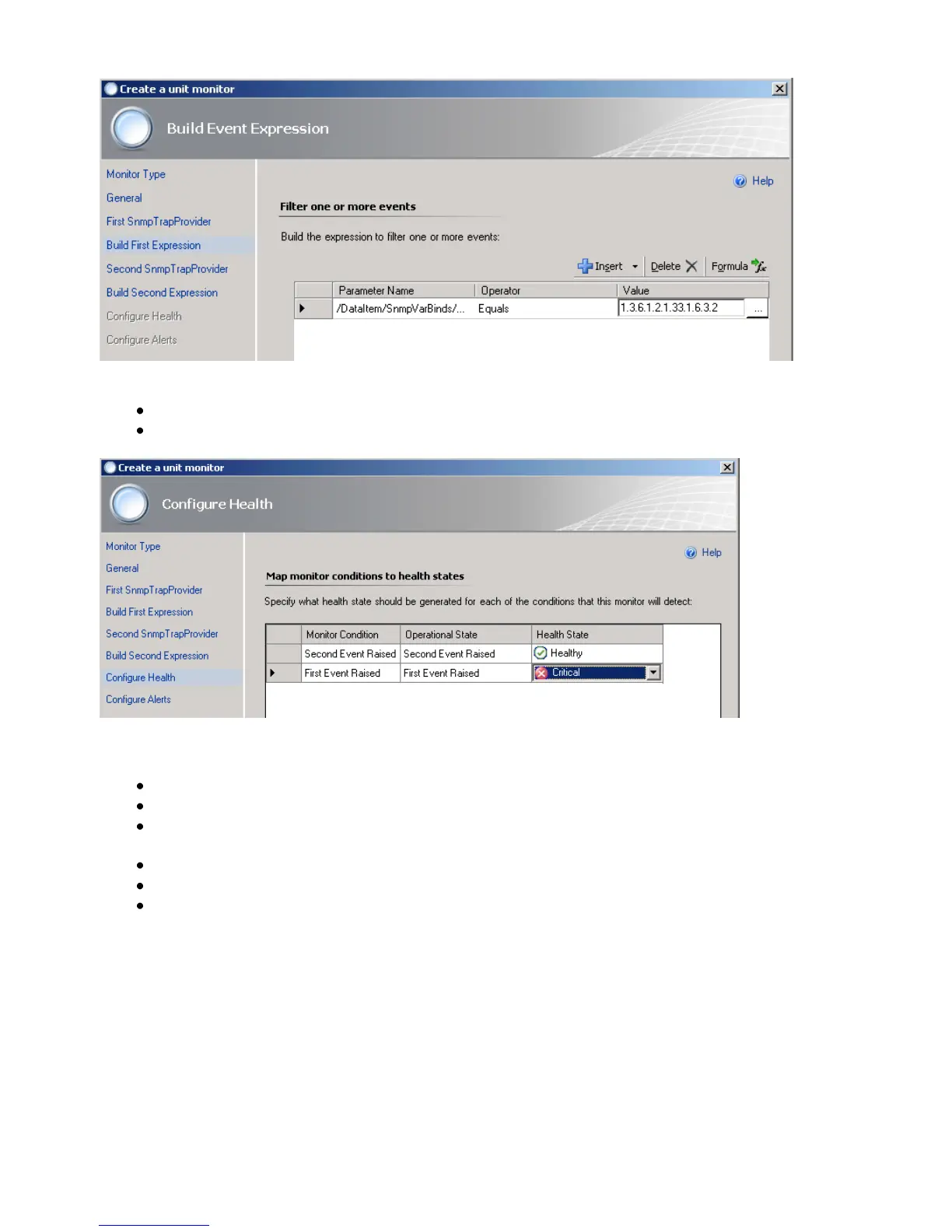
Figure 147: Build Event Expression
Then click Next.
On the Configure Health page, select Critical for the Health State of Monitor
Condition First Event Raised. Then click Next.
Figure 148: Configure Health
On the Configure Alerts page, set the properties of the alert, for example:
Type the Name for the alert, such as UPS OnBattery Alert.
Optionally, type the Alert description. You can also click the (…) button and select
Target and Data variables to include in the description, such as Device Name.
Select a Priority from the list, such as High.
Select a Severity from the list, such as Critical.
Click Create



 To Next Page