GM Energy V2H Bundle Installation Manual 17
Charger Details
Important! For some installations an AC disconnect may be required. Refer to local regulations for guidance.
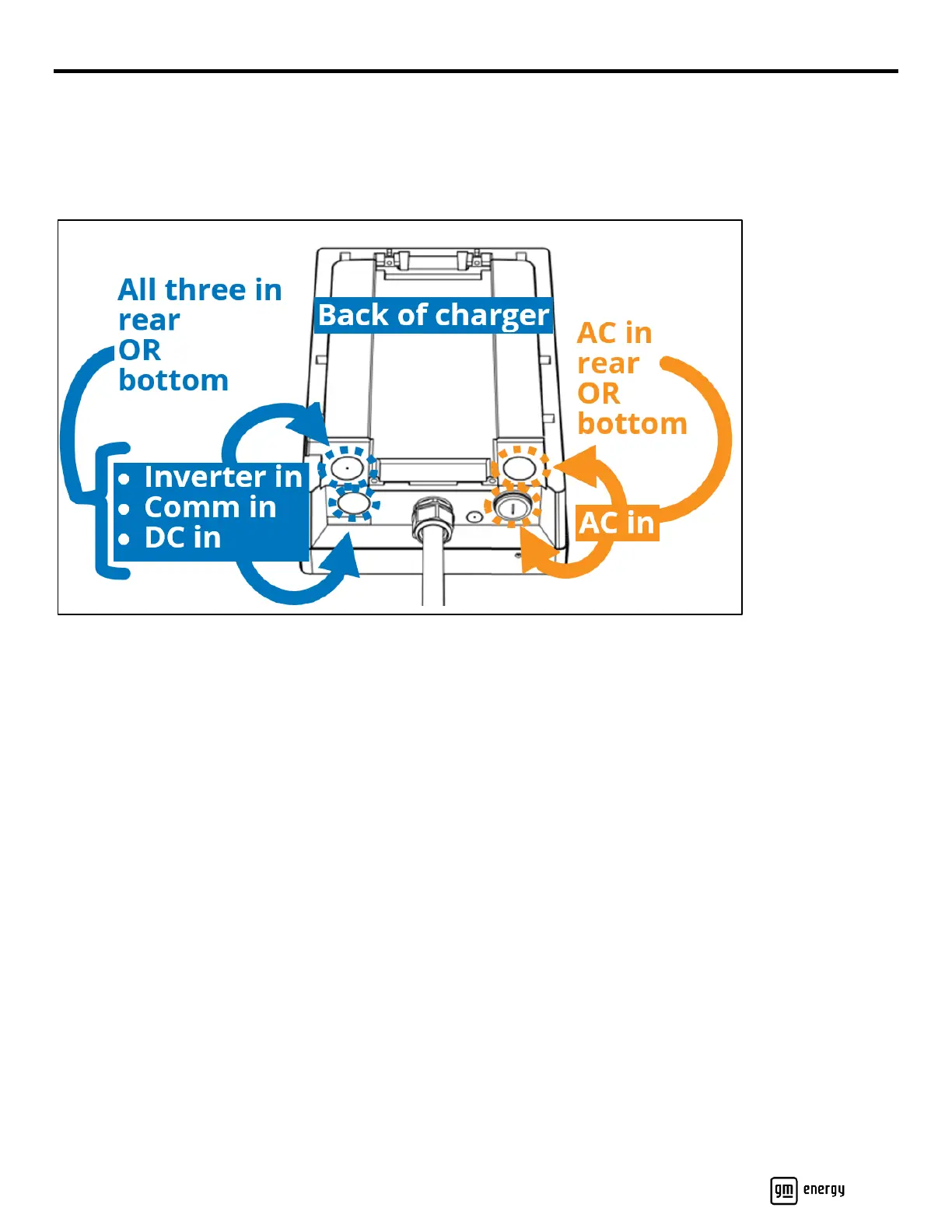
The Charger has four options for raceway entry (Figure 7). The bottom left has a 1 1/4” threaded plug installed. The other
three entry locations (bottom right, bottom left, and right rear) must be drilled out as needed. Note that DC, AC, and
adequately rated comm cables may be routed into the Charger in a single conduit.
Figure 7: Charger raceway options
Secure the Charger to the mounting plate, using two Phillips flanged M6 screws at the top and two 3/8” Phillips bolts at
the bottom, and then torque them to 17.4 in-lb.
Mount the Charger’s holster assembly:
a. Release the front cover of the holster using the tabs at the bottom of each side, then remove the inner cover.
b. Mount the plug holder to the mounting surface using the hardware described in Table 1.
c. Attach the inner cover to the plug holder with two Phillips head flanged screws and torque each to 10.4 in-lb.
d. Reattach the front cover (it will click into place).
Coil the charging cord around the holster, and then insert the Charger nozzle into the holster.



 To Next Page