GM Energy V2H Bundle Installation Manual 29
Set Charger Rating
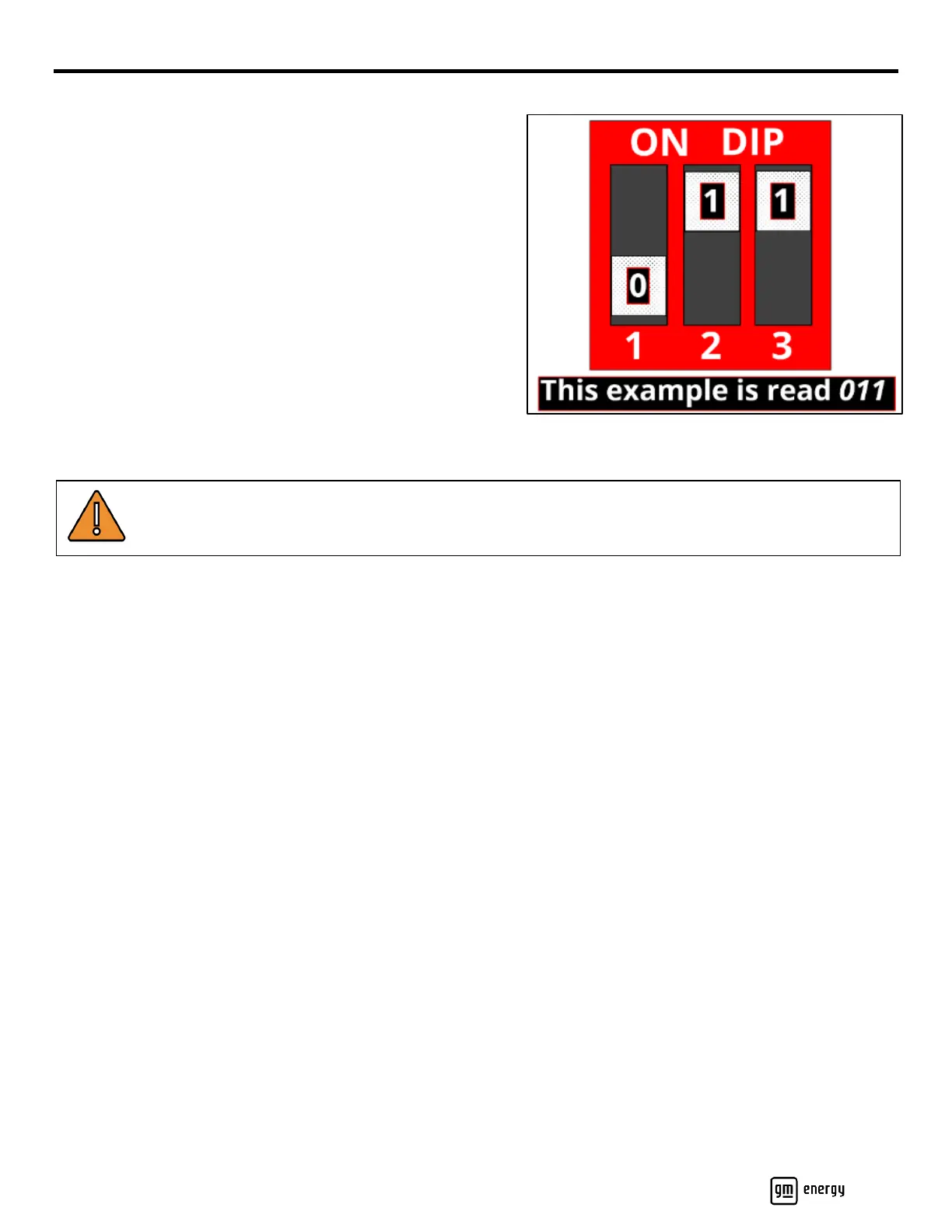
There is a trio of DIP switches on a small red plate inside the
Charger. For each switch, the lower position is a 0 and the upper
position is a 1. The first digit of the code is for the leftmost switch.
The factory setting is 000, and at this setting the Charger will not
function and its LED will be solid red. In accordance with the
amperage specified for this install, and referencing the table
below, carefully set each DIP switch to its correct position
(Table 3).
If the Charger is de-rated (installed less than 80 A
continuous/100 A OCPD), the rating must be indicated on a label
on the side of the Charger. For Setting 2 through Setting 7 in the
following table, affix the label onto the left side of the Charger.
Indicate on the label the Charger Amps (AC) value—NOT the
Breaker Amps value!
WARNING! Using a charge level that exceeds the electrical circuit or electrical outlet capacity may start a
fire or damage the electrical circuit. Ensure DIP switch settings align to Charger amperage and breaker
amperage.



 To Next Page