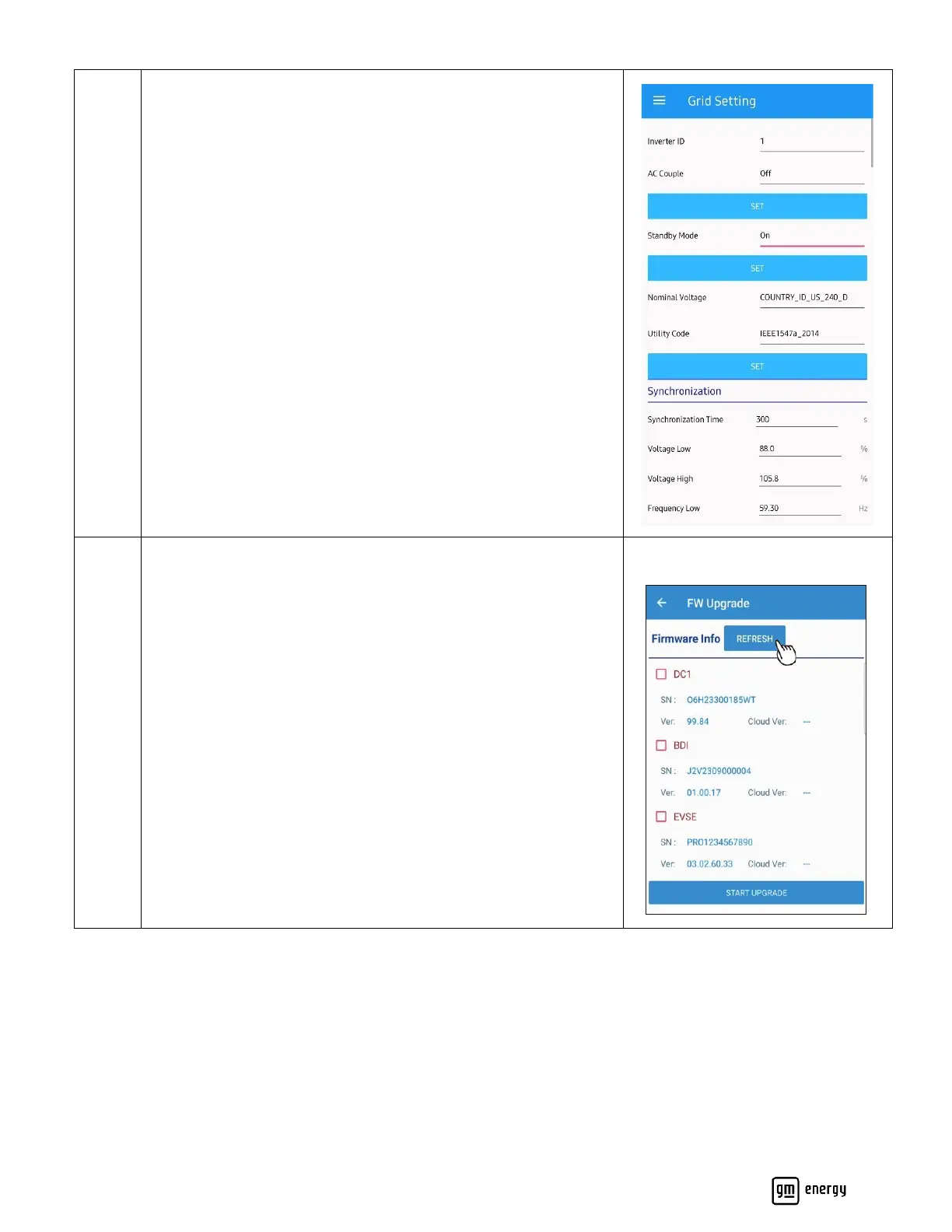
Grid Settings
Manage device Grid settings. Refer to the Appendix J:
Commissioning App Settings for details. Confirm any specific grid
settings with the local AHJ and Utility.
Standby Mode: Default is off. This mode can be used if a AHJ
and/or Utility has not approved the system to operate yet. This
mode can be changed to “ON” in the maintenance section of this
app. If selected “ON” the installer will need to return to the site to
disable Standby Mode once AHJ/Utility approval is granted. Please
confirm with the AHJ and/or utility, as applicable, whether they
will allow system operation prior to inspection and/or PTO;
requirements may vary by system setup and AHJ/utility.
Firmware Upgrade
Monitor and upgrade device firmware versions.
Click “Refresh” to search for recent Firmware versions.
Select the device(s) requiring an upgrade and “Start Upgrade”.



 To Next Page