P a g e | 72
GXV3350 User Guide
Version 1.0.1.8
6-Way Conference
The GXV3350 supports up to 6-way Audio conferencing and 3-way HD Video conferencing.
Initiate Conference
There are three ways to initiate a conference call.
Initiating conference from dial screen
1. Bring up the dial screen using one of the methods described previously [Figure 35: GXV3350 Dial Screen].
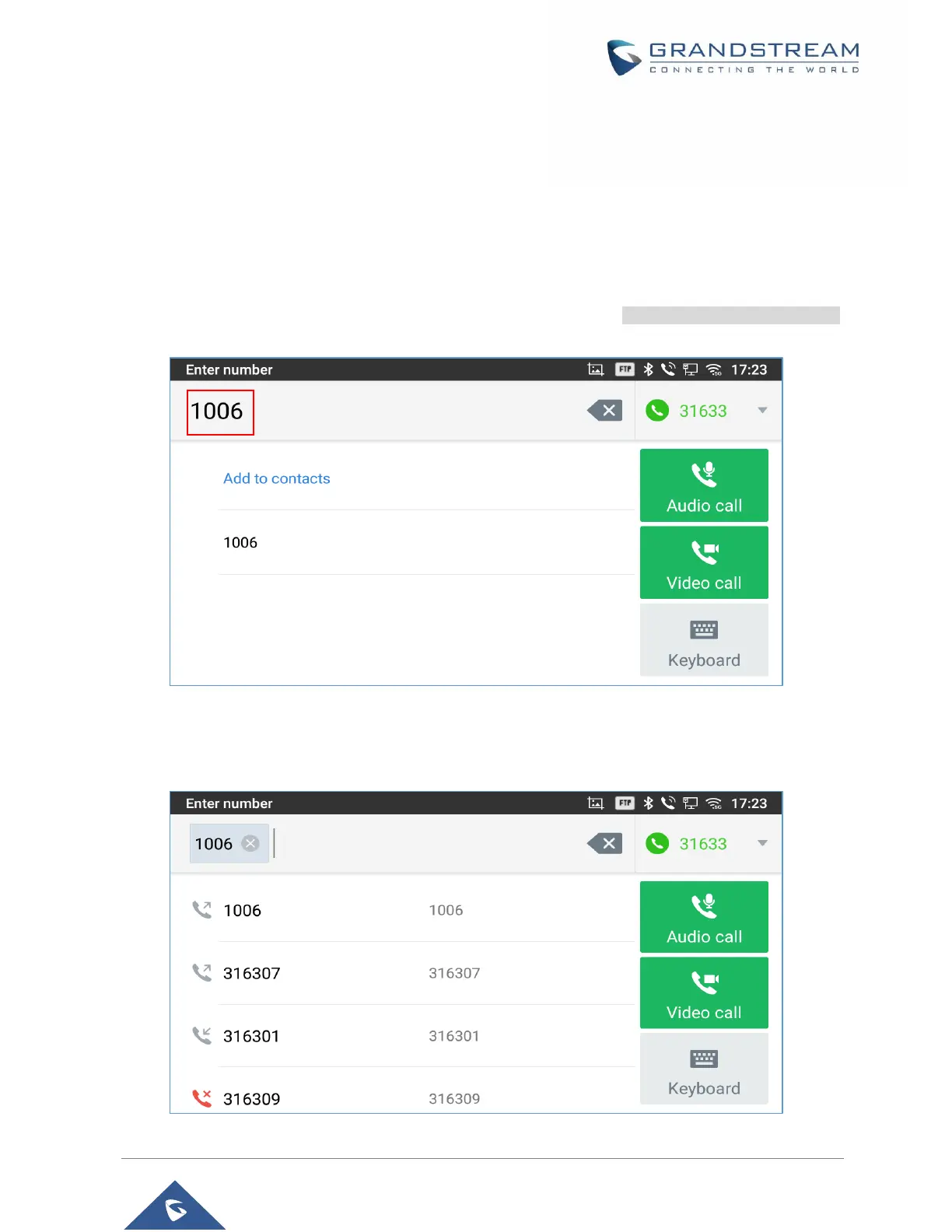
2. Enter the extension number then press on it on the left panel of the screen
Figure 65: Add Conference Members from Dial Screen
3. The extension number will be added to dialing field and users can dial another number
Figure 66: Add Conference Members from Dial Screen 2



 To Next Page
 Loading...








