Smartdop
®
30EX Basic Operation
4. SETUP & BASIC OPERATION
4-1 TURNING THE UNIT ON / OFF
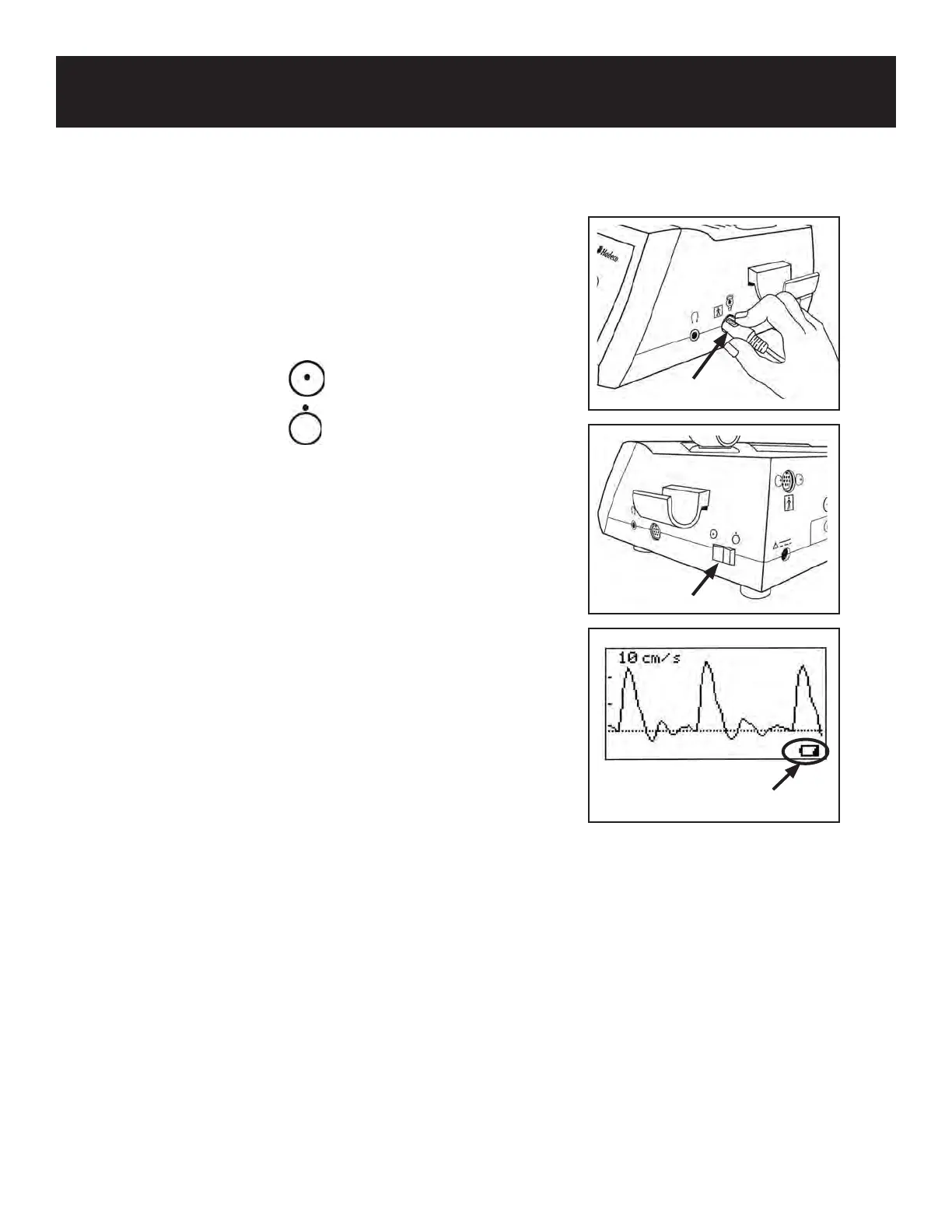
1. Connect the probe with the round probe
connection mark on the probe connector pointed up
(12 o’clock). Press the power button to turn the unit
ON.
Power ON:
Power OFF:
2. When the battery is low, a low battery indicator
appears in the bottom left corner of the LCD, as
shown in the illustration on the right. Although
the Smartdop
®
will continue to operate it is
recommended that the battery be recharged as
soon as possible.
See 4-3 “CHARGING THE BATTERY” for details.
3. AUTOMATIC POWER OFF
When the unit is not connected to the AC adaptor, it
will automatically shut o as indicated below:
• 15 minutes while in measurement mode
• 5 minutes when no signal is present
• 10 minutes while in freeze mode
Low battery indicator
9
Power switch
Probe connection mark



 To Next Page