Smartdop
®
30EX Basic Operation
11
4. SETUP & BASIC OPERATION
4-4 INSTALLING THE PRINTER PAPER
1. Turn the Smartdop
®
30EX ON and set the MODE to
1 or 2.
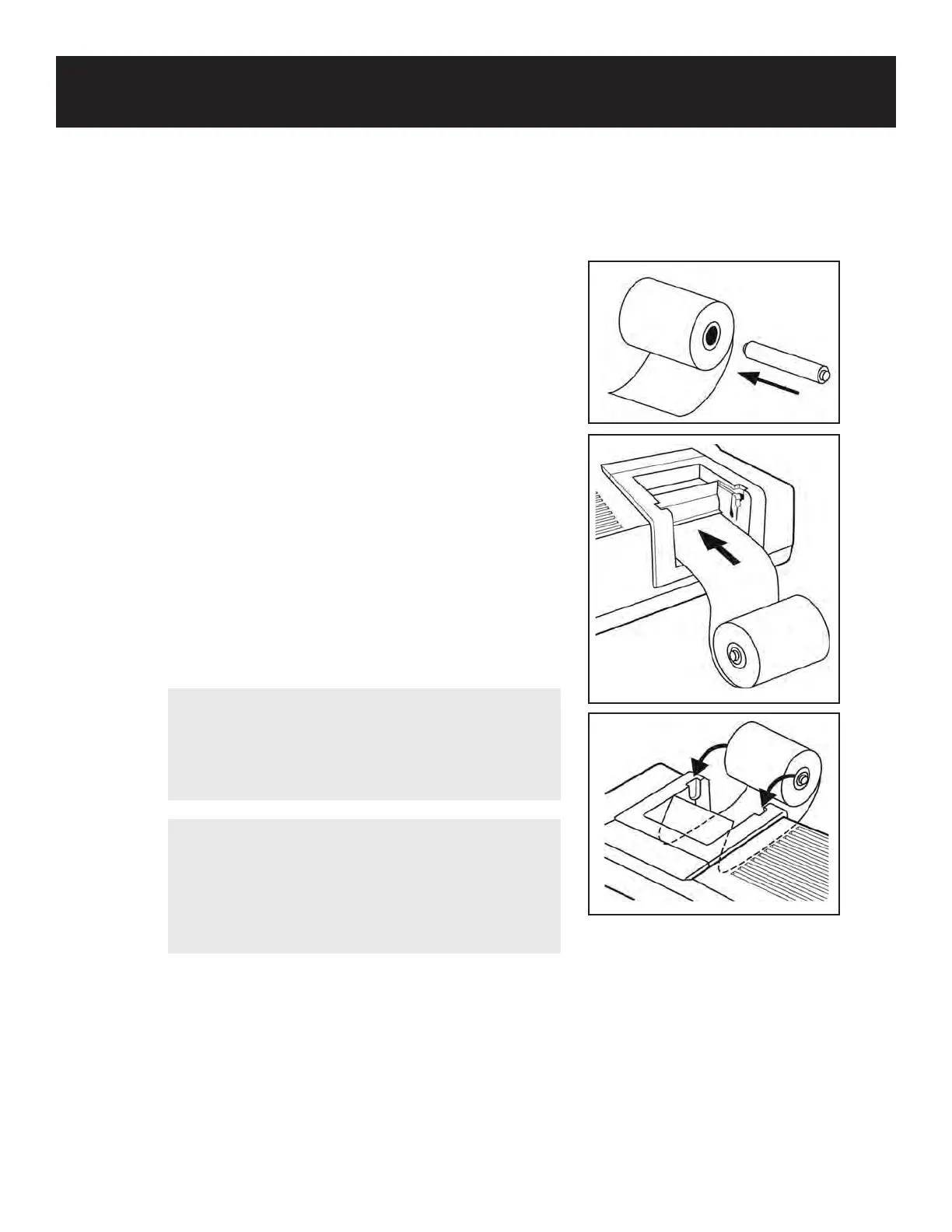
2. Remove the paper roll shaft and set it into the
paper roll. Insert and hold the edge of the paper
into the paper entry slot located under the printer.
Press the PRINT button to activate the printer. The
paper will catch and feed through the printer.
3. When a sucient amount of paper has been fed
through, press the PRINT button again to stop the
printer . Pull the edge of the paper out a few inches
and tear o at the paper guide. Snap the roll shaft
with the paper into the roller guide.
NOTE
For problem free paper loading, cut the paper
straight before inserting it into the entry slot.
Apply slight ngertip pressure as the paper is
being fed into the slot.
CAUTION
To avoid possible damage to the printer, never pull
paper in the opposite direction as the paper feed.
To properly remove paper, cut the paper at the roll
side and pull the remaining paper out through the
top of the unit.



 To Next Page