Smartdop
®
30EX Basic Operation
34
6. LCD DISPLAY
6-2 PRESSURE MODES (ARM/LEG and TOE MODES) (Cont.)
6-2-2 ERROR MESSAGES
If an error occurs during blood pressure measurement, one of the following error messages will
appear on the LCD.
E1: (Reserved)
E2: Waveform error
E3: Pressure exceeded 300 mmHg
E4: Systolic pressure not found
E5: Exceeded time limit
E6: Cu pressure did not increase
Press any button other than the probe selection button to delete the error message and
continue testing.
6-3 BATTERY INDICATORS
6-3-1 BATTERY LEVEL INDICATOR
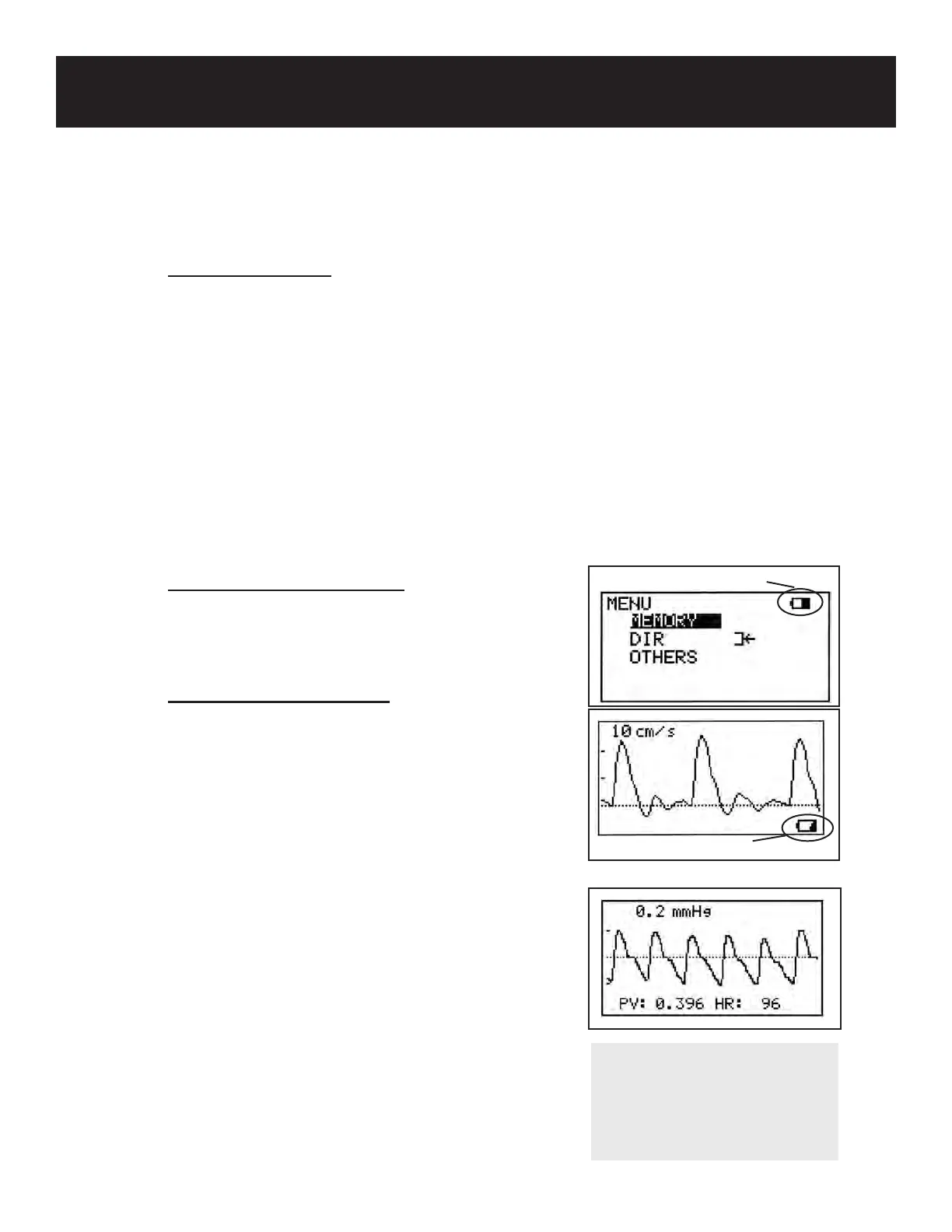
The battery level indicator is displayed in the upper right corner
of the Menu screen. See 4-2 “CHECKING THE BATTERY
LEVEL” for details.
6-3-2 LOW BATTERY INDICATOR
When the battery is low, the low battery indicator will be
displayed in the bottom right of the LCD screen. Recharge the
battery. See 4-3 “CHARGING THE BATTERY” for details.
Low battery indicator
Battery level indicator
6-4 PV-AC (PULSE VOLUME ARTERIAL)
The Smartdop® 30EX enables PV Arterial studies to be
performed without the need for an external pulse volume
module (PV Venous studies still require the optional PV
module). Waveforms are printed and displayed as follows:
Displays approx. 2.56 sec. of waveform per LCD screen
Prints waveforms in the time scale of approx. 25 mm/sec.
1. The waveform amplitude is automatically
adjusted.
2. The pressure amplitude scale is displayed at the
top left of the LCD.
3. Pulse volume amplitude and heart rate are
displayed at the bottom of the LCD.
NOTE
For instructions on how to
perform PV Arterial (PVR)
studies, see Section 2 “PULSE
VOLUME RECORDINGS”.



 To Next Page