Smartdop
®
30EX Basic Operation
4-3 CHARGING THE BATTERY
Charge the battery before using the Smartdop
®
30EX for
the rst time.
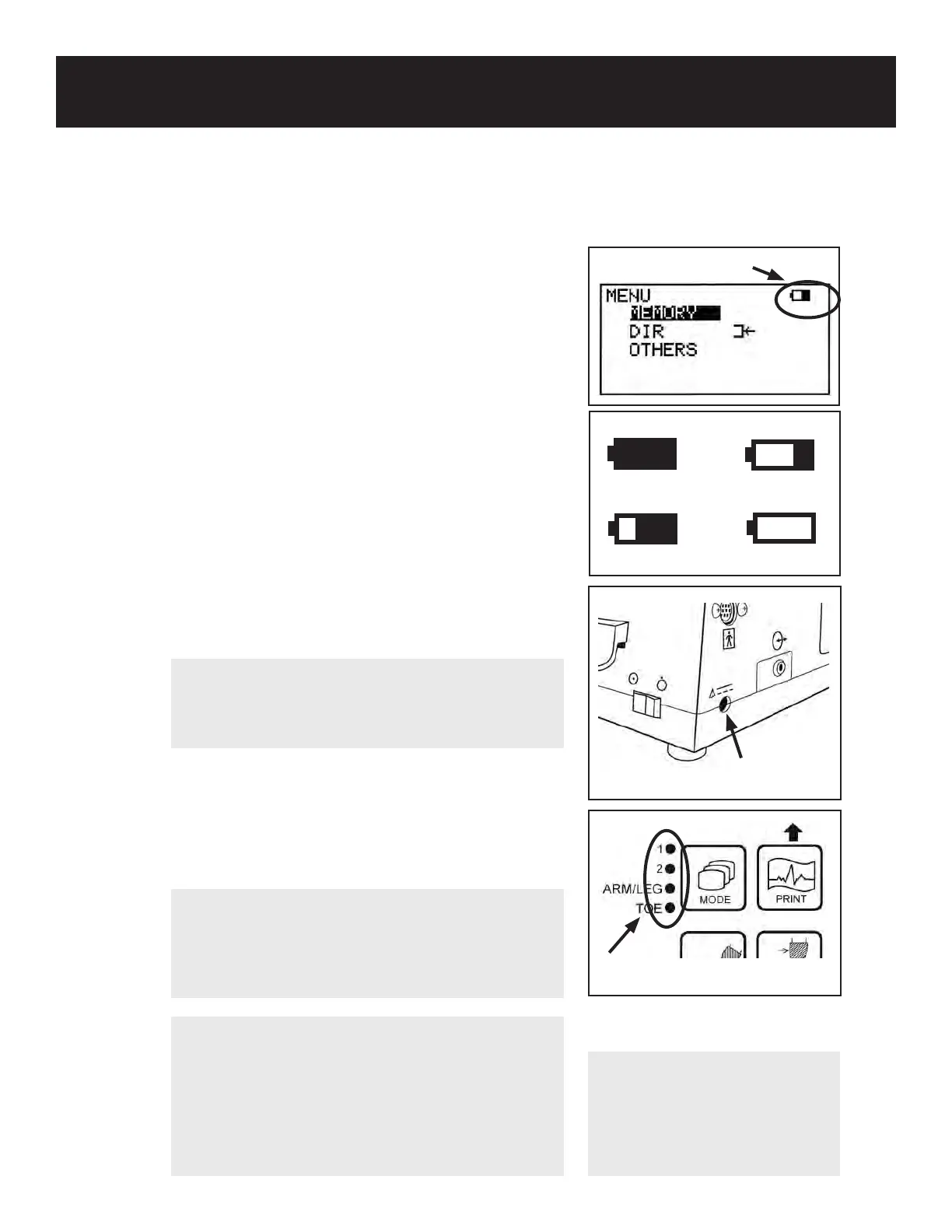
1. Turn the Doppler o and plug in the AC adaptor.
2. The Mode LEDs will illuminate sequentially while
charging is in progress.
3. The charge process will stop automatically once
charging is complete. Disconnect the charger
before using the Doppler.
10
4. SETUP & BASIC OPERATION
4-2 CHECKING THE BATTERY LEVEL
1. Turn the unit on and press the MENU button to
display the Menu screen. The battery level indicator
is shown in the upper right corner of the Menu
screen.
2. The battery level indicator shows the battery level
in 4 stages, as shown in the illustration on the right.
3. Charge the battery when the indicator shows that
the battery level is low.
High
Medium
Low
Empty
Battery level indicator
AC adaptor connector
Mode LEDS
NOTE
It takes approximately 4 hours to fully charge
the battery. Battery life is approximately 300 full
charges. Contact Koven Technology, Inc. for
battery replacement.
NOTE
When the battery is extremely
low, the LCD display will not
operate and no sound will be
heard through the speakers.
Charge the battery.
NOTE
Periodically discharging the battery may help
prolong battery life. The battery DISCHARGE
option is available in the menu when the
AC adaptor is connected to the main unit. If
discharging the battery, please add several
hours to the charge time. See 5-3-21 “OTHERS-
DISCHARGE” for details.
CAUTION
Use only the designated adaptor that came
with your Smartdop
®
30EX or contact Koven
Technology for parts & accessories.



 To Next Page