Smartdop
®
30EX Basic Operation
33
6. LCD DISPLAY
6-2 PRESSURE MODES (ARM/LEG and TOE MODES)
While in pressure mode, Smartdop® 30EX automatically calculates arm, leg and toe systolic
pressures. In addition, Smartdop® 30EX automatically calculates and prints ABI and TBI ratios.
See Section 2 of this manual for detailed instructions on using the pressure mode to
perform ABI, TBI and Segmental Pressure studies.
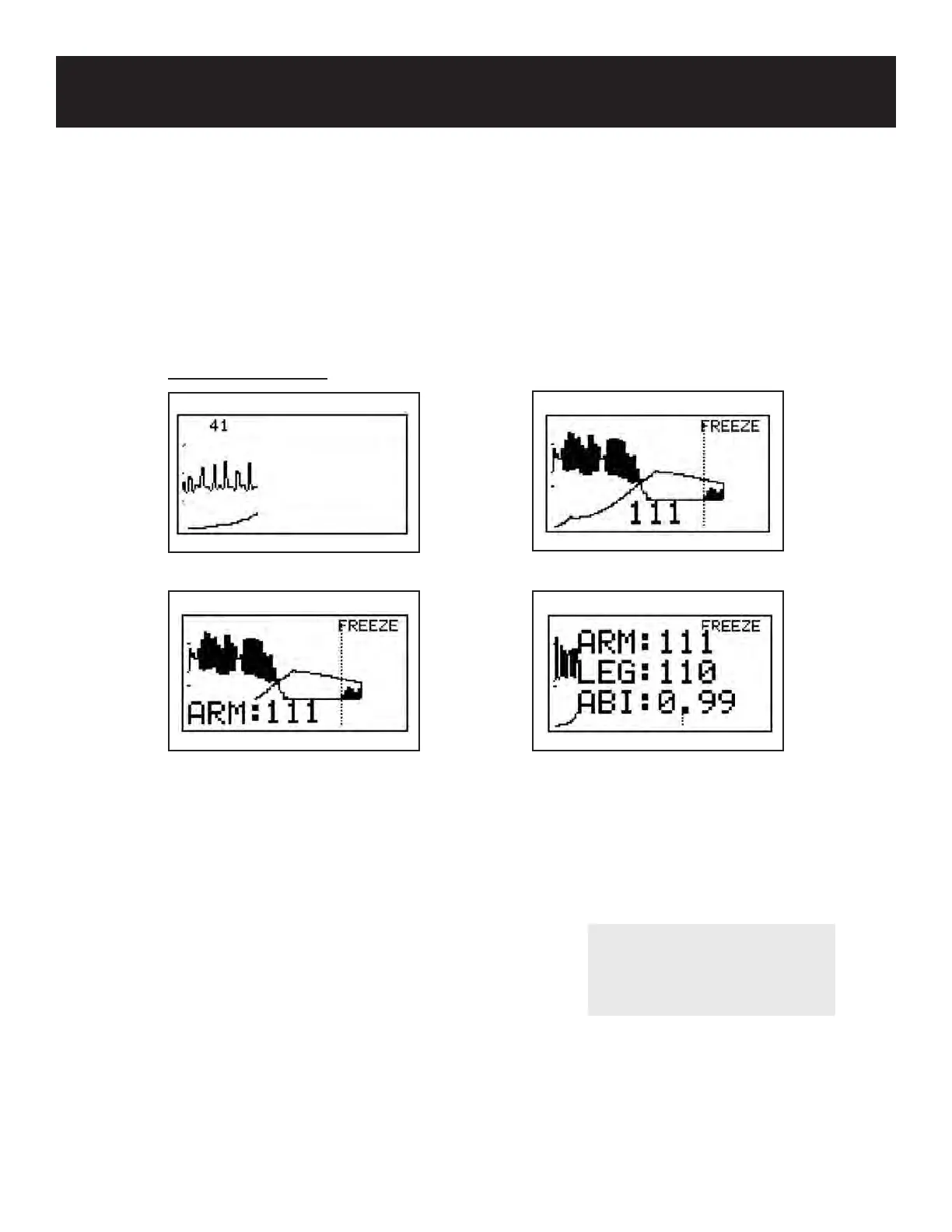
6-2-1 DISPLAY SAMPLES
1. After cu ination and deation, press the ARM or LEG/TOE button to temporarily save
the pressure in memory for calculating the ABI or TBI ratio.
2. If you would like to clear the pressure data, press the ARM or LEG/TOE button longer
than 2 seconds or use the P.CLEAR option in the menu. See 5-3-25 “P.CLEAR” for
details.
3. To recalculate the ABI/TBI from new data, take
a new pressure and press the ARM or LEG/TOE
button to recalculate.
During blood pressure measurement
End of measurement
After pressing ARM button After pressing LEG button
NOTE
To turn pressure data on & o,
after freezing the waveform,
press the MODE button.



 To Next Page