Smartdop
®
30EX Basic Operation
5. MODE & MENU SETTINGS
5-3 MENU
5-3-1 MENU OPERATION
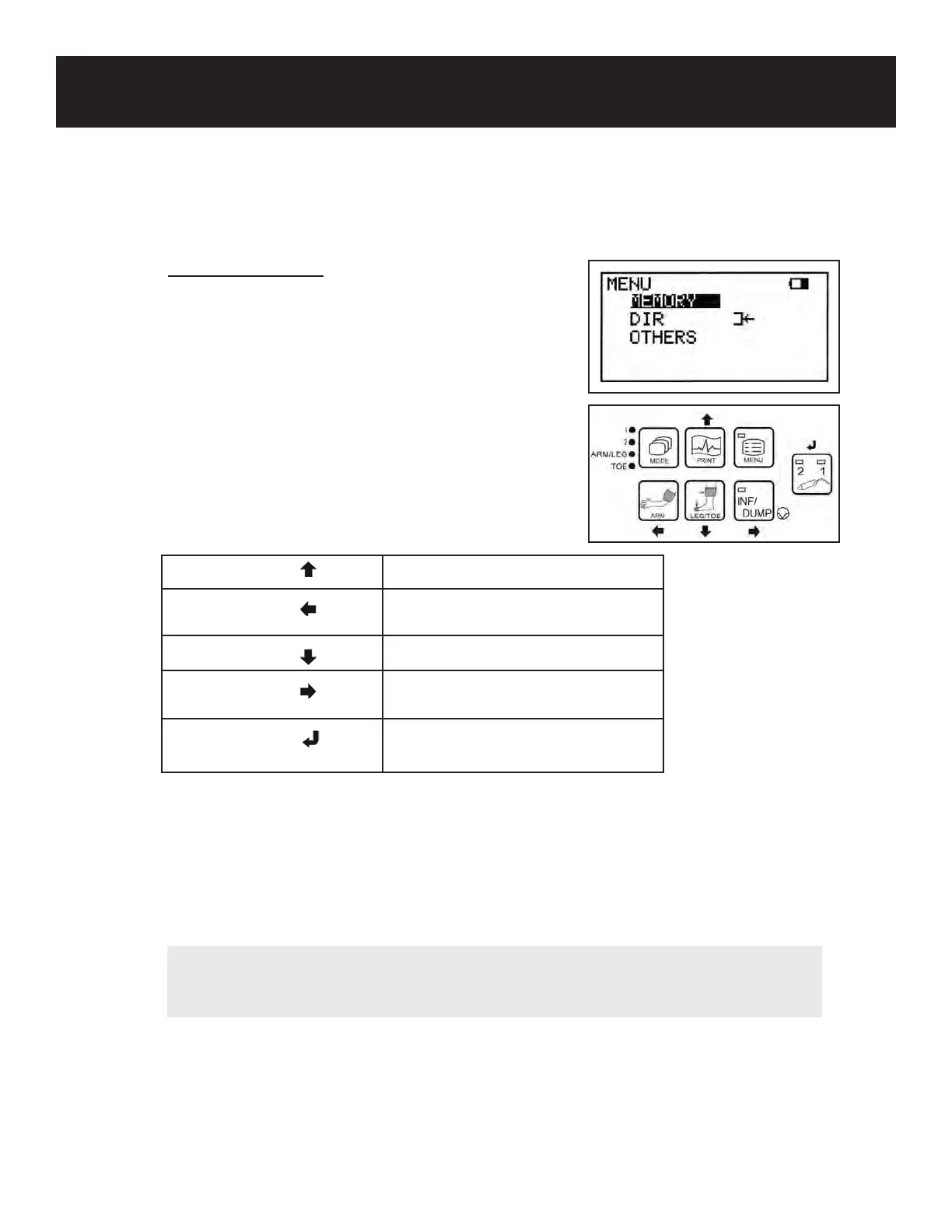
1. Press the MENU button to enter Menu mode. The
available menu options will appear on the LCD
screen.
Scroll through the available menu options using the
buttons on the front control panel to navigate the
menu. The selected option will be highlighted on
the LCD. See chart below:
2. If the menu item has a submenu, scroll through the available submenu options using the
PRINT (up) or LEG/TOE (down) buttons. Press the Enter or Right button to select the
item or change the setting.
3. Press the ARM (left) button to return to the previous screen or press the MENU button a
second time to exit Menu mode.
15
PRINT Up Scroll up
ARM Left Step back or return to the
previous screen
LEG/TOE Down Scroll down
INF/DUMP Right Select submenu or change the
setting
Probe Selection Enter Change setting or select sub-
menu
NOTE
For MEMORY & BACKLIGHT, press Enter or Right to display the available numbers/
settings, then press up or down to scroll through the numbers/settings.



 To Next Page