Smartdop
®
30EX Basic Operation
indicate numbers which contain saved data. Scroll up
(PRINT button) or down (LEG/TOE button) until the memory
number you would like to clear is highlighted. Highlight
“ALL” to clear all memory numbers except “FREEZE”.
Press the probe selection button (enter). The conrmation
“CLEAR” will be displayed on the LCD. Press the probe
selection button (enter) again to clear the number or press
the ARM button (left) to cancel.
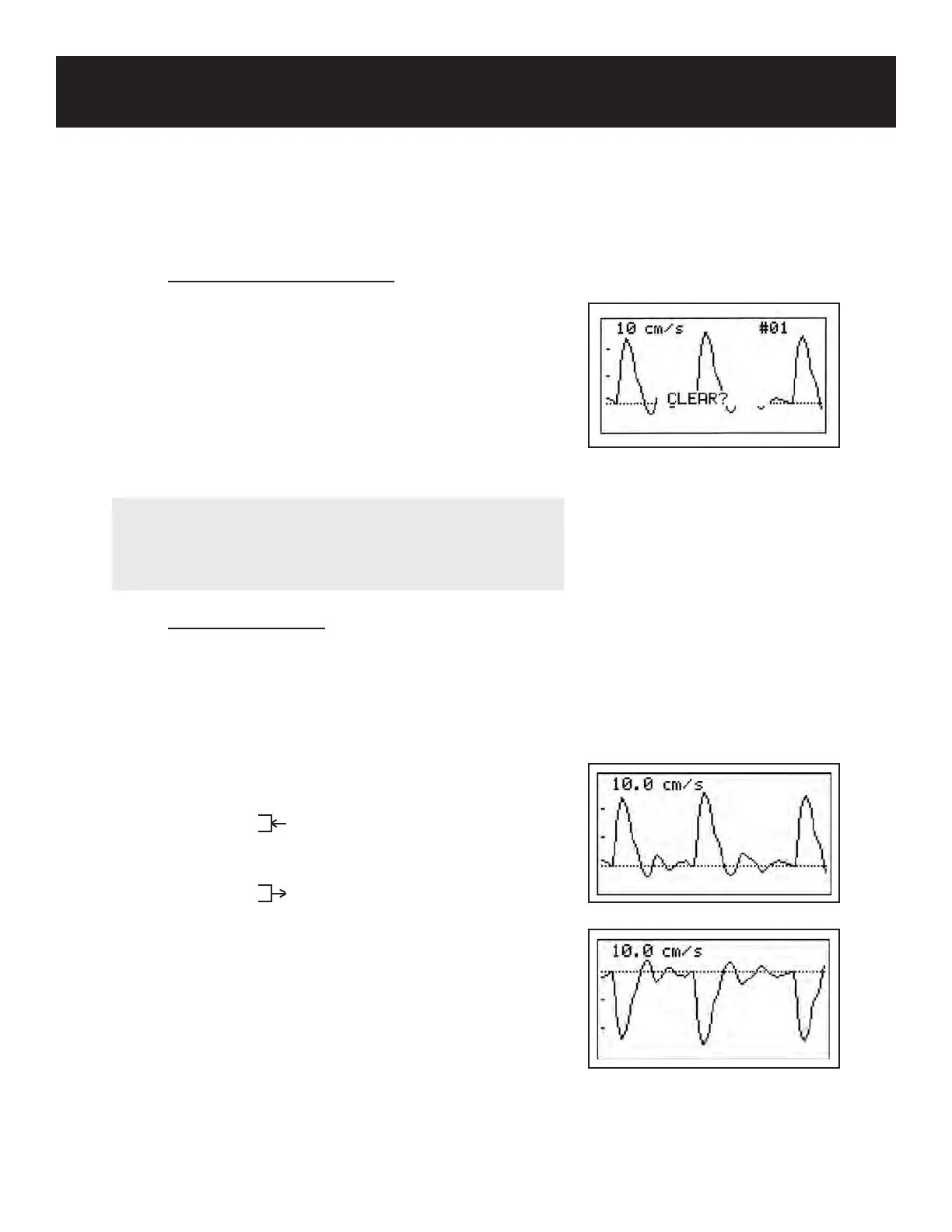
5-3-11 DIR(owdirection)
DIR is used to change the waveform direction from forward
to reverse.
Press the MENU button to go to Menu mode. Scroll up
(PRINT button) or down (LEG/TOE button) until DIR (ow
direction) is highlighted. Press the probe selection button
(Enter) or INF/DUMP (Right) to change the setting.
Forward: Flow toward the probe is
processed as the positive
component.
Reverse: Flow away from the probe
is processed as the positive
component.
Once the DIR option has been set, press the MENU button
to exit and return to the previous screen.
5. MODE & MENU SETTINGS
5-3 MENU (Cont.)
5-3-10 MEMORY - CLEAR (cont.)
23
Forward
Reverse
NOTE
While the conrmation screen is displayed, press up
(PRINT button) or down (LEG/TOE button) to scroll through
and view all saved memory numbers.



 To Next Page