Smartdop
®
30EX Basic Operation
13
4. SETUP & BASIC OPERATION
4-5 MEASURING BLOOD VELOCITY (cont.)
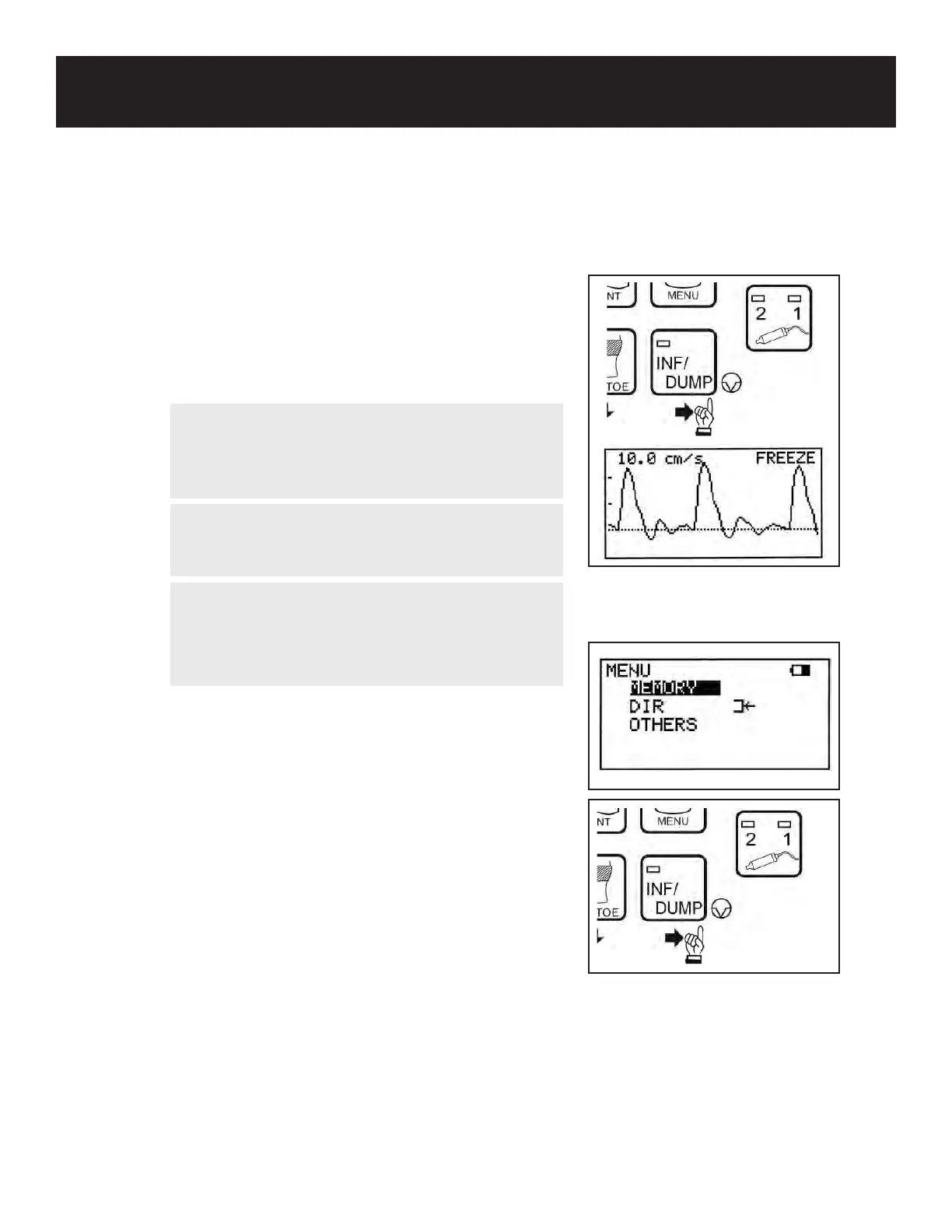
6. When the waveform becomes rhythmic and stable,
wait 5 seconds or more without moving the probe
on Mode 1 or 25 seconds or more on Mode 2.
Then, press the INF/DUMP button or probe button
(probe button function must be set to FREEZE or
FRZ&PRINT) to freeze the waveform.
7. To print the waveform, press the PRINT button or
the probe button (probe button function must be set
to PRINT or FRZ&PRINT).
8. To save the waveform and numerical data in
memory, see 5-3-8 “MEMORY-STORE” for
details.
9. Press the INF/DUMP button or the probe button to
exit freeze mode and return to measurement mode.
NOTE
The probe button function can be changed to
FREEZE only, PRINT only, or FRZ&PRINT. See 5-3-
15 “OTHERS-PRB-KEY” for details.
WARNING
If any abnormality is found on the unit or patient,
discontinue use in a manner safe to the patient.
WARNING
In case of emergency or unexpected situations,
stop cu ination by pressing the INF/DUMP button
on the front panel, disconnect the tubing from the
unit, and turn the unit o.



 To Next Page