Smartdop
®
30EX Vascular Testing Instructions
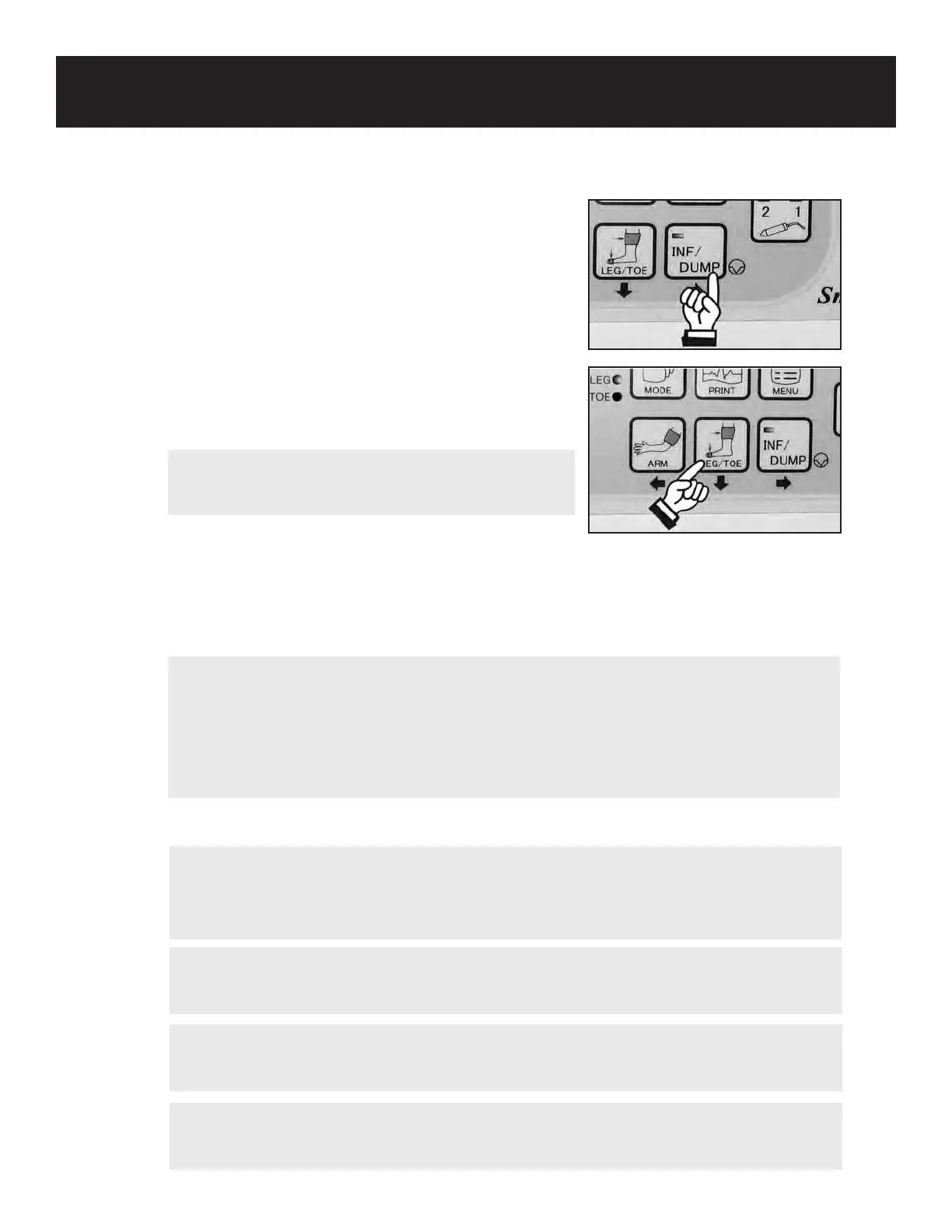
4. When the waveform is steady and the INF/DUMP
LED begins to blink, hold the probe in place and
press the INF/DUMP or probe button to activate
the automatic cu inator. The Smartdop
®
30EX
will automatically inate the cu past the point of
pressure cessation, then slowly deate the cu until
waveform motion returns. The Smartdop
®
30EX will
automatically freeze and display the pressure.
5. Press the LEG/TOE button to store the ankle pressure. The
Smartdop
®
30EX will automatically calculate & display
the ABI.
6. If you would like to save the data to memory, see 5-3-8
“MEMORY-STORE” for details.
7. Press the INF/DUMP button to return to the monitoring screen. Repeat at the Posterior Tibial
artery for the cus at the ankle and below the knee, at the Popliteal artery for the cus
above the knee and at the high thigh, if a thigh cu is used.
8. Repeat the test on the other leg.
2. SEGMENTAL BLOOD PRESSURES (Cont.)
55
NOTE
There is no need to press the LEG/TOE button when taking pressures below the knee,
above the knee, and at the high thigh. This button is used exclusively to calculate the
ABI. However, pressing the INF/DUMP button to return to the monitoring screen will
erase the current pressure data. Therefore, make sure to record or save each result
prior to moving to the next site. To save the data, refer to section 5-3-8 “MEMORY -
STORE” for details.
NOTE
If you would like to print the pressure results, before pressing INF/DUMP to return to the
monitoring screen, press the PRINT button less than 1 second to print numerical data
only or longer than 2 seconds to print waveform and numerical data.
WARNING
In case of an emergency or unexpected event during automatic ination, press the INF/
DUMP button to dump the cu pressure.
WARNING
If any abnormality is found on the unit or patient, discontinue use in a manner safe to
the patient.
NOTE
Pressing the ARM or LEG/TOE button longer than 2
seconds will clear the pressure memory.
NOTE
If an error message is displayed during the ination/deation process, press any button
other than the probe button to delete the error message and go back to step 4.



 To Next Page