Smartdop
®
30EX Vascular Testing Instructions
6. PULSE VOLUME RECORDINGS (PVRs)
PVRs use pulse volume (pneumoplethysmography) to identify changes in leg blood volume.
Rather than temporarily occluding blood ow, the cus are only inated slightly so that blood
continues to ow. Blood pulses in the arteries cause the vessels to expand which changes the
air volume in the cu. Waveform pattern recognition is then used to detect the presence and/
or severity of arterial disease. PVRs are particularly useful in patients where vessel calcication
presents inaccurate Doppler signal processing falsely elevated pressure measurements.
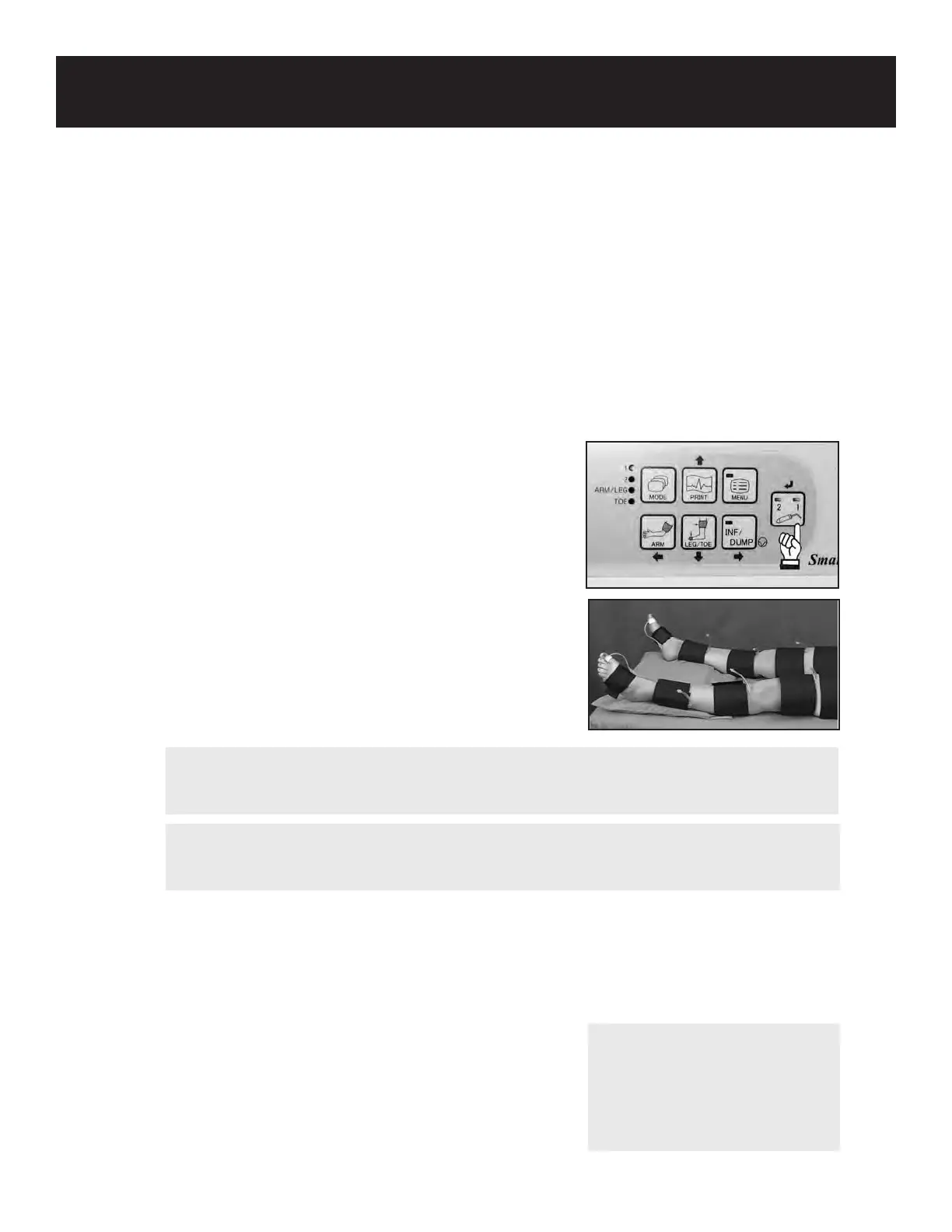
1. Turn the unit on and press the probe selection but-
ton until PV-AC Mode is selected (both LED’s will
be lit).
2. Place the patient in a supine position with the
leg and hip rotated outward. Use pillows to
comfortably support the leg and hip.
3. Wrap cus of appropriate width around both legs
at the desired locations. Sites can include the high
thigh at the groin, above and below the knee, ankle,
transmetatarsal, and toe.
4. Connect one end of the tubing to the ination inlet
on the front of the unit. Connect the other end of
the tubing to the desired cu.
5. Press the INF/DUMP button to automatically inate
the cu to 60 mmHg.
6. Gain is automatically adjusted and the PV waveform will be shown on the LCD.
7. When the waveform becomes rhythmic and stable, press the INF/DUMP button to freeze
the waveform and dump the cu.
8. To print the waveform, press the PRINT button.
9. To save the data in memory, see 5-3-8 “MEMORY -
STORE for details.
10. Press the INF/DUMP button to return to the monitoring
screen and repeat steps 4 - 9 for all cu sites.
63
WARNING
In case of an emergency or unexpected event, the cu pressure can be stopped and dumped
by pressing the INF/DUMP button.
NOTE
For waveform interpretation,
see 2-2 Pulse Volume Arterial
Waveforms to review pulse
volume waveform pattern
recognition.
WARNING
If any abnormality is found on the unit or patient, discontinue use in a manner safe to
the patient.



 To Next Page