Equipment Description 41
Haemonetics
®
Cell Saver
®
Elite
®
+ User Manual P/N 130859-US, Manual Revision: AA
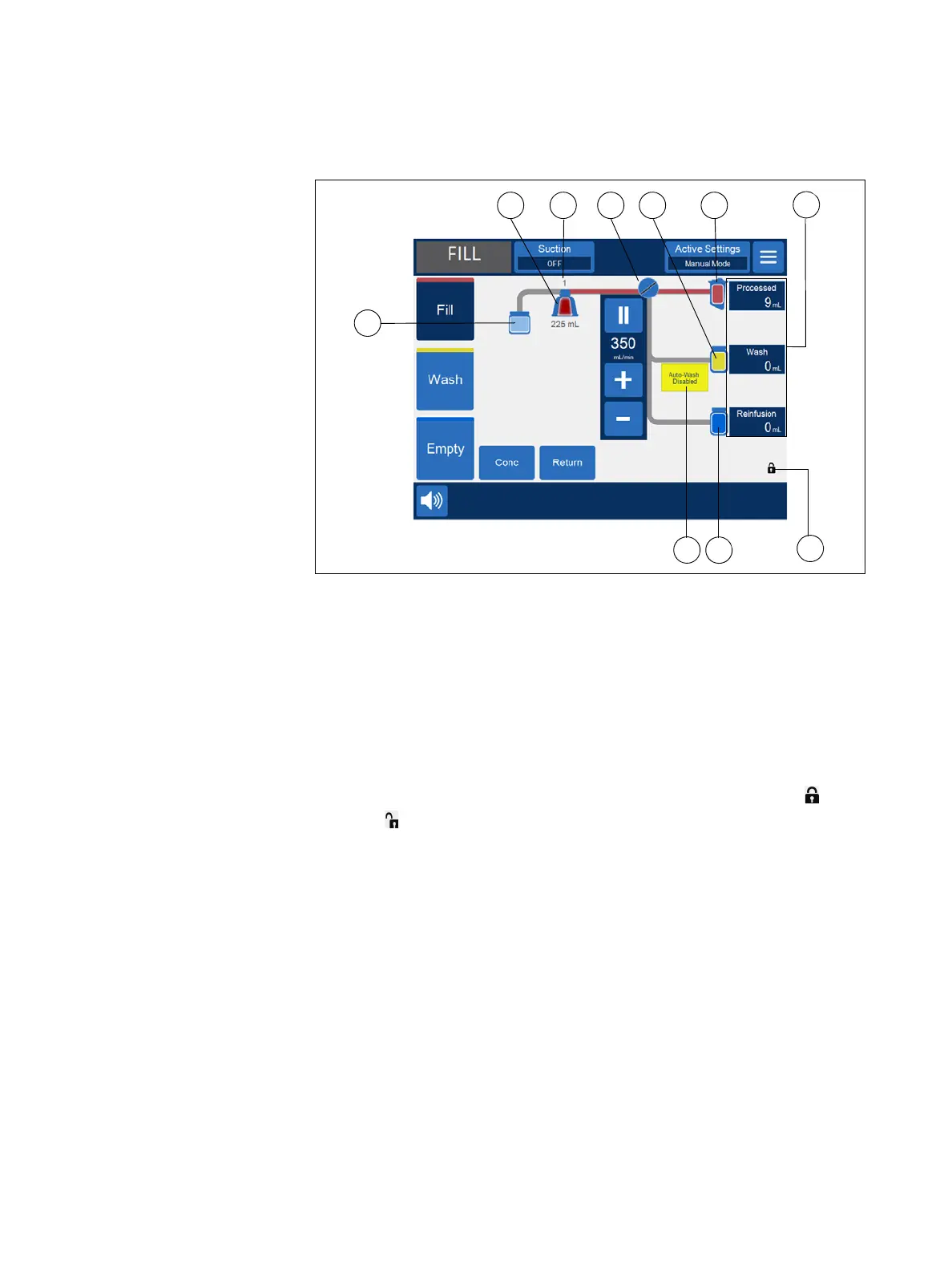
Figure 16, Example of the procedure diagram
Procedure Statistics
The procedure statistics appear at the right of the procedure diagram and
indicate the volume of salvaged fluid processed, volume of saline used, and
volume of RBCs added to the RBC bag.
Device Cover Lock Indicator
The device cover lock indicator appears at the lower right of the procedure
diagram, and indicates if the Cell Saver Elite+ device cover is locked or
unlocked .
1. Waste bag icon
2. Bowl icon (225 mL)
3. Current cycle
4. Pump icon
5. Saline bag icon
6. Reservoir icon
7. Procedure statistics
8. Example of status icon
9. RBC bag icon
10. Device cover lock
indicator



 To Next Page