42 Chapter 2
P/N 130859-US, Manual Revision: AA Haemonetics
®
Cell Saver
®
Elite
®
+ User Manual
Status Icons
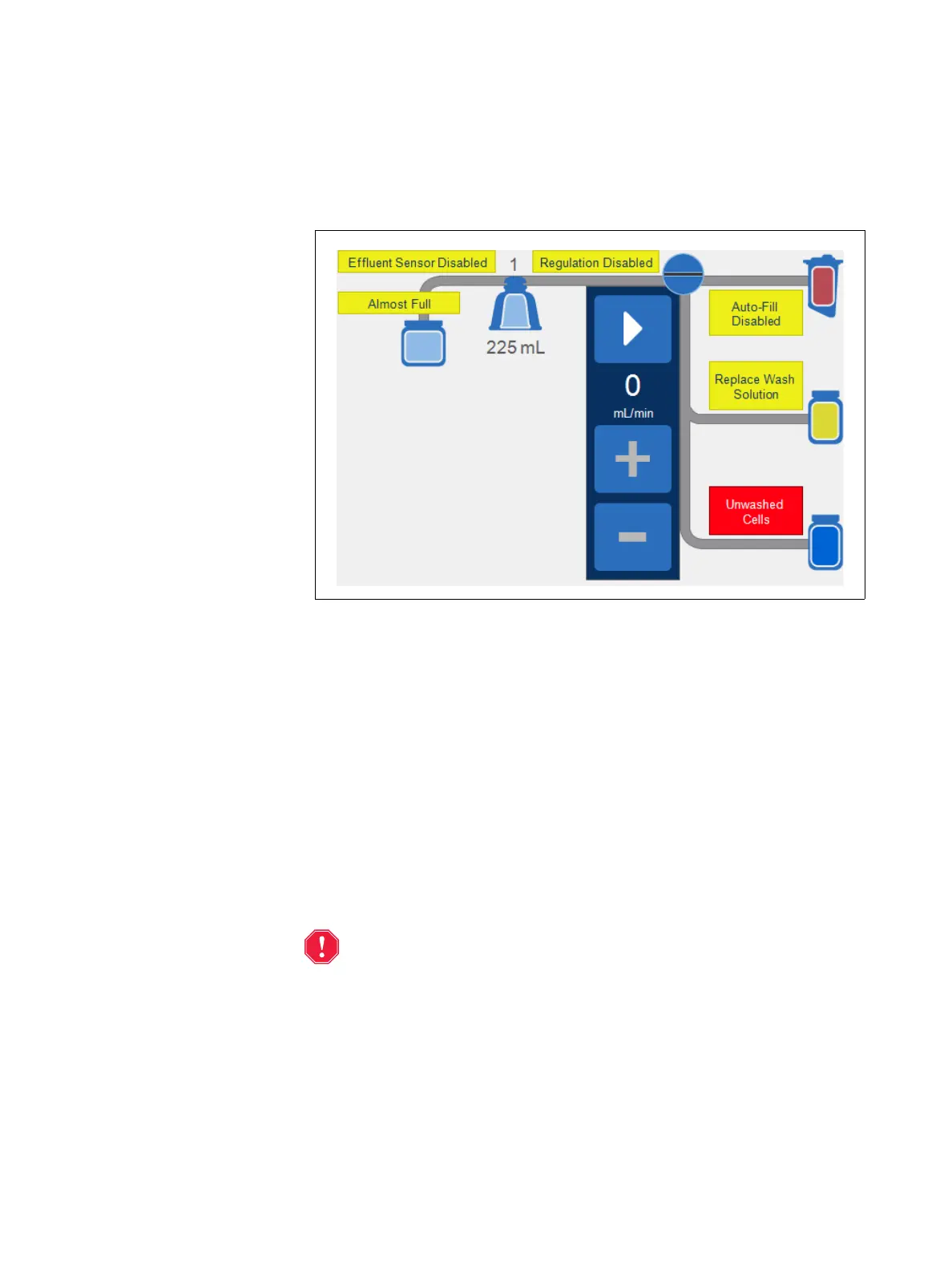
The procedure diagram displays status icons when there is an event message
or custom setting that affects the procedure.
Figure 17, Example of status icons
The following is a list of possible status icons and their meanings:
Almost Full: The device has detected approximately 8 liters of fluid in the
waste bag. The procedure will continue but the waste bag should be
emptied soon.
Auto-Fill Disabled: The reservoir weigher is not active. When in
Standby, you will need to touch Fill to enter the Fill phase.
Auto-Wash Disabled: In Manual Mode, the device will remain in the Fill
phase until you touch Wash to transition from the Fill phase to the Wash
phase.
Effluent Sensor Disabled: This icon appears if there has been a line
sensor failure and you have chosen to continue the procedure while
monitoring the quality of the effluent.
Alert: You should monitor the effluent quality during the Wash phase
when the Effluent Sensor Disabled icon appears. The effluent line
sensor is not active and is therefore not monitoring effluent quality.
Final Cycle Activated: This icon appears when the user touches Final
Cycle. When Final Cycle is activated, the device continues processing
until air is detected in Fill, after which the device automatically completes
the procedure according to the selected Final Cycle settings (see “Cell
Salvage Default Settings” on page 129 for more information).



 To Next Page