48
Mixing Levels
Mixing LevelsMixing Levels
Mixing Levels
The ‘Mix levels’ setup defines the source
signal for the aux channel. Aux channel signals
are generated from other audio channels
before delay is added in the DSP (Digital Signal
Processing.
Note: The mix level range is from -100 to 100,
where zero value equals no signal, 100 equals
max. volume and -100 equals max. volume
with phase inverted.
Level range is linear, so for example, a 50
setting means a 6 dB quieter signal than the
100 setting and a 25 setting means a 12 dB
quieter signal than the 100 setting.
o
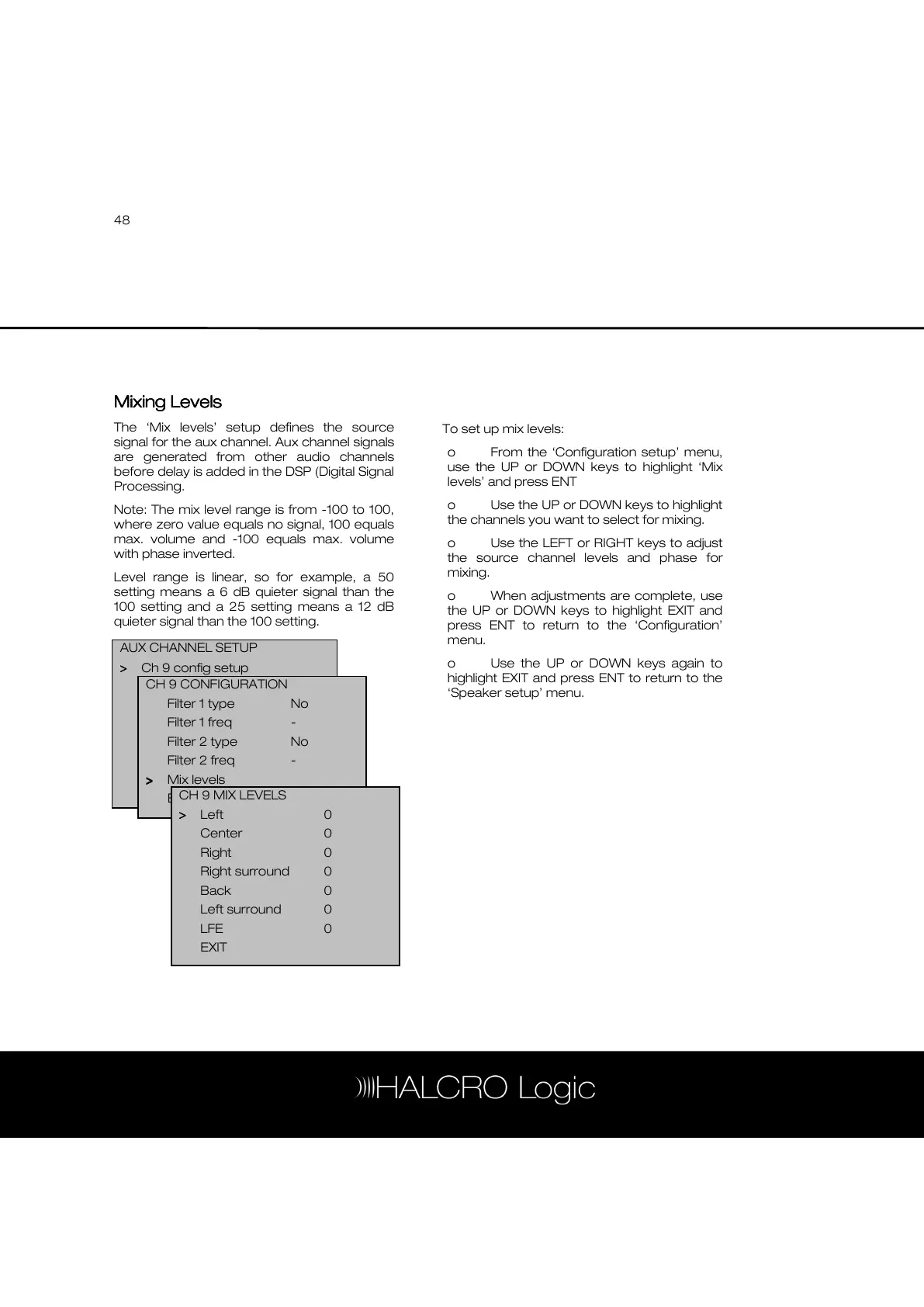
To set up mix levels:
o From the ‘Configuration setup’ menu,
use the UP or DOWN keys to highlight ‘Mix
levels’ and press ENT
o Use the UP or DOWN keys to highlight
the channels you want to select for mixing.
o Use the LEFT or RIGHT keys to adjust
the source channel levels and phase for
mixing.
o When adjustments are complete, use
the UP or DOWN keys to highlight EXIT and
press ENT to return to the ‘Configuration’
menu.
o Use the UP or DOWN keys again to
highlight EXIT and press ENT to return to the
‘Speaker setup’ menu.
AUX CHANNEL SETUP
>
>>
> Ch 9 config setup
-Level 0dB



 To Next Page