Page 81
OPERATION
DESCRIPTION
Operation of Hale SmartFOAM systems is controlled by the UltraView SmartFOAM controller display. The Hale SmartFOAM
system constantly monitors water and foam concentrate flow values, maintaining foam injection at the specified concentrate
injection rate. The system responds to variations in water flow by increasing or decreasing the speed of the foam pump.
On initial power up of the apparatus, the Hale SmartFOAM system begins a brief self-diagnostic routine (Figure 57). When
completed, the system enters the preset screen and waits for operator action or SAM remote (CAN) commands. SAM acti-
vates the foam system even if it is turned off (as long as power is applied).
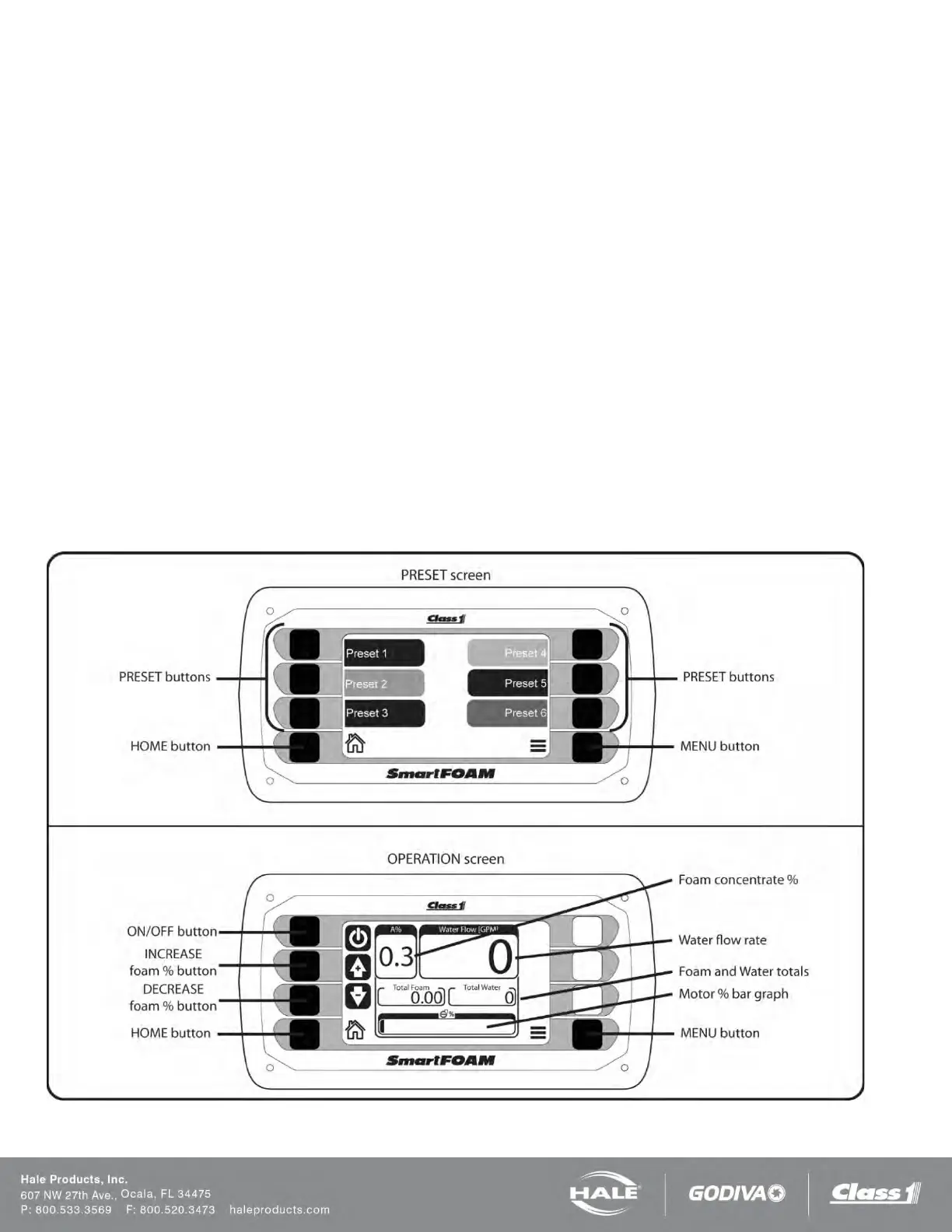
PRESET SCREEN
The SmartFOAM system initializes to the preset screen. The preset screen allows the operator to choose any one of the six
presets to start the system and show the operation screen. The HOME button goes to the operation screen. The MENU but-
ton goes to the main menu. SAM activation of the foam system always initializes preset #1.
OPERATION SCREEN
The operation screen shows all of the pertinent operating parameters: foam concentrate percentage, water flow rate, total
foam flowed, total water flowed, and motor percent effort bar graph. The operation screen also allows the operator to turn the
system ON/OFF with the ON/OFF button and to change the foam concentrate percentage with the INCREASE/DECREASE
foam percent buttons. The HOME button goes back to the preset screen. The MENU button goes to the main menu.
Figure 66: Preset and Operation Screens



 To Next Page