Page 83
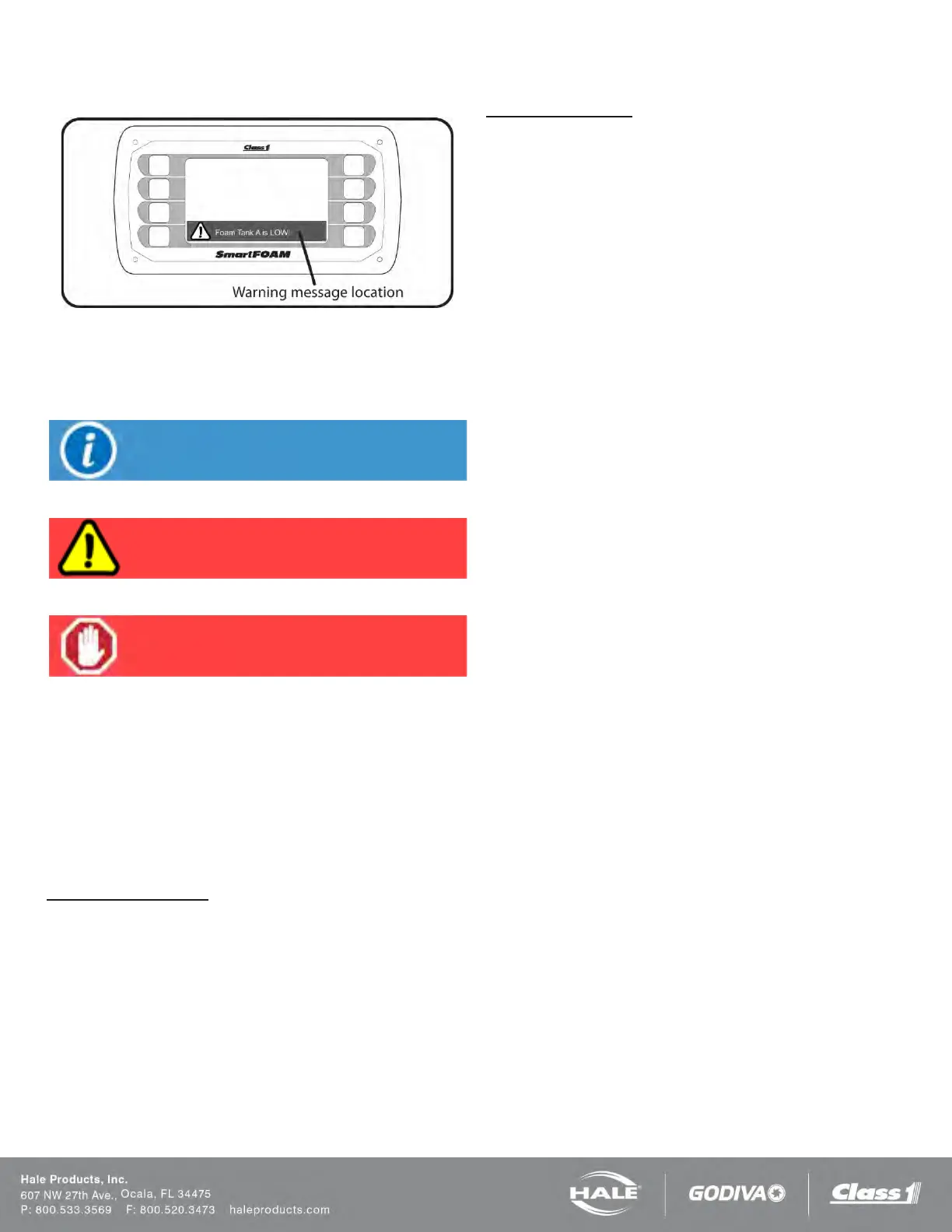
Figure 68: Warning Message Location
This warning ribbon also contains an icon to inform the opera-
tor of the severity of the warning.
Informational
Caution
Operation Halted
The warning ribbon will contain text informing the operator of
what has happened, what will happen, or what the operator
needs to do.
A warning message may be dismissed by pressing the
screen anywhere on the warning ribbon. If the warning is
still active the warning message will appear again after the
inhibit time has expired (default is 60 seconds – configurable
in the OEM menu).
Low Foam Tank Level
The Hale SmartFOAM foam pump is interlocked with the
foam concentrate tank level switch. When the low level
switch is activated (foam tank is empty) the low tank caution
message will be shown and the foam pump will continue to
run for 60 seconds. At the 60 second limit the system and
pump will be forced OFF and the foam is empty operation
halted message will be displayed.
If the ON button is pressed before refilling the foam tank, the
system runs for 30 seconds before shutting down again and
showing the foam is empty operation halted message.
Foam Priming Error
In the event there is no foam feedback signal being received
when the foam pump starts (indicating a lack of foam con-
centrate flow) the foam pump motor ramps up to full speed
attempting to establish foam concentrate flow. The attempt-
ing to prime caution message will appear informing the oper-
ator how many seconds the system will continue to run be-
fore shutting down due to loss of foam prime.
If the system operates for a period of 35 seconds (configura-
ble in the Factory menu) without a feedback signal the sys-
tem turns itself OFF and shows the loss of prime operation
halted message.
PRIMING THE FOAM PUMP
In some instances, the foam tank may run dry while operat-
ing the Hale SmartFOAM system. The foam pump is de-
signed to pump liquid. When the fire pump is running the
foam pump may not pump efficiently against 100 to 150 PSI
(7 to 10 BAR) back pressure. To re-establish foam concen-
trate flow quickly the following procedure is used.
1. Turn the bypass valve to the BYPASS position.
2. With the fire pump flowing water from foam dis-
charge and the Hale SmartFOAM ON, observe the
hose from the bypass valve.
3. When foam concentrate flows from the hose turn the
bypass valve back to the INJECT position.
4. The pump is now primed and ready for normal oper-
ation.
NORMAL OPERATION SUMMARY
Refer to Figure 66 for images of the preset and operation
screens and their associated buttons.
1. Energize the system.
a. Apply power to the apparatus. The Smart-
FOAM controller initializes and shows the
preset screen.
2. Select foam tank (excluding 1.7AHP and 2.1A sys-
tems).
a. If the system is equipped with dual foam
tanks, place the selector to the desired tank.
3. Begin foam injection.
a. Establish water flow and then press one of
the preset buttons on the preset screen.
Operation may also be started by pressing
the HOME button to go to the operation
screen and then press the ON button.



 To Next Page