Page 90
MAINTENANCE
MAINTENANCE PROCEDURES
❑ After each use
Inspect wiring, hoses, flow sensors and connections for
tightness, corrosion, leaks and/or damage.
Flush foam pump if a non-approved foam concentrate
is used. (Refer to the “Hale Foam Concentrate Compat-
ibility” document for a list of tested and approved foam
concentrates).
❑ Monthly
Remove and clean the foam strainer screen. Flush as
required.
❑ Every two (2) months
If an approved foam concentrate has been left in the
system, operate foam system to remove the foam con-
centrate and prevent gelling.
❑ Annually
Verify water flow calibration.
❑ Annually
Verify foam feedback calibration.
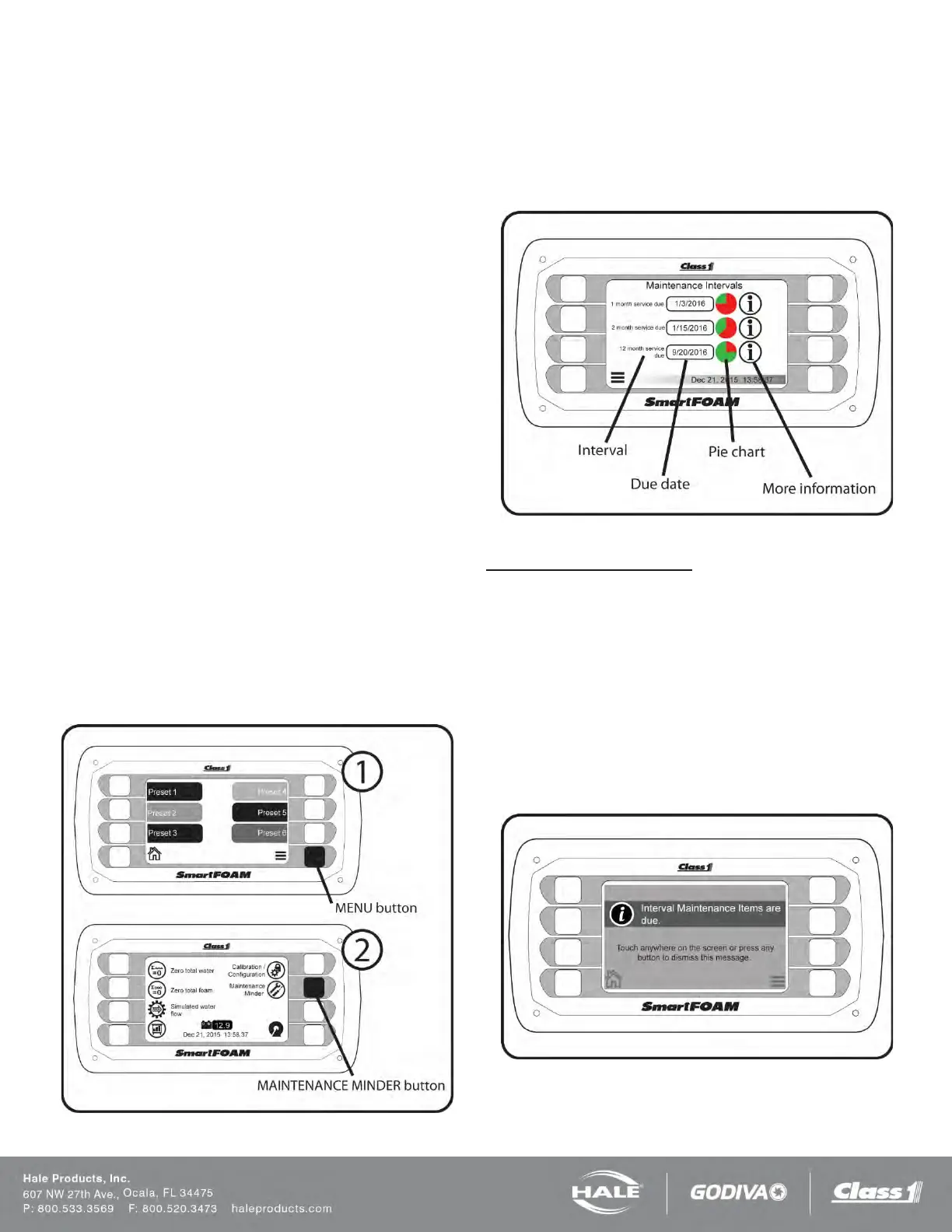
ON-SCREEN MAINTENANCE MINDER
The SmartFOAM controller keeps track of the maintenance
intervals automatically through the on-screen maintenance
minder. The maintenance minder can be viewed by going to
the main menu and then selecting the “Maintenance Minder”
button.
Figure 76: Navigate To Maintenance Minder Screen
The Maintenance Minder screen contains three intervals:
one month, 2 months, and 12 months. The screen shows
the due date of each interval and a pie chart for a visual indi-
cation of how much time is remaining before the interval
maintenance is due.
Figure 77: Maintenance Minder Screen
Maintenance Due Indication
When interval maintenance is due the due date will show the
word “DUE” and its pie chart will be entirely red. Touch the
“i” icon of a maintenance interval to see what maintenance is
required.
The SmartFOAM controller will display a full screen mes-
sage if maintenance is due when the system is energized.
This is just a reminder to check the maintenance minder
page and complete the required maintenance. Touch any-
where on the screen or any button to dismiss this message
(it will not appear again until the system is re-energized).
Figure 78: Maintenance Minder Warning



 To Next Page