Overall presentation28
ORIG0140-28
4127718F/B
02/26/2007
1.2.7 Ink tank and printhead
- When the message "ink low" is displayed, it is possible to
continue to print;
- When the message "ink very low" is displayed, it is possible to
continue to print, but it is strongly recommended to replace the
ink tank;
- When the message “ink out” appears, there is no more possibility
to print.
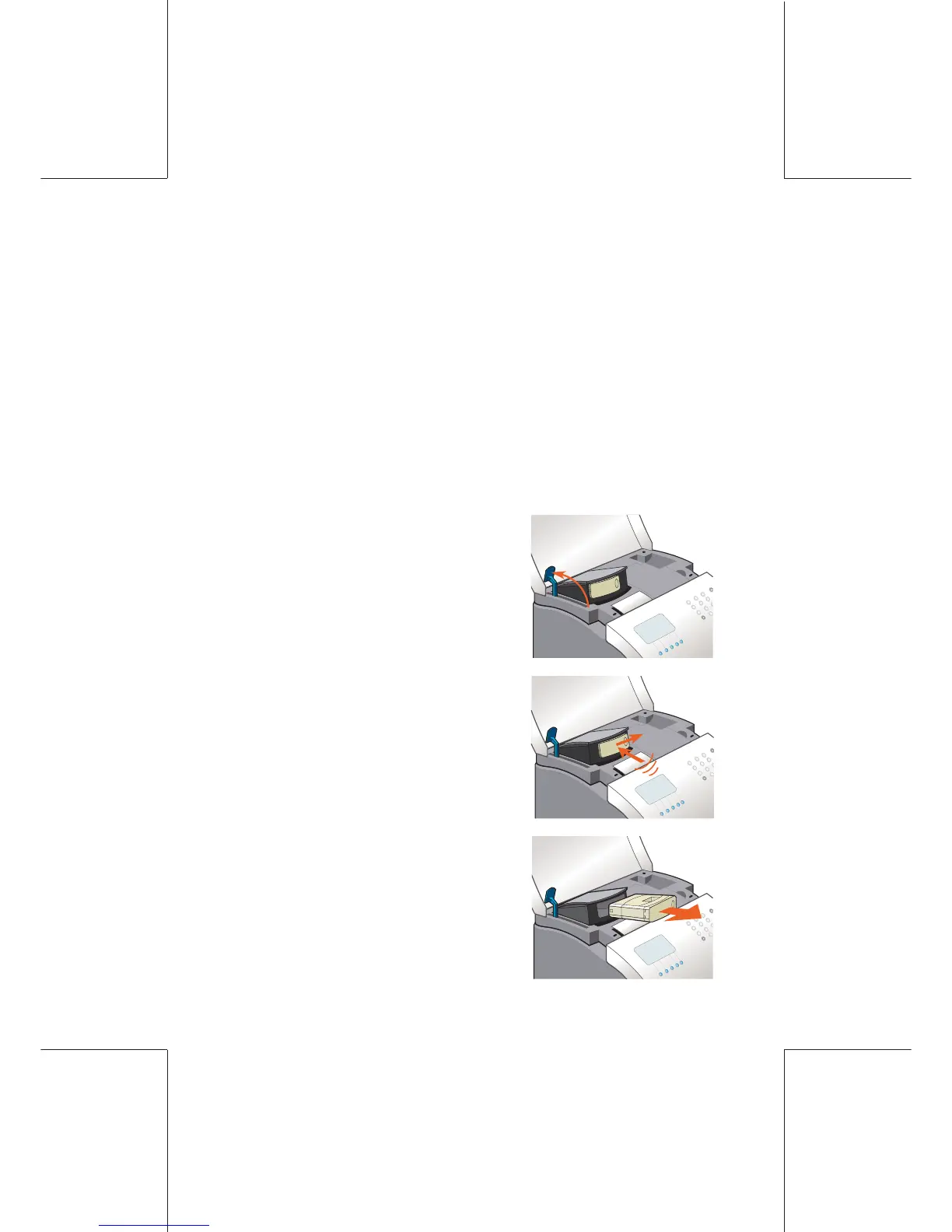
INK TANK REPLACEMENT (WJ220/110)
- Open the top cover and lift up the
blue lever;
- Press on the front of the ink cartridge
(1), then on the right hand side (2) in
order to remove it;
- Remove it;
(2)
(1)



 To Next Page