Operation with a roll tape dispenser (RTD) 83
ORIG0140-83
4127718F/B
02/26/2007
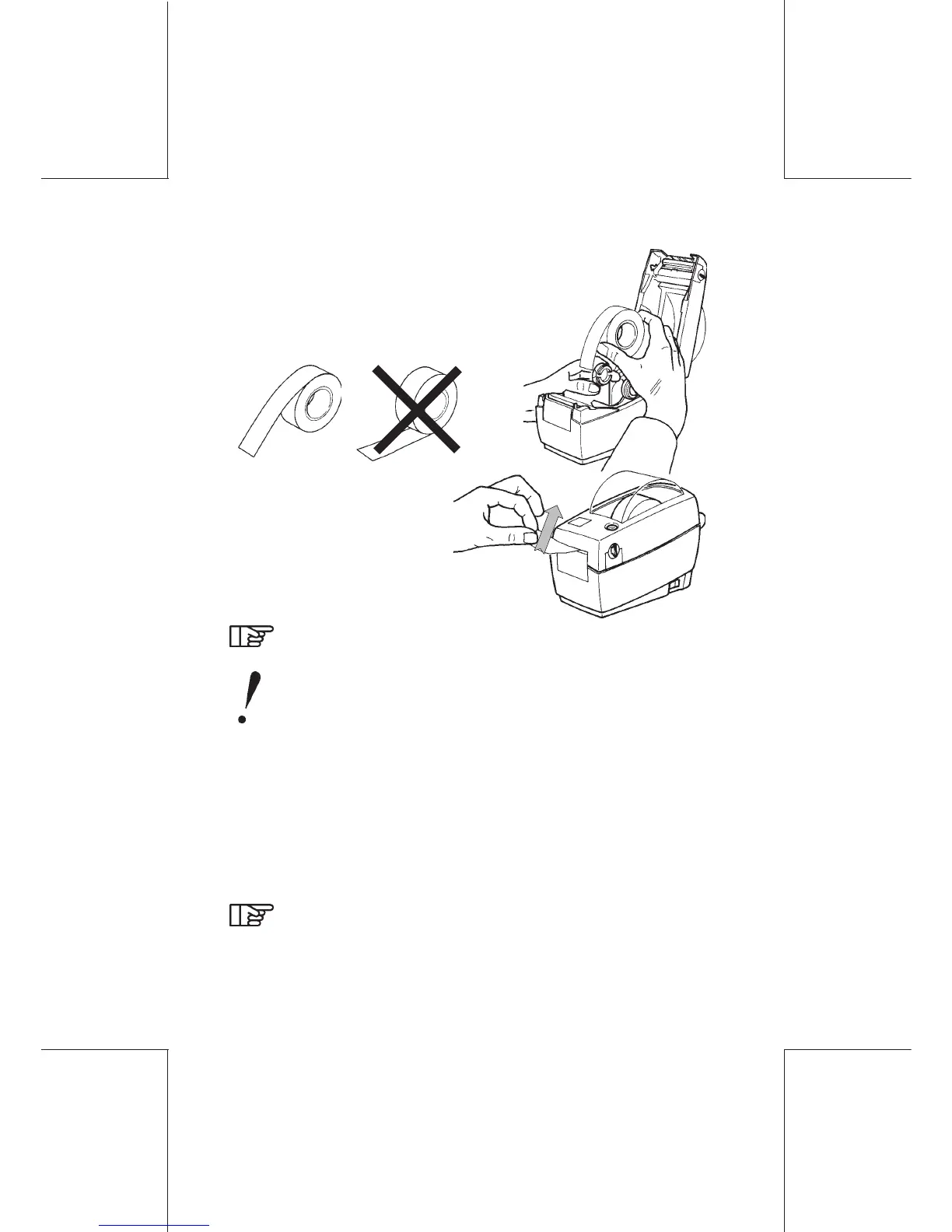
- Close cover and
remove excess label by
tearing it off (upward):
- Use approved label roll
only.
- Place label roll onto the
label roll holder (green
guides).
It is recommended to wipe off the printhead with the clean
pen when replacing the roll, it is mandatory every 5 rolls
(i.e. every new box).
DO NOT CLEAN THE BLACK PRINT ROLLER.
RTD Installation Recommendation
- To ensure that the RTD isn't misplaced, it is recommended that
it be fastened with the enclosed velcro to the table: attach the
mating strips of velcro to the velcro strips under the RTD.
Remove the paper backing from the strips. Position the RTD on
the table and apply pressure to fasten it.
Usage recommendation
Before printing a label, it is recommended to verify label
roll advances freely (and is not stuck to any cover), if unit
has not been run for an extended period of time.



 To Next Page