Getting Started
GETTING STARTED
The following pages will help you get up and running with your new HBK FUSION hardware.
What's in the box?
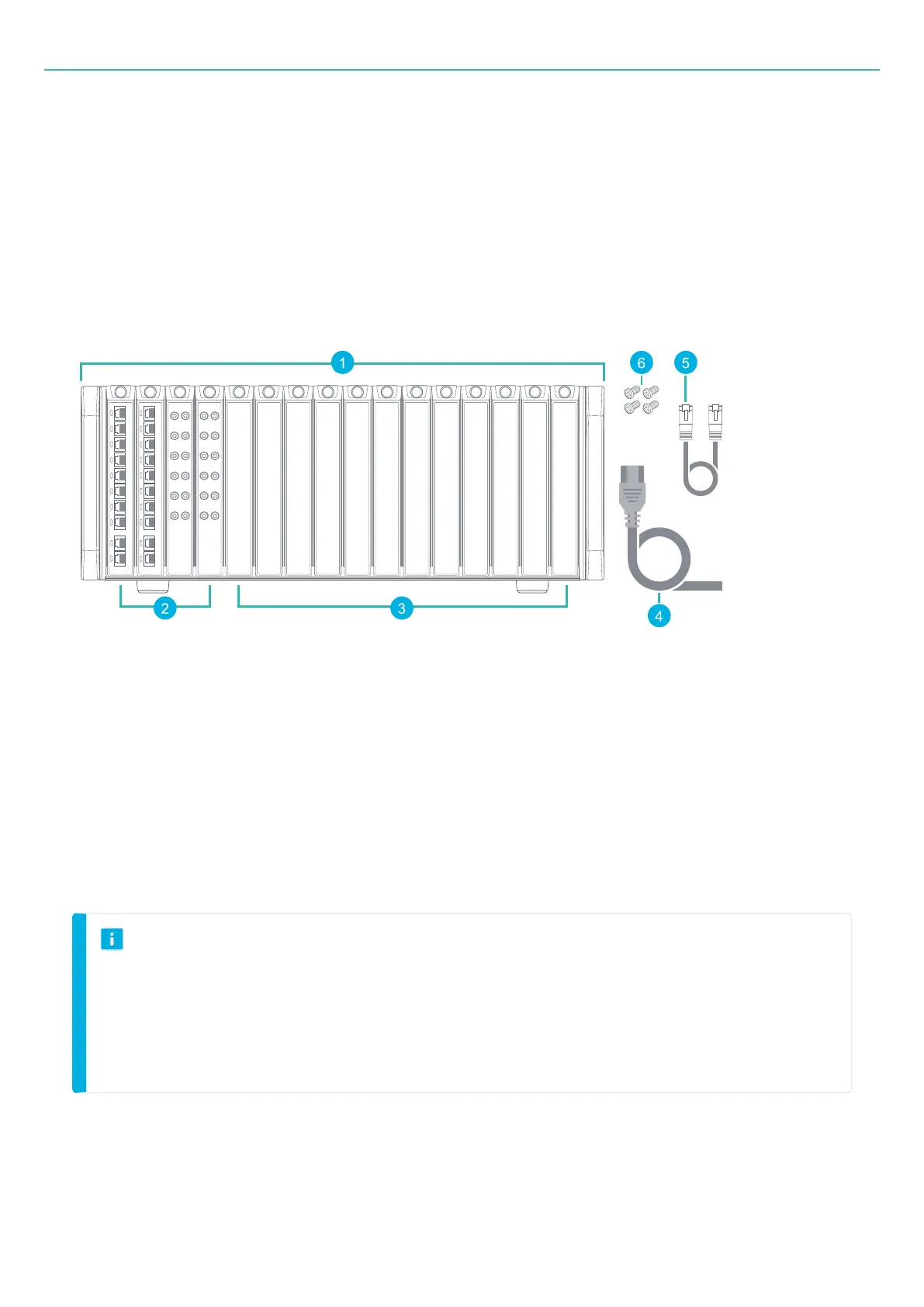
1. Frame (housing)
2. Input boards
3. Blank boards
4. Power supply cable with plug
5. Ethernet cable
6. 4 × cross-head screws for rack mounting, screwdriver not included
NOTE
l
All slots must contain a board (input or blank) during operation.
l
The 16 slots can be filled with any combination of HBK FUSION boards.
l
The figure above shows a sample configuration. Your system may differ (all the same type or a
combination with or without blank boards).
- 19 -



 To Next Page