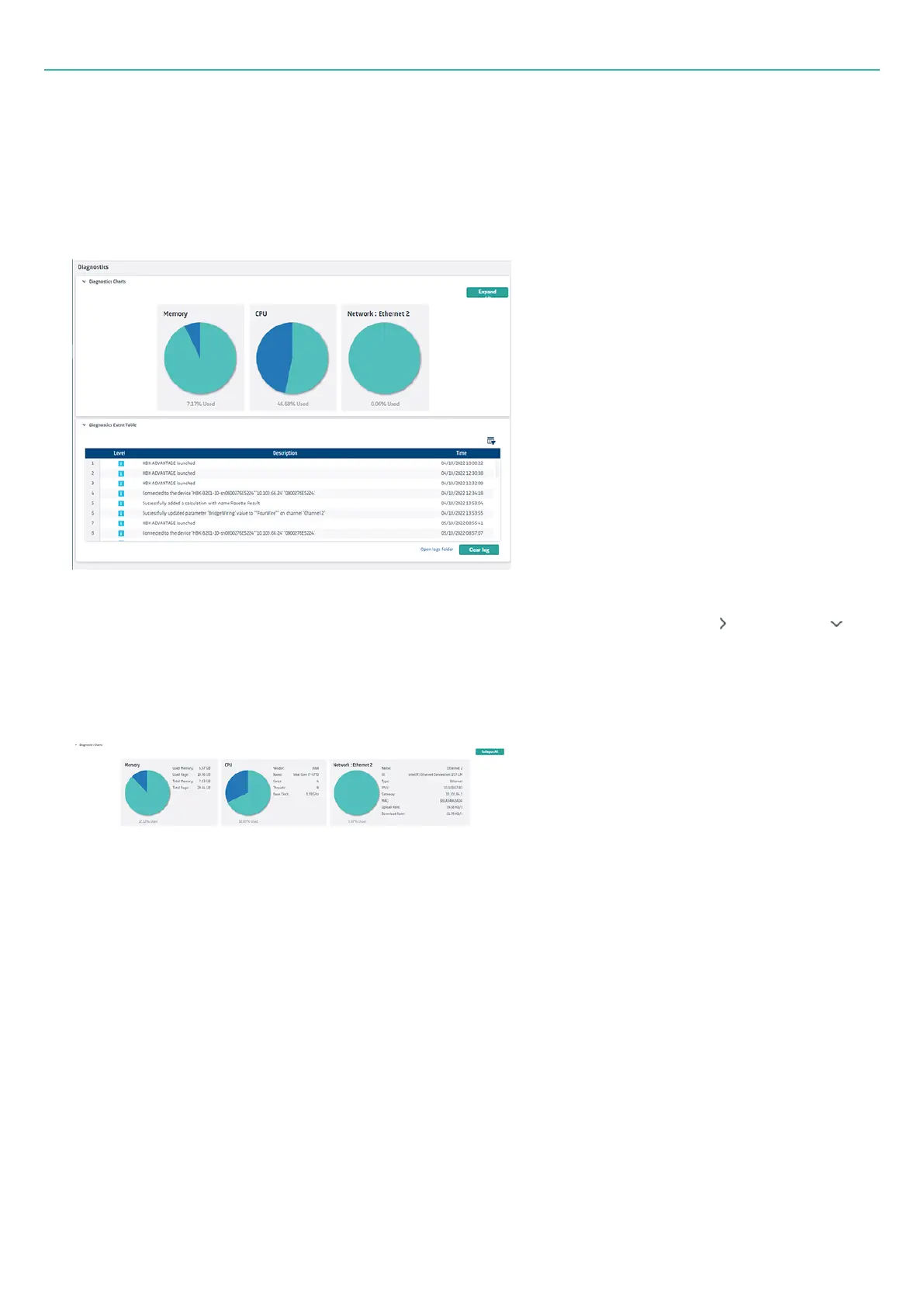
System monitor
l
A system monitor that allows you to view critical system parameters and PC performance including
storage, power and network usage.
l
An event log that shows:
o
Warnings, errors and other notifications
o
Recording status during and after data recording
Each section of the page, Diagnostics Charts and Diagnostics Event Table, can be hidden ( ) and shown ( )
as needed.
System monitor
Storage: Shows the total and residual data storage of the available storage media.
Memory: Shows the amount of memory used and the amount available.
CPU : Shows the used and available processor load.
Network: Shows information about the PC's network hardware.
Click the small arrow to the right of each pie chart to get more information. Alternatively, click Expand all to
view the details for every chart. (Click Collapse all to close again.)
- 71 -



 To Next Page