Removing a board
WARNING
Any empty slot must be mounted with a blank board to meet the cooling requirements of the
frame.
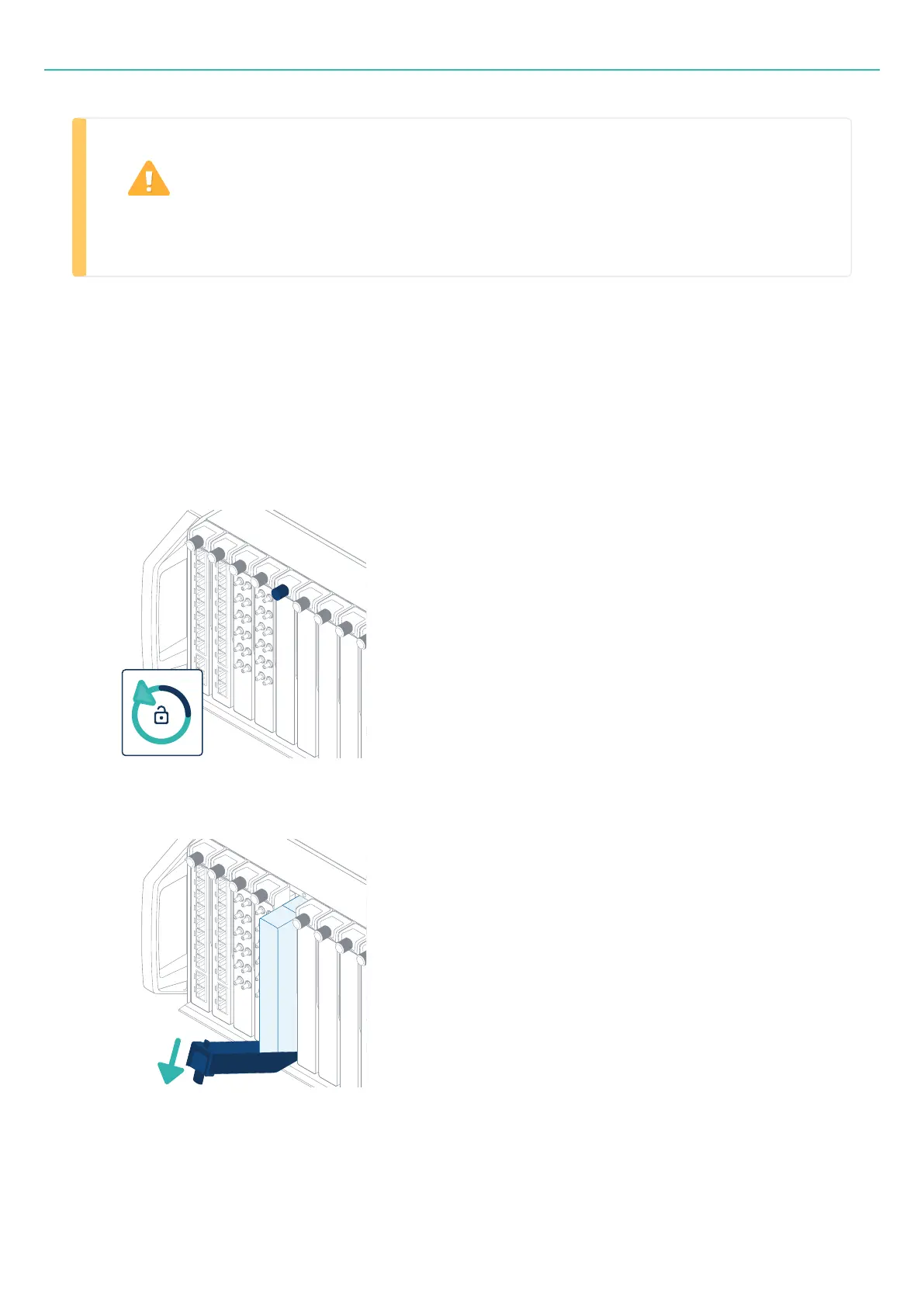
Each board has a moveable lever. The lever locks the board in the frame and provides the force needed to
connect or disconnect the board to or from the frame.
Removing a board
1. Unlock the lever.
Rotate the quarter-turn fastener anti-clockwise.
2. Lower the lever to its horizontal position.
The lever disconnects the board from the backplane of the frame.
3. Remove the board from the frame.
- 55 -



 To Next Page