Start the software
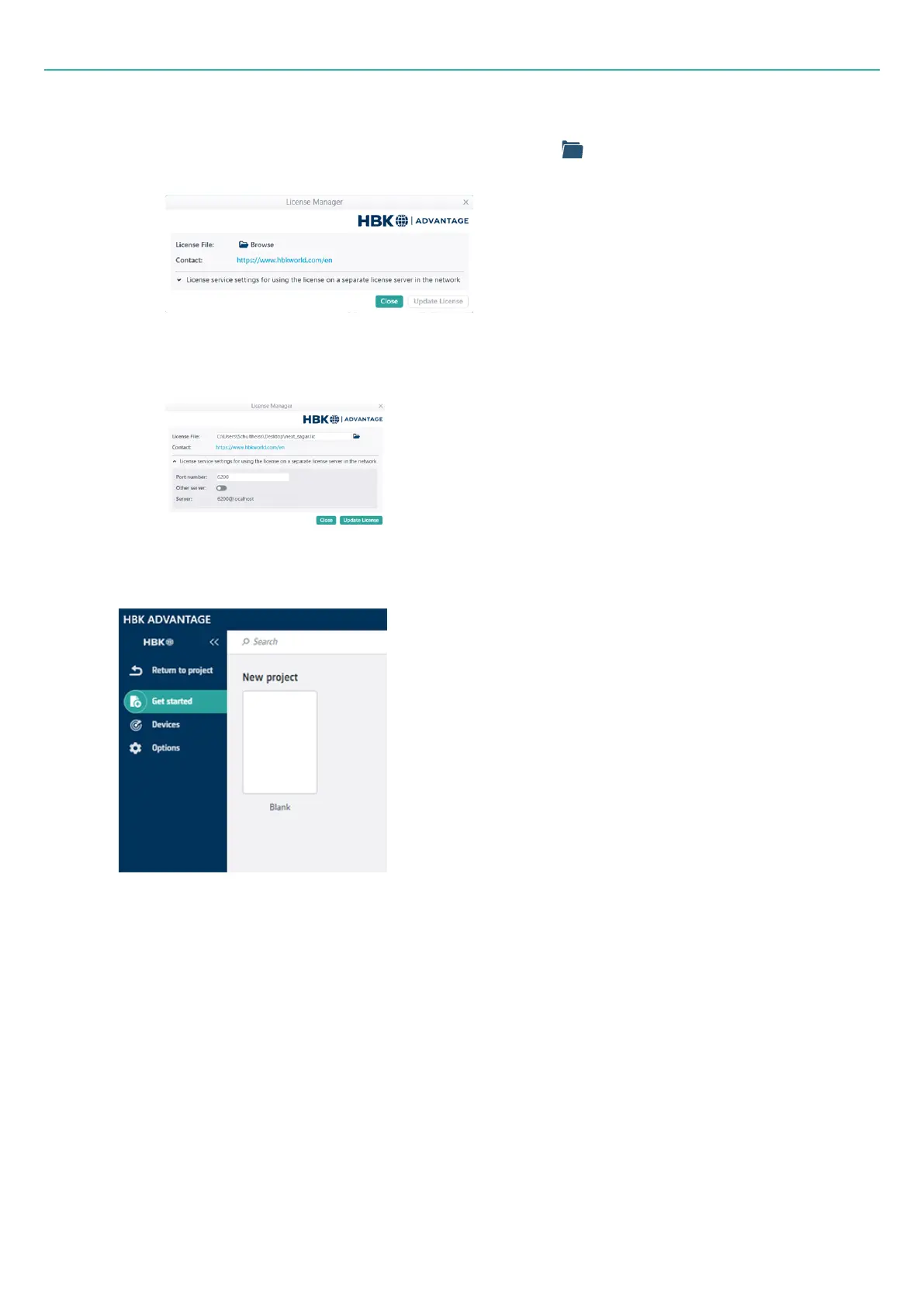
4. In the License Manager dialog, To configure the license:
o
If you have paid and received a license from HBK, click Browse to browse to the location of
the license file on your PC or network.
o
If you are connecting to a license server to check out tokens, you will also need to set up the
license service under the drop-down button. The default settings are often sufficient. Check
with your license administrator if in doubt.
5. Click Update License.
6. When the software opens, create a new project by clicking the Blank template under New project.
- 32 -



 To Next Page