29
MP60, MP60DP
SETUP AND OPERATION
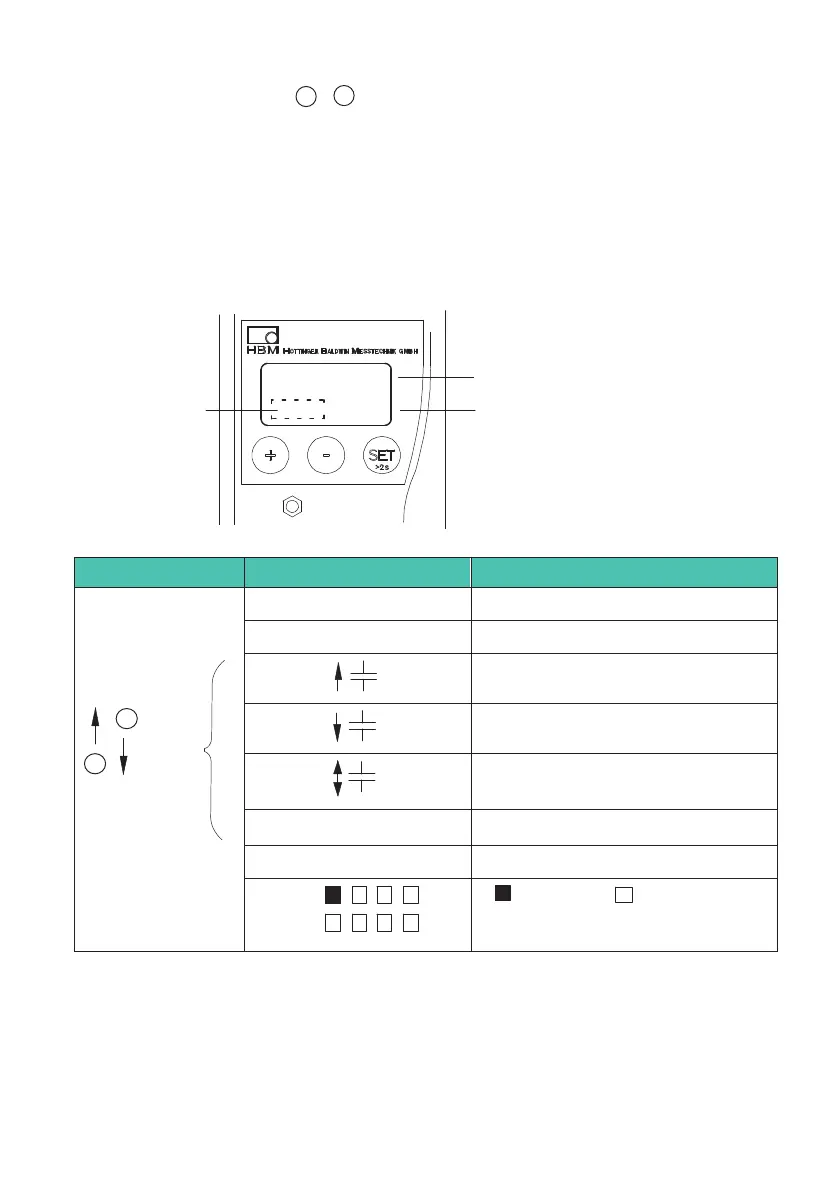
During measurement, press +
-
to view the following on the display:
1. Measured value
2. Analog output value
3. Status of digital inputs and outputs
4. Error list
If the
! symbol appears in the status field, it indicates an error that is described in the
error list.
-18.00
kNm
Measured value
Unit
Status field
Symbol in status field Display mode
No symbol Gross signal
>T< Net signal
when
active
+
−
Maximum peak value signal
Minimum peak value signal
Peak-to-peak signal
kHz
1)
Input signal
V or mA Analog output signal
Outp
Inpt
set not set
Status of input and output


 To Next Page