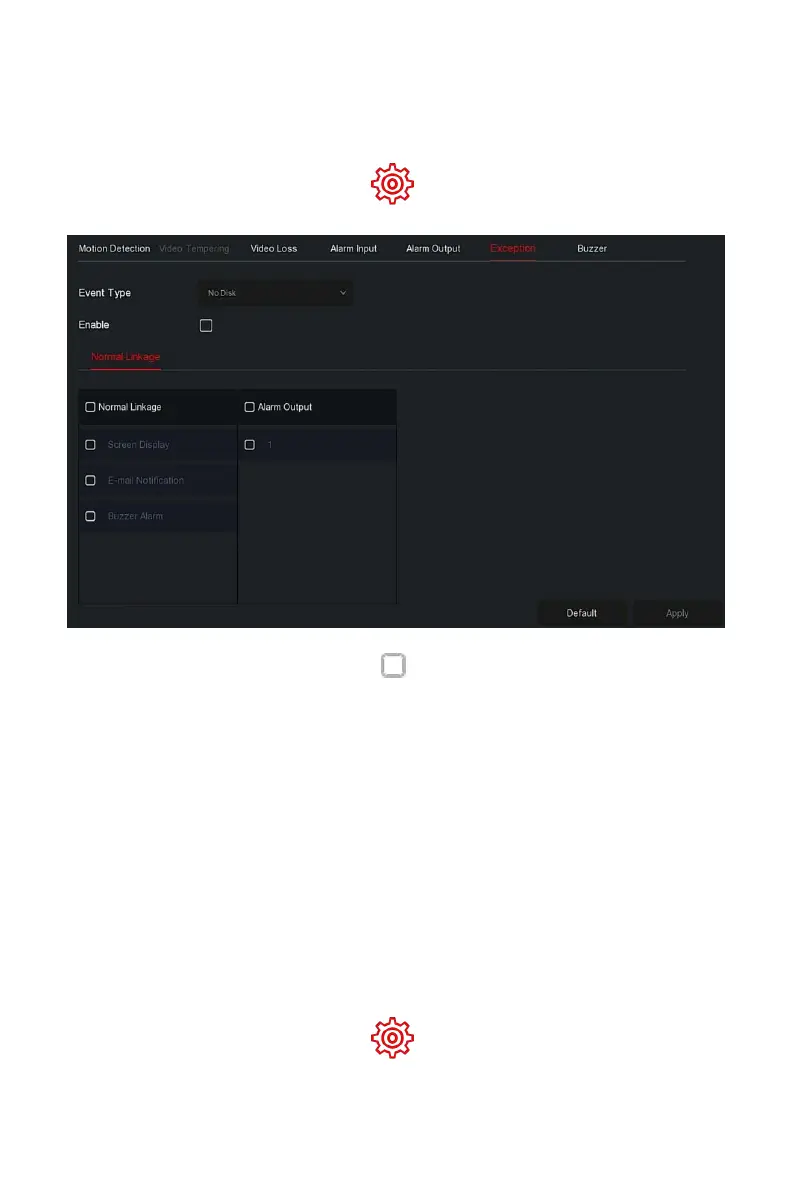
linkage action.The event types supported by the device are "No Disk", "Disk
Error", "Broken Network" and "IP Conflict".
The specific operation steps are as follows:
Step 1: In the main menu, choose " →Normal→Exception" to enter
Exceptionsetting interface, as shown in Figure 5-63 below.
Figure 5-63
Steps 2: Select the event type, click " " to enable the exception alarm
function, choose the way for linkage(Screen Display, E-mail Notification,
Buzzer Alarm) and alarm output port.
Steps 3: Click "Apply" to save the setting.
Screen Display: When an alarm occurs, the device pops up an alarm
screen to show a warning.
E-mail Notification: When an alarm occurs, the device will send an
email as a warning.
Buzzer Alarm:When an alarm occurs, the device will beep to show a
warning.
The specific operation steps are as follows:
Step 1: In the main menu, choose " →Normal Event→Buzzer" to enter
Buzzersetting interface, as shown in Figure 5-64 below.



 To Next Page